Priya opens a food delivery app at 7pm, hungry, and taps Sign in. About a second and a half later she’s looking at her past orders.
In that second and a half, her password went to exactly one place. It wasn’t the app. It wasn’t your API. It definitely wasn’t your database. This post follows that one tap all the way down, because once you’ve seen the journey, it’s very hard to go back to building your own login form.
What happens when you tap “Sign in” on a secure app?
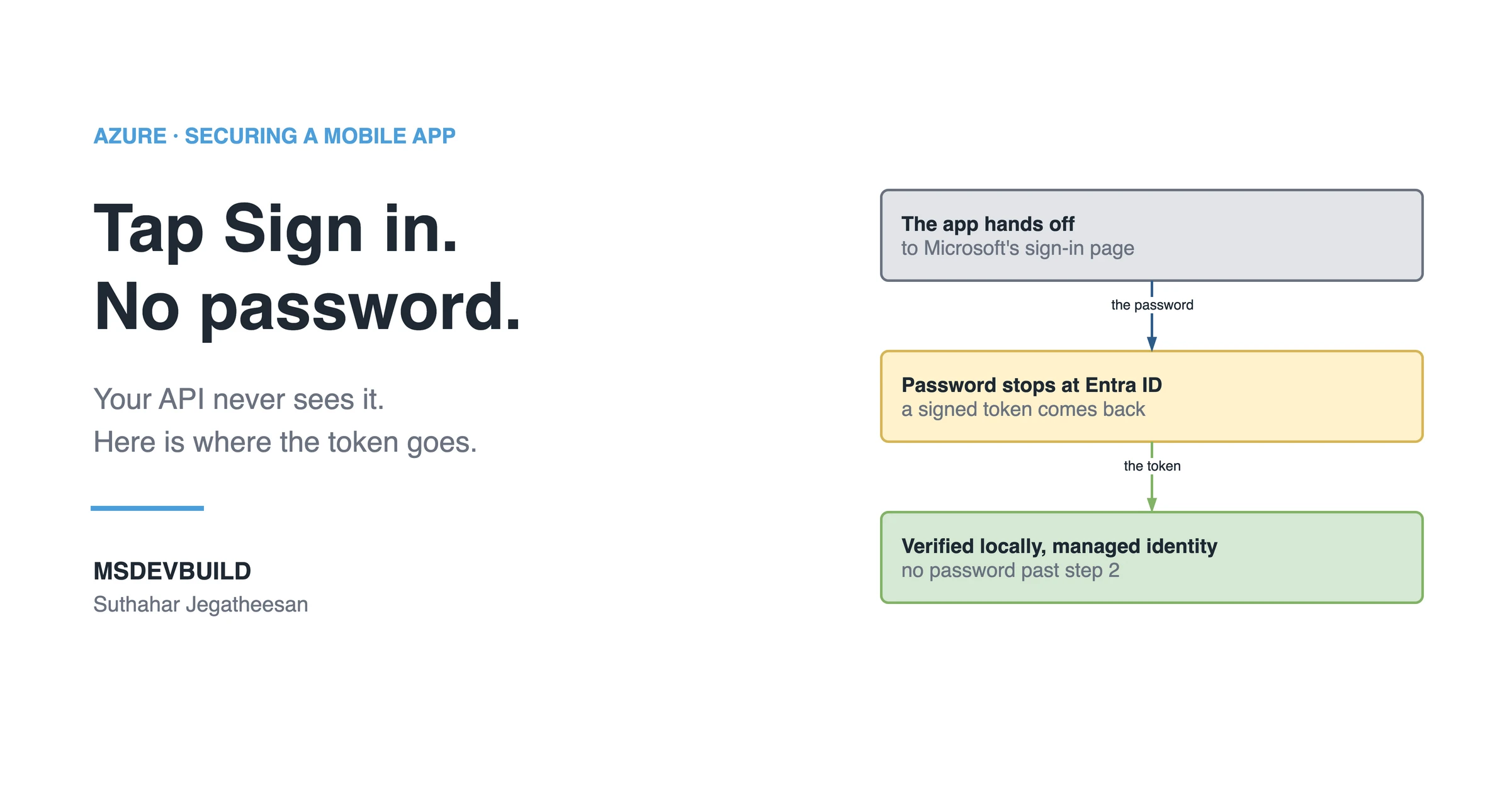
A secure app never handles your password. It hands you to Microsoft Entra ID, Entra ID checks who you are, and the app gets back a signed token: that token, not the password, is what every system after that point sees.
Step by step: where the password goes
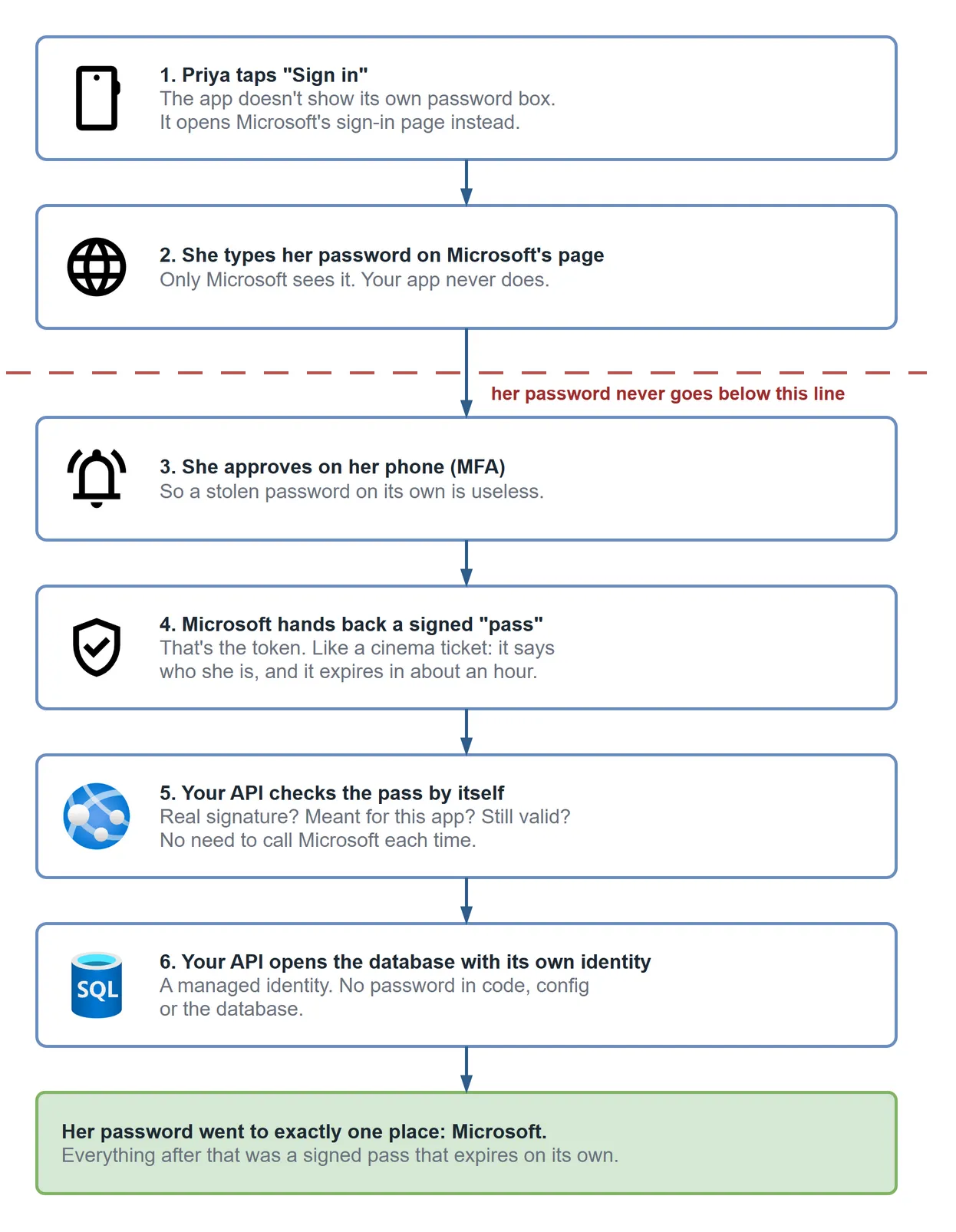
1. The app hands off (about 20ms). It opens the system browser, or a secure web view, on the Microsoft sign-in page. Not a text field the app drew itself. This sounds like a detail. It’s the whole thing: if your app renders the password field, your app has the password, and every promise you make after that is on trust.
2. The password stops at Entra ID. It travels to Microsoft and nowhere else. Your API isn’t in this step and never will be. If your database leaks tomorrow, there are no passwords in it. You never had any.
3. MFA: the slow bit, and it’s her, not the system. Priya approves the prompt on her phone. That’s what makes a stolen password worthless. It matters a lot, because password reuse is exactly what credential-stuffing bots run on (more on those in the post on automated login attacks).
4. A signed token comes back (about 1.4 seconds in). A JWT: who she is, what she’s allowed to do, when it expires, and Microsoft’s signature over all of it. Usually valid for 60–90 minutes. The app stores it in the iOS Keychain or Android Keystore, never in UserDefaults or SharedPreferences.
5. Your API verifies it locally (microseconds). This is the step people assume is a network call. It isn’t. Your API downloaded Microsoft’s public signing keys once, cached them, and now checks every token on its own.
6. No password below the API either. Your API reaches Azure SQL with a managed identity:
Server=msdev.database.windows.net;
Authentication=Active Directory Default;
No password in the connection string. Nothing to leak, nothing to rotate.
What does the API check on every token?
Four things, and all four matter:
| Check | What it proves | What goes wrong if you skip it |
|---|---|---|
| Signature | Microsoft issued it and nobody edited it | Anyone can forge a token |
Issuer (iss) | It came from your tenant | A token from another tenant gets in |
Audience (aud) | It was issued for this API | A valid token for a different app works on yours |
Expiry (exp) | It’s still in date | A token stolen last week still works |
The part that surprises people
After step 2, there’s no password anywhere. Not in the app. Not in your config, the connection string or the database. The only thing moving through the system is a short-lived signed token. It expires on its own.
What happens after the token expires
The access token expires after about an hour. A refresh token quietly gets a new one in the background, which is why a well-built app doesn’t sign you out every 60 minutes, and it’s also why a stolen access token is a much smaller problem than a stolen password. It stops working by itself, soon.
How to check your own app
Open your login screen and look for a password field you built, because if it’s there, your app is handling passwords. Nothing above applies to you yet. Moving to MSAL and the system browser is the change that makes it apply. It’s usually less work than the login form you’d be deleting.
Key takeaways
- A secure app never renders its own password field — it hands the user to Microsoft’s sign-in page via the system browser.
- The password reaches Microsoft Entra ID and stops there; your API and database never see it.
- Token verification is a local check against cached signing keys, not a network call per request.
- Check signature, issuer, audience and expiry — a valid signature doesn’t mean the token was meant for your API.
- Reach Azure SQL with a managed identity, so no password exists anywhere past sign-in.
Earlier in this series: Insecure vs Secure: The Same Mobile App, Two Azure Architectures and Azure Key Vault Explained: The One Secret Tutorials Never Remove.