AI Bot Attacks on a Mobile App Login, and How Azure Stops Them

A script tries 8,000 passwords a minute against your login API at 3am. Rate limiting, smart lockout and Defender for Cloud make speed the losing move.

By Suthahar Jegatheesan Updated October 9, 20264 min read —views
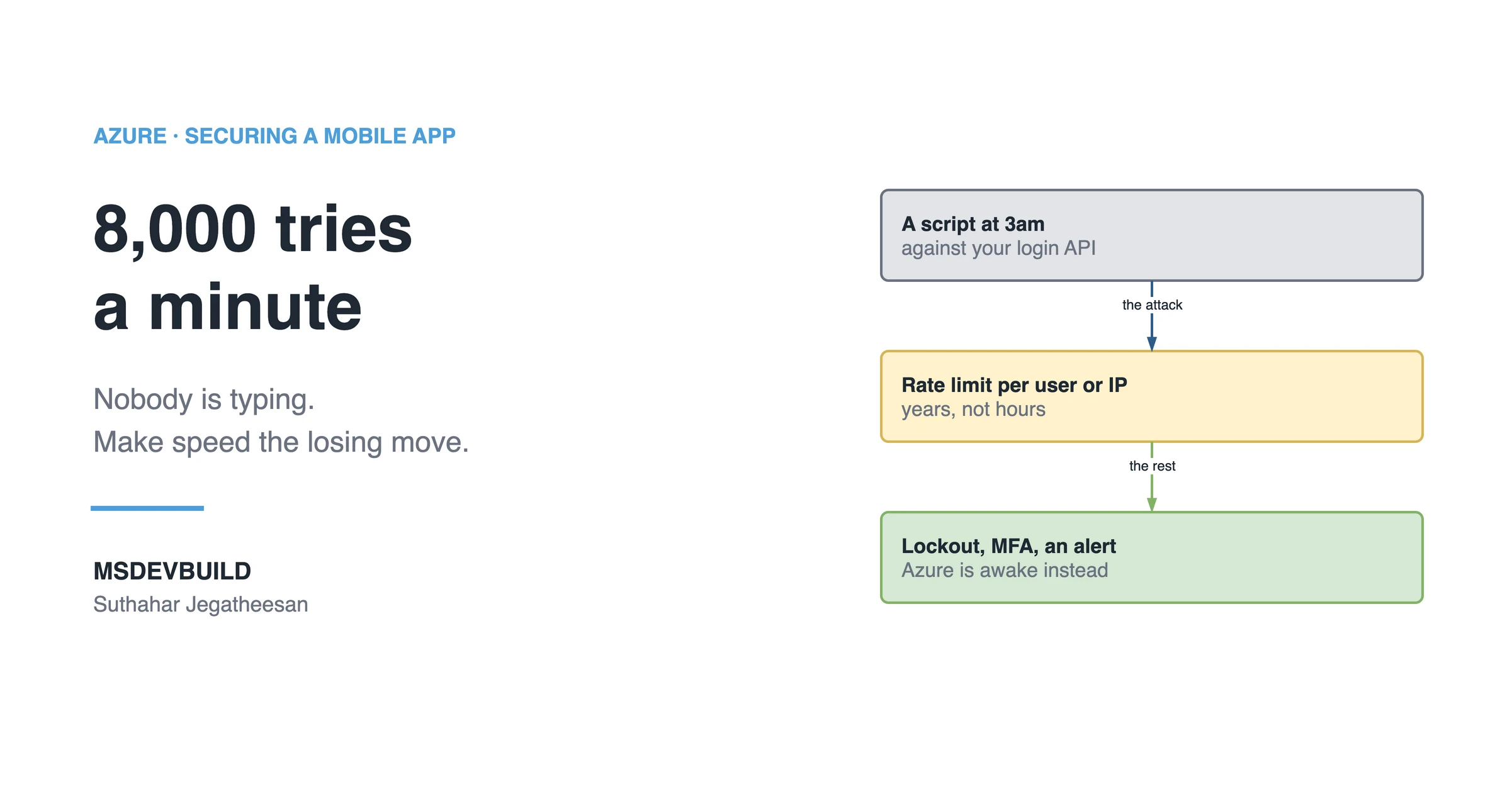
Article banner. On the left, the eyebrow "Azure, Securing a Mobile App" above the title "8,000 tries a minute" and the line "Nobody is typing. Make speed the losing move.", with the MSDEVBUILD wordmark and the author name below. On the right, three stacked boxes joined by arrows: a grey box reading "A script at 3am, against your login API", an arrow labelled "the attack" to an amber box reading "Rate limit per user or IP, years, not hours", and an arrow labelled "the rest" to a green box reading "Lockout, MFA, an alert, Azure is awake instead".

An automated bot attack on a mobile app does not use your app. It calls your login API directly, thousands of times a minute, at 3am. Four controls make speed the losing move: rate limiting per user or IP, Entra ID smart lockout plus MFA, identical answers for wrong passwords and unknown users, and an alert on the rate of 401s.

Nobody is typing. A script is, and it does 8,000 attempts a minute.

Why automated bot attacks are a different problem

Automated attacks are not clever. They are fast and cheap, and they run at 3am because that is when nobody responds. A script downloads your app package, unpacks it, lists every endpoint it can find, and starts working through password lists pulled from other companies’ breaches, patiently, for as long as it takes, without ever getting tired or bored.

So everything about your answer has to assume nobody is awake.
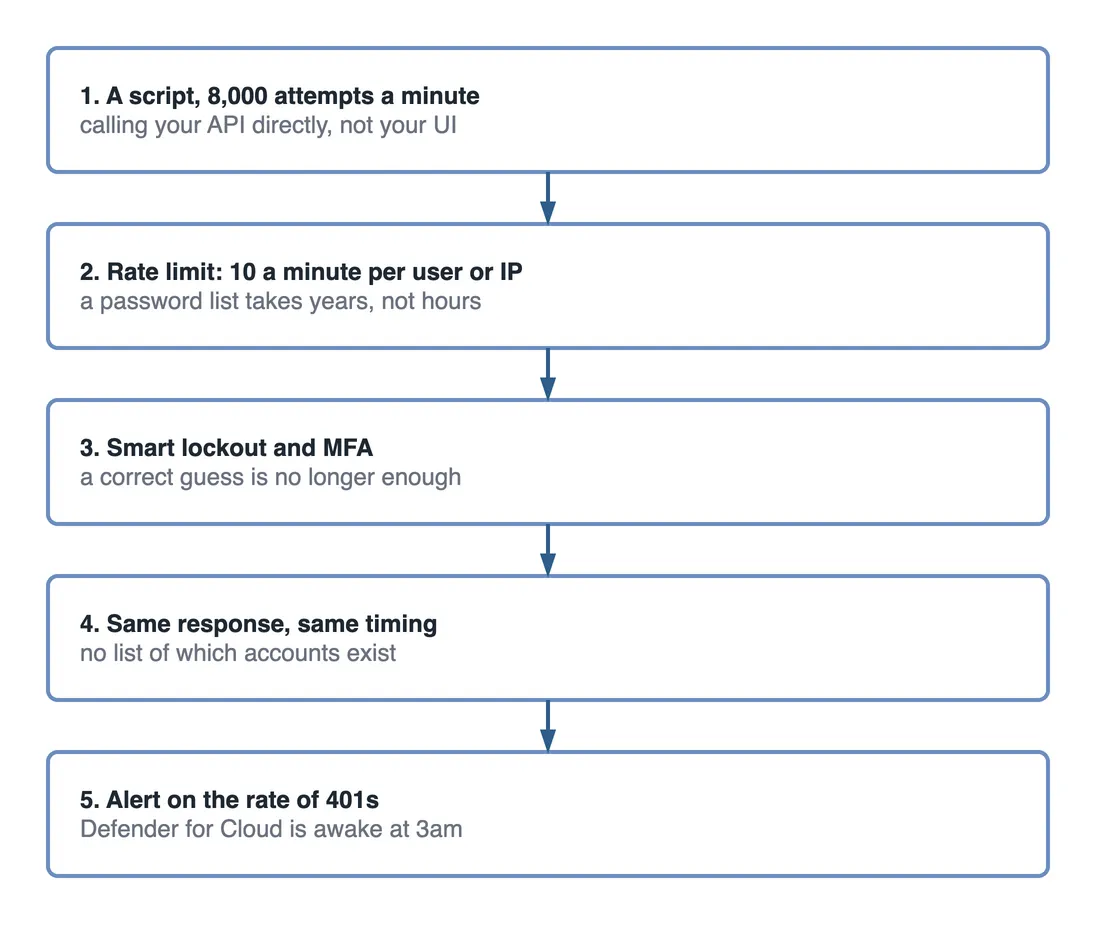
Step flow of five steps. One, a script makes 8,000 attempts a minute, calling your API directly, not your UI. Two, a rate limit of 10 a minute per user or IP means a password list takes years, not hours. Three, smart lockout and MFA mean a correct guess is no longer enough. Four, the same response and the same timing for every failure leave no list of which accounts exist. Five, an alert on the rate of 401s means Defender for Cloud is awake at 3am.

Figure 1 — the controls in order of effect against an automated attack.

How does rate limiting stop a bot attack?

This is the control that changes the maths. At 8,000 tries a minute, a password list harvested from someone else’s breach is exhausted in a few hours, but at 10 tries a minute the same list takes years to get through, and an attacker who pays for compute by the hour simply moves on to an easier target. Speed was the whole plan.

builder.Services.AddRateLimiter(o =>
    o.AddFixedWindowLimiter("login", w => {
        w.PermitLimit = 10;
        w.Window = TimeSpan.FromMinutes(1);
    }));

Partition by user or by IP, not globally, or one attacker rate-limits your real customers. ASP.NET Core rate limiting covers the partitioned limiters. In Azure API Management, use rate-limit-by-key with the subscription or caller IP. Front Door WAF also has a rate-limit rule, and blocking there costs nothing at all, the same edge layer covered in the five-layer request flow.

Smart lockout and MFA: make a right guess useless

Microsoft Entra ID has smart lockout on by default. It knows familiar from unfamiliar locations, so it does not lock out your real user while blocking the bot. Add MFA through Conditional Access and a correct password on its own stops being enough.

Credential stuffing works because people reuse passwords. MFA is what makes reuse survivable.

Defender for Cloud: let Azure be awake instead of you

Alert on the rate of 401s and 403s, not just on errors. A spike in 401s is somebody trying keys. It is the earliest signal you will ever get. Wire the alert to a phone, not an inbox. Inboxes sleep.

The CAPTCHA mistake

Adding a CAPTCHA and calling it done. It feels like a fix. A CAPTCHA protects a web form. The bot is not using your web form; it is calling the same API your app calls, straight from a server, which is why the five-step API article puts every control at the API.

One more thing worth doing

Return the same response, and the same timing, for “no such user” and “wrong password”. Different responses let the script enumerate which of your users exist. A list of real accounts is worth more than the guesses.

Key takeaways

  • Automated attacks win on volume and persistence, not cleverness. Assume the attack runs unattended, all night.
  • Rate limiting, partitioned by user or IP, changes the economics of the attack instead of just logging it.
  • Entra ID smart lockout plus MFA neutralises a correct guess, which rate limiting alone does not.
  • Alert on the rate of 401 and 403 responses; a spike is the earliest sign an attack is under way.
  • A CAPTCHA protects a UI the bot never has to use. The control belongs at the API.
Was this useful?

Share

Found a mistake or an outdated step? Edit this page on GitHub

Frequently asked questions

Why does a CAPTCHA not stop automated attacks against a mobile API?
A CAPTCHA protects a web form, and the bot is not using your web form. It calls the same API your mobile app calls, straight from a server. Any control aimed at automated attacks has to live at the API, because the attacker never touches the UI.
What rate limit stops a credential-stuffing bot without hurting real users?
A low per-caller limit, such as ten attempts a minute, partitioned by user or IP rather than global. At thousands of attempts a minute a password list runs out in hours; at ten it takes years, and a real user retrying a login never notices.
Should a login endpoint answer differently for a wrong password and an unknown user?
No, and that includes response timing as well as the message. Different answers let a script enumerate which accounts exist, and a confirmed list of real accounts is worth more to an attacker than the password guesses.
What does Entra ID smart lockout do against bot attacks?
It locks out sign-in attempts from unfamiliar locations while letting the real user in from a familiar one, and it is on by default. Combined with MFA through Conditional Access, a correct password on its own stops being enough.
Article banner. On the left, the eyebrow "Azure, Securing a Mobile App" above the title "Five steps, in this order" and the line "Secure a mobile API on Azure. The order carries the value.", with the MSDEVBUILD wordmark and the author name below. On the right, three stacked boxes joined by arrows: a grey box reading "HTTPS only, then who are you", an arrow labelled "then" to an amber box reading "Then what may you do, an owner check", and an arrow labelled "last" to a green box reading "Secrets, then monitoring, you find out in an hour".

Read next

4 min

How to Secure a Mobile API on Azure in Five Steps, in the Right Order

HTTPS only, authentication, authorization, secrets and monitoring: five steps to secure a mobile API on Azure, and why the order carries most of the value.

Continue reading
Part 7 of 8Azure Key Vault Explained: The One Secret Tutorials Never Remove

Get new posts by email

New technical articles, Azure AI and GitHub Copilot updates, and upcoming events. No spam, unsubscribe anytime.

Comments

Your turn

How did Suthahar's articles help you?

If something here saved you time or unblocked a real project, I'd love to hear about it. Submissions are reviewed before they appear on the site.

0/1500 · minimum 10 characters

Never published — used only to verify your feedback.

Your name, company, and role appear publicly if published. Nothing else is collected.

↑↓ navigate ↵ open