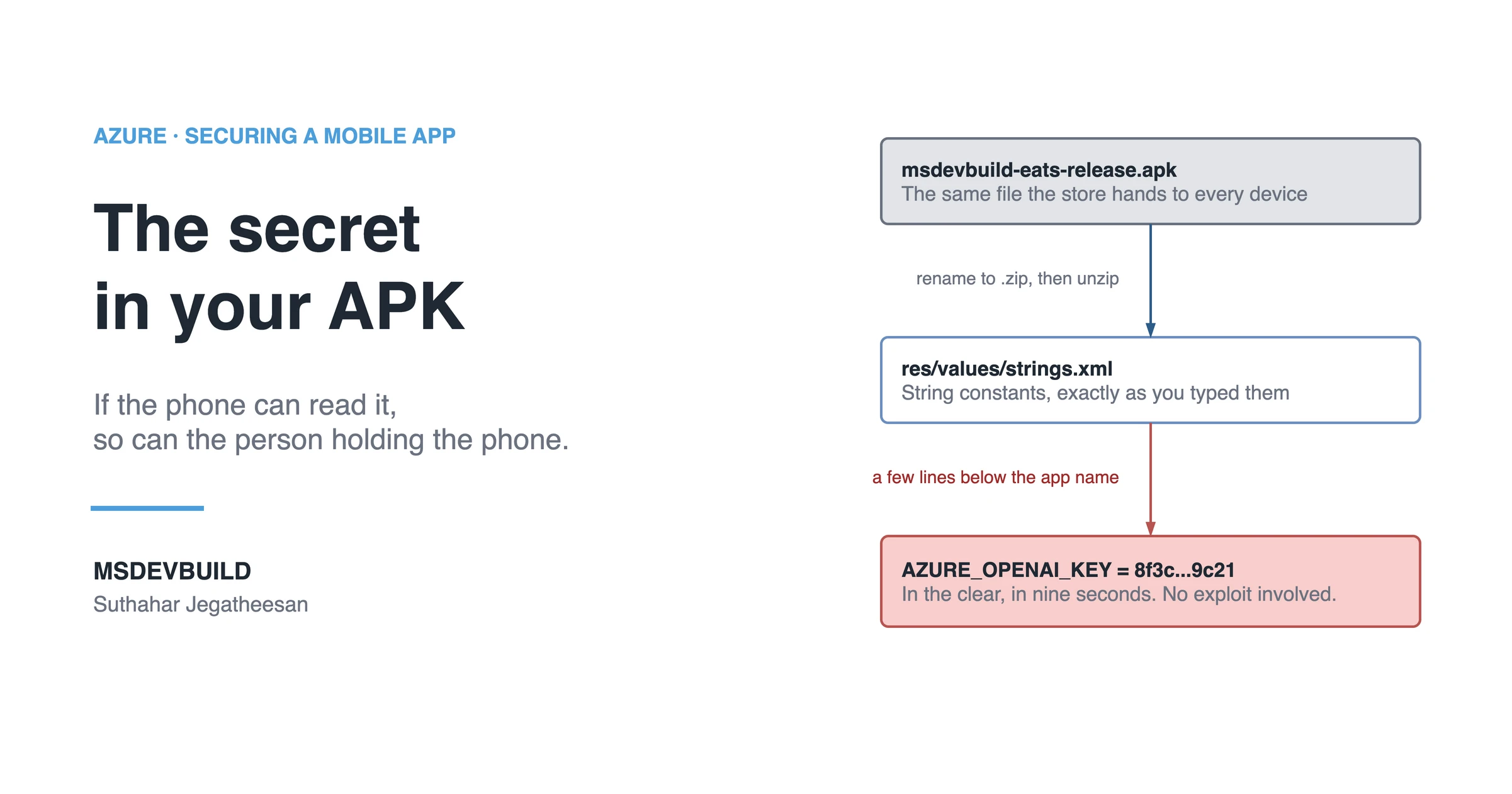
Someone found the API key in your app in nine seconds. They did not hack anything — they unzipped it.
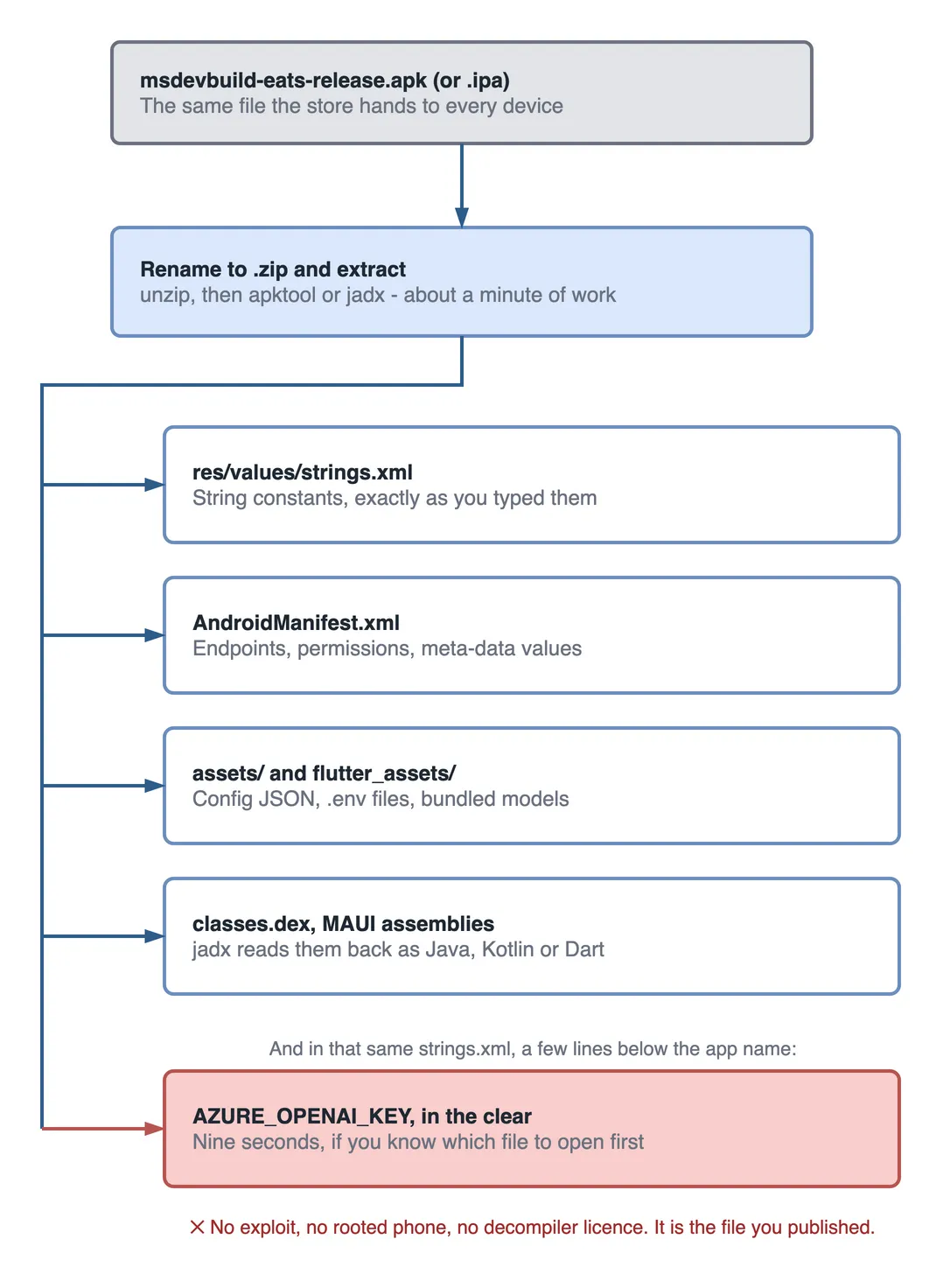
That sentence sounds alarming until you realise it only describes what a package format is. An Android APK is a zip archive. So is an iOS IPA. Rename the extension, extract it, and out come strings.xml, the manifest, the assets folder and the compiled classes. Tools like apktool and jadx turn the compiled parts back into readable Java, Kotlin or Dart in about a minute. Nothing here is an exploit — it is the file you uploaded to the store, opened the ordinary way.
Why obfuscation does not protect a secret in an APK
ProGuard and R8 rename your classes. They do not delete the string. And the key has to be sitting in memory at the moment your code sends it to Azure OpenAI, Storage or Maps — so it is always recoverable, obfuscated build or not. The same is true of React Native bundles, Flutter assets, and .NET MAUI assemblies: whatever ships, ships readable to someone willing to spend a minute on it.
The rule that falls out of this is short enough to remember mid-code-review:
If the phone can read it, so can the person holding the phone.
What to ship instead
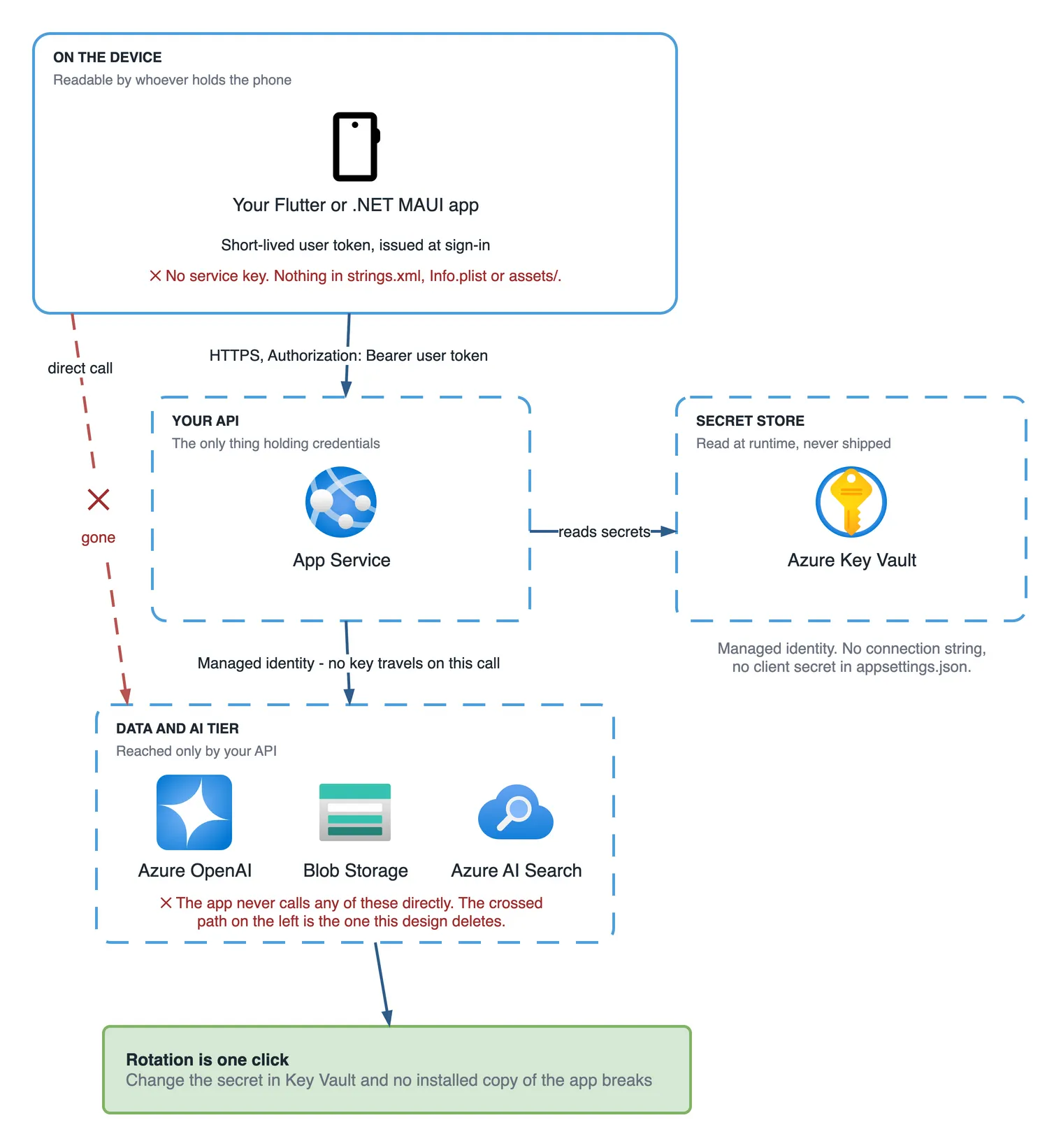
- The app holds no service keys — only a short-lived user token issued at sign-in.
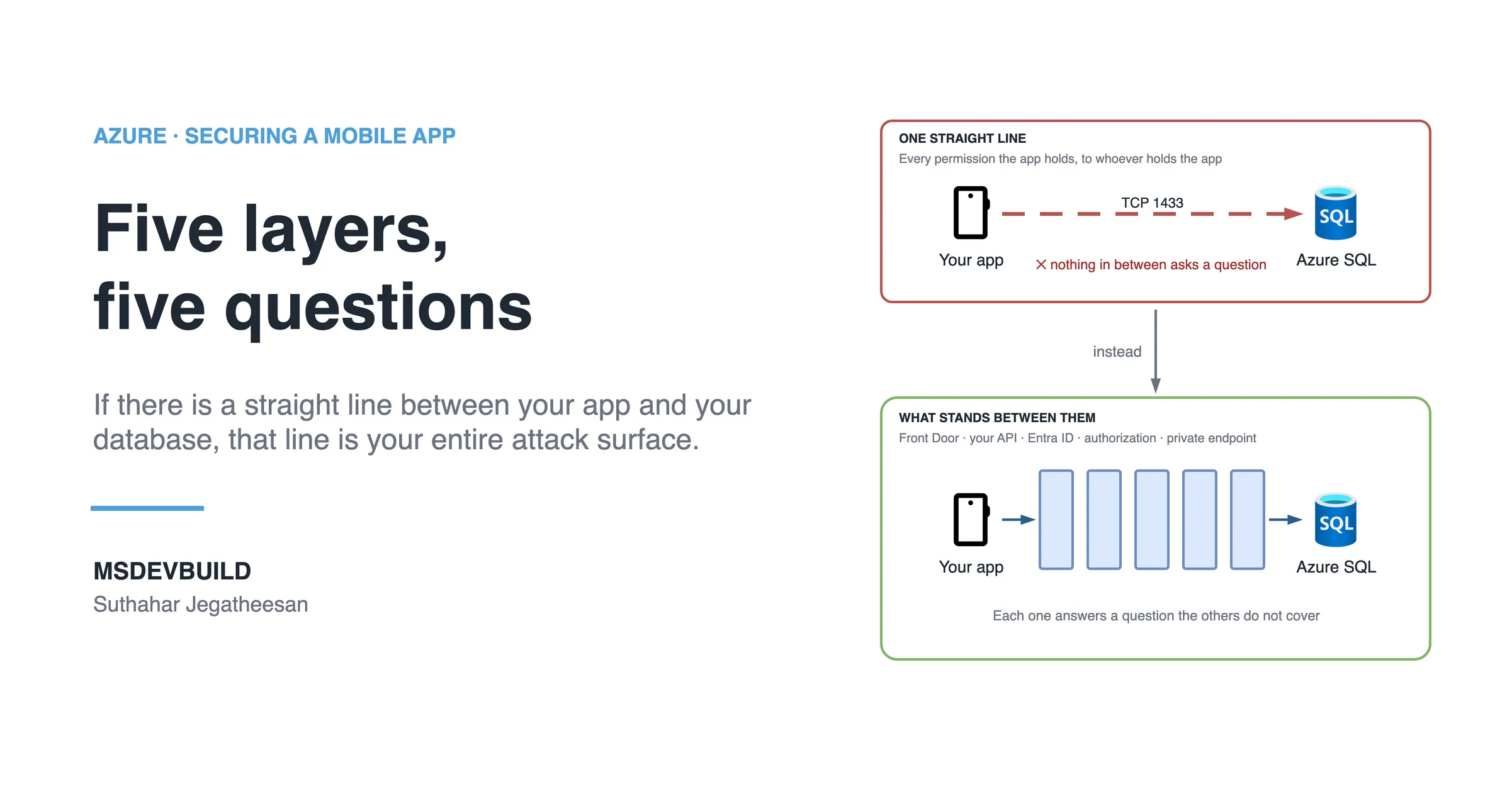
- The app calls your own API. Your API is the only thing that ever talks to Azure OpenAI, Storage, Search or Maps, and it is the thing you then have to secure properly — I walk through that in securing a .NET Minimal API with JWT bearer authentication.
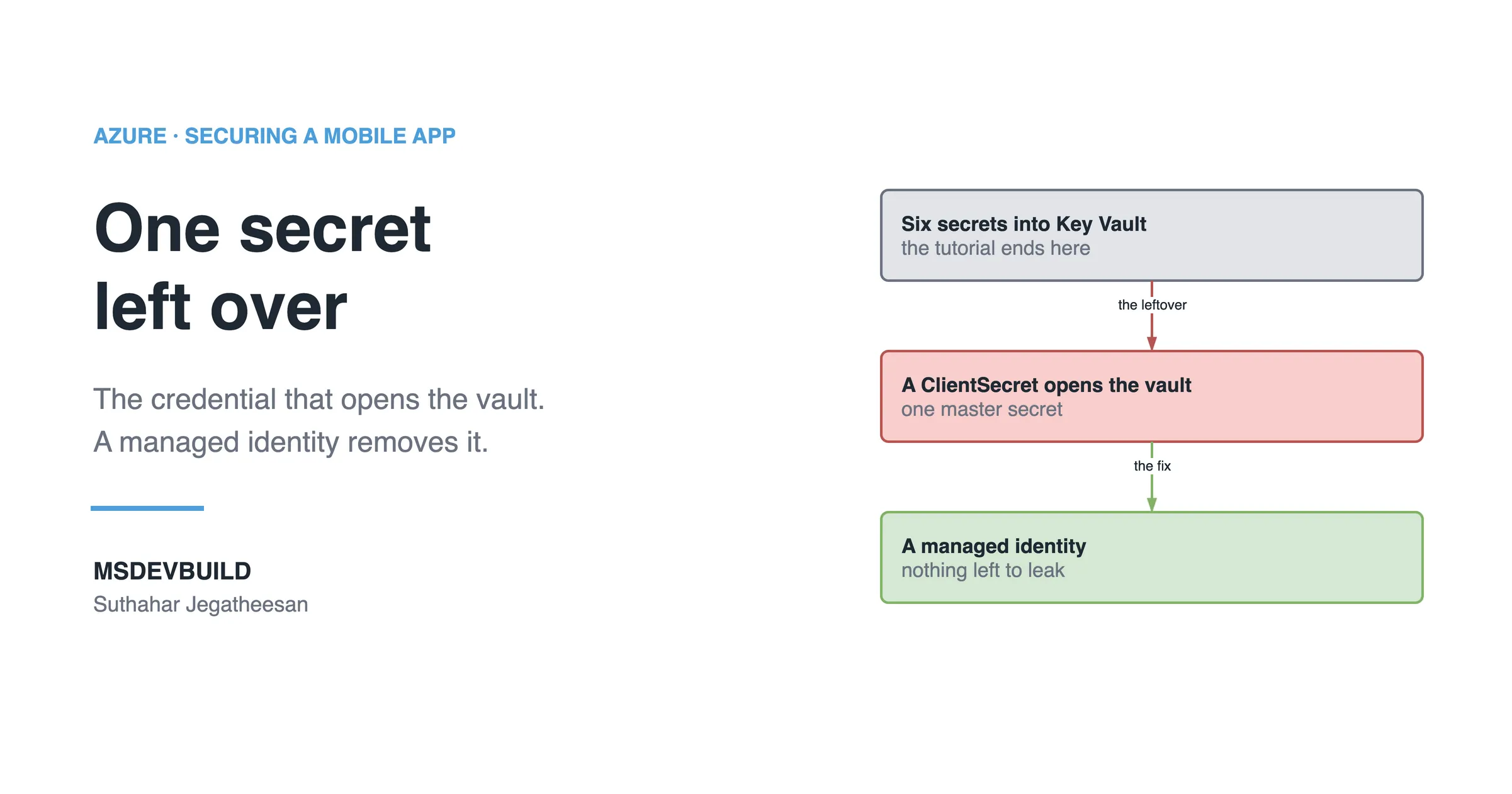
- Your API reads its keys from Azure Key Vault at runtime, using a managed identity — so there is nothing in
appsettings.jsoneither.
Step 1 assumes there is a sign-in. If part of your app works before login, the way browse and search do on most e-commerce screens, the caller still needs a token of its own. That case has its own answer, and I work through it in how to secure an API without a login on Azure.
The whole ASP.NET Core change is three lines:
builder.Configuration.AddAzureKeyVault(
    new Uri("https://msdev-kv.vault.azure.net/"),
    new DefaultAzureCredential());
No connection string. No client secret. No key anywhere in source control. Grant the App Service’s managed identity the Key Vault Secrets User role, and that is the entire authentication story for every secret the API will ever read.
Better still, for Azure-to-Azure calls, skip keys entirely. Azure SQL, Storage, Service Bus, Cosmos DB and Azure OpenAI all accept managed identity directly. A key you never created cannot leak.
The part people miss
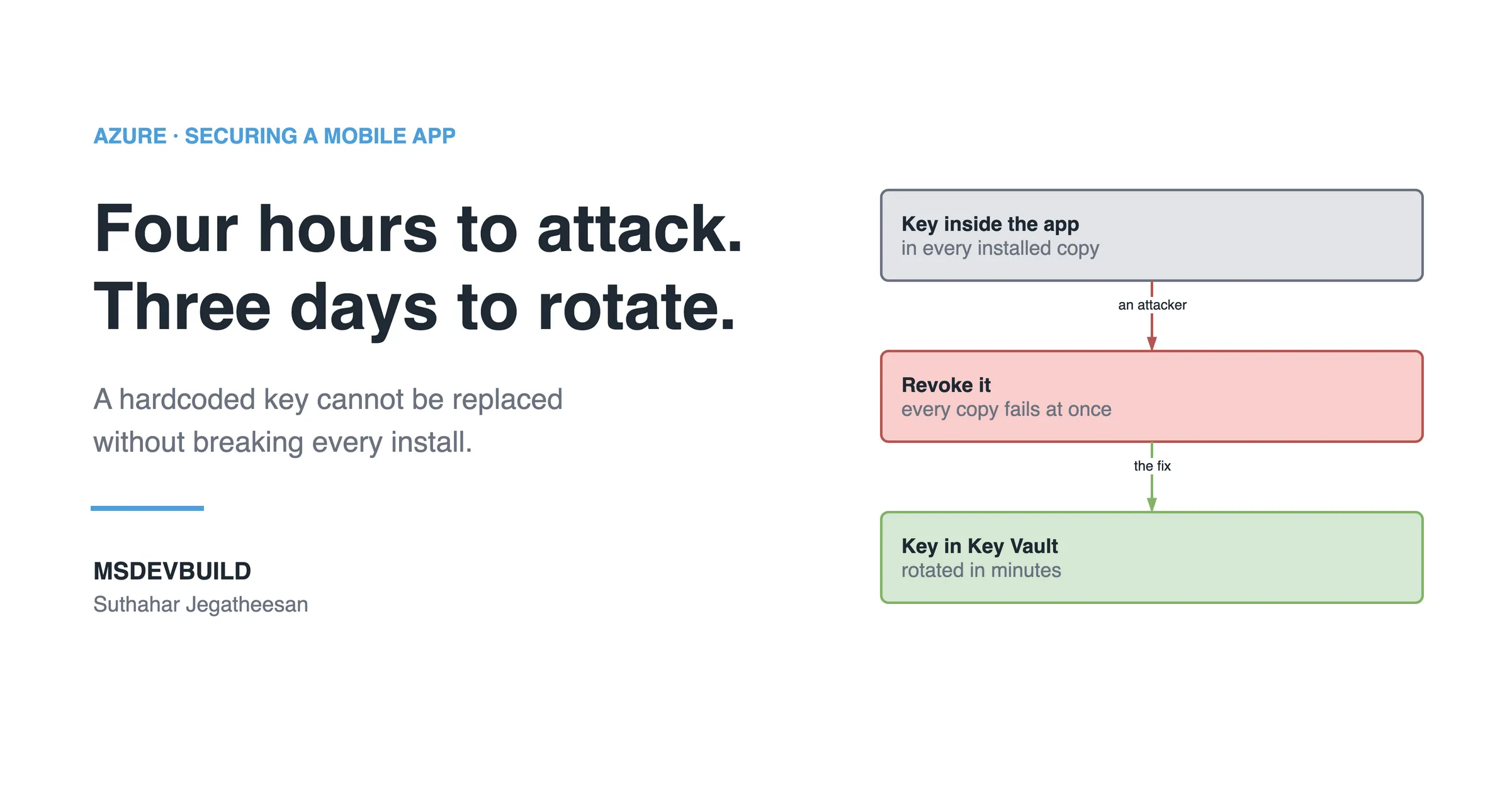
Finding the key is the half everyone worries about. The half that actually costs you is rotation. If the key lives inside the app, revoking it breaks every installed copy at once, which means you have not fixed an incident at all, you have stacked an outage on top of one. If it lives in Key Vault, rotation is one click. Nobody notices.
Check your own app today
- Search your mobile repo for
key,secret,connectionstringandBearer. Checkstrings.xml,Info.plist,.envfiles and anything bundled intoassets/. - Check git history, not just the working tree. Removing a key in a later commit does not remove it from the repo — use
gitleaksor GitHub secret scanning across all history. - Turn on Key Vault soft delete and purge protection before you need them. Soft delete is on by default now; purge protection is not, and it is the setting that stops a compromised identity from destroying your secrets permanently.
- Set a rotation reminder on each secret. Key Vault can emit an Event Grid event ahead of expiry — wire it to a Logic App or Function.
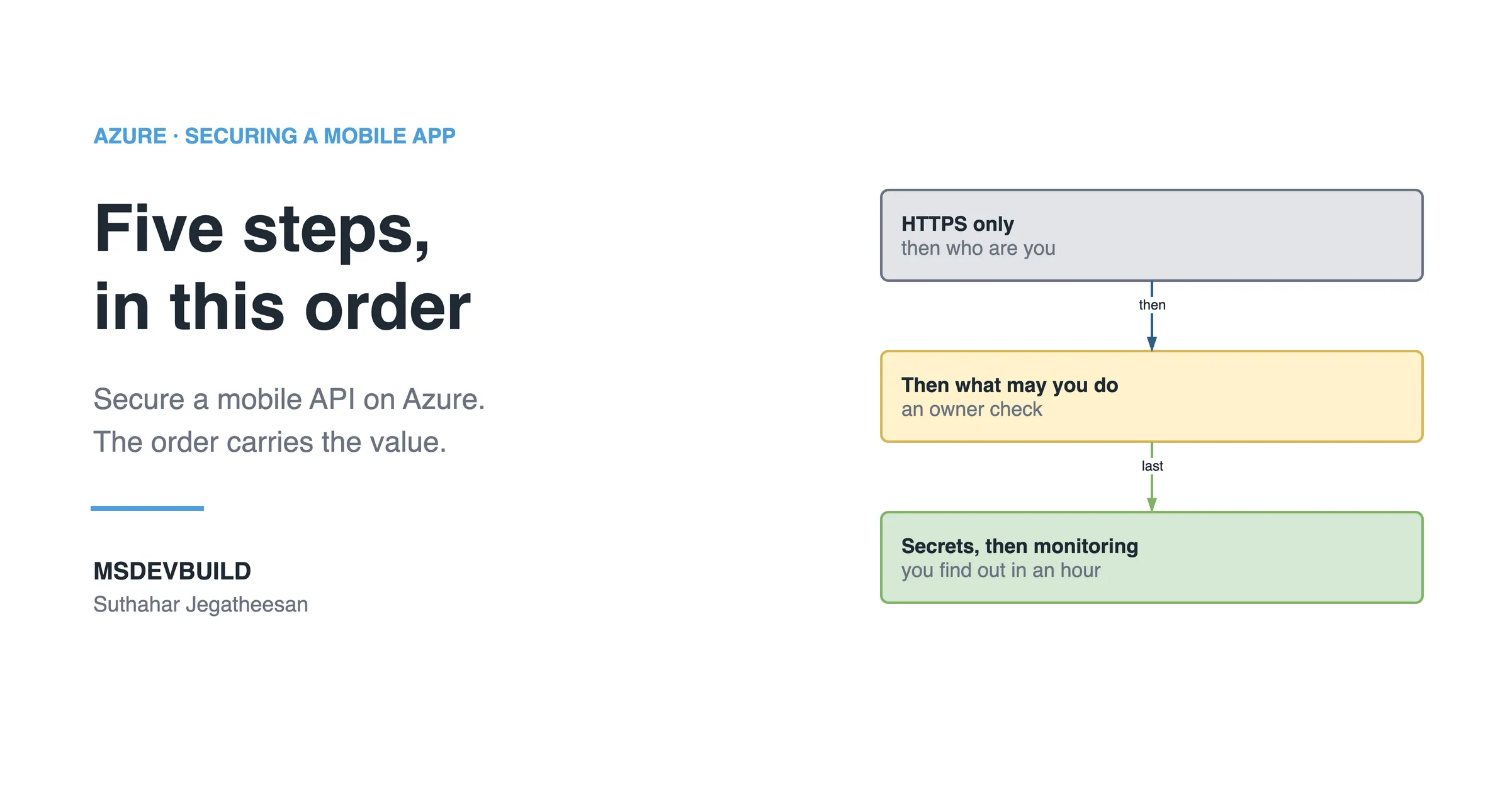
If you find a leaked key today, the order matters. Check whether it is already being used, from Azure Monitor logs grouped by caller IP. Ship the version that no longer needs it. Swap traffic to the secondary key. Only then regenerate the primary. Reverse those last two and you have turned an incident into an outage, with every installed copy of the app failing at once.
Key takeaways
- An app package is public infrastructure the moment it ships. Anything hardcoded inside it is public too.
- Obfuscation renames symbols; it does not remove secrets that must exist in memory at runtime.
- The app should hold a short-lived user token, never a service key.
- Your own API is the only thing that should hold credentials, read at runtime from Azure Key Vault via managed identity.
- Search git history, not just the working tree, when auditing for leaked secrets.