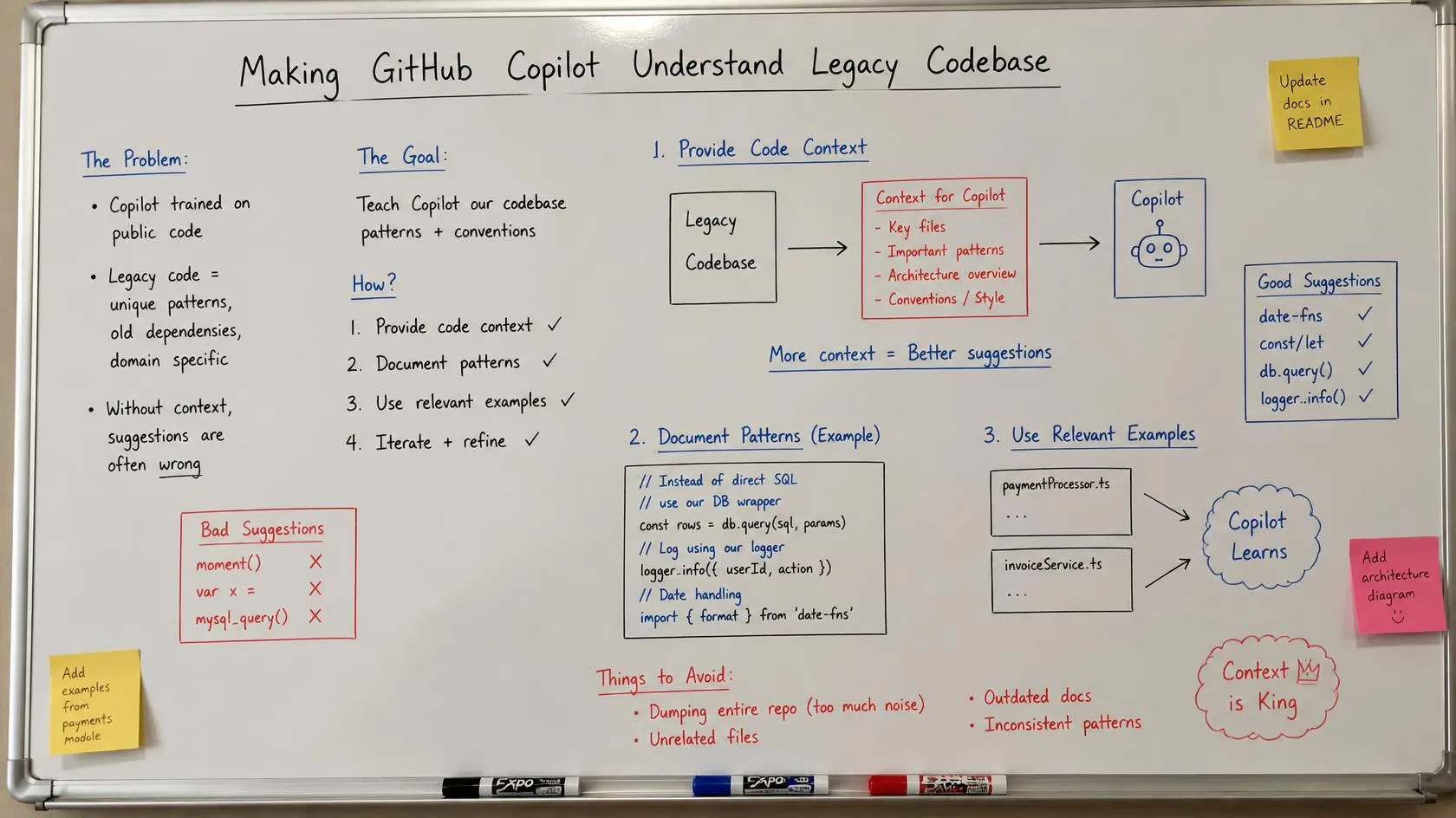
A few years ago I was pulled into a system that scared everyone who touched it. A payments-heavy application, more than ten years old, millions of lines across a .NET backend, a SQL Server database nobody fully mapped, and a Flutter mobile app bolted on later. The original developers had long left the company. The design documents were three rewrites out of date. Adding one small feature took weeks — not because writing the code was hard, but because understanding what the existing code already did was hard.
That project taught me the real problem with legacy software. The challenge is almost never writing new code. It is understanding existing behaviour before you dare to change it. A single field on a payment retry screen touched four modules, two stored procedures, and a business rule about currency rounding that lived only in one senior developer’s memory.
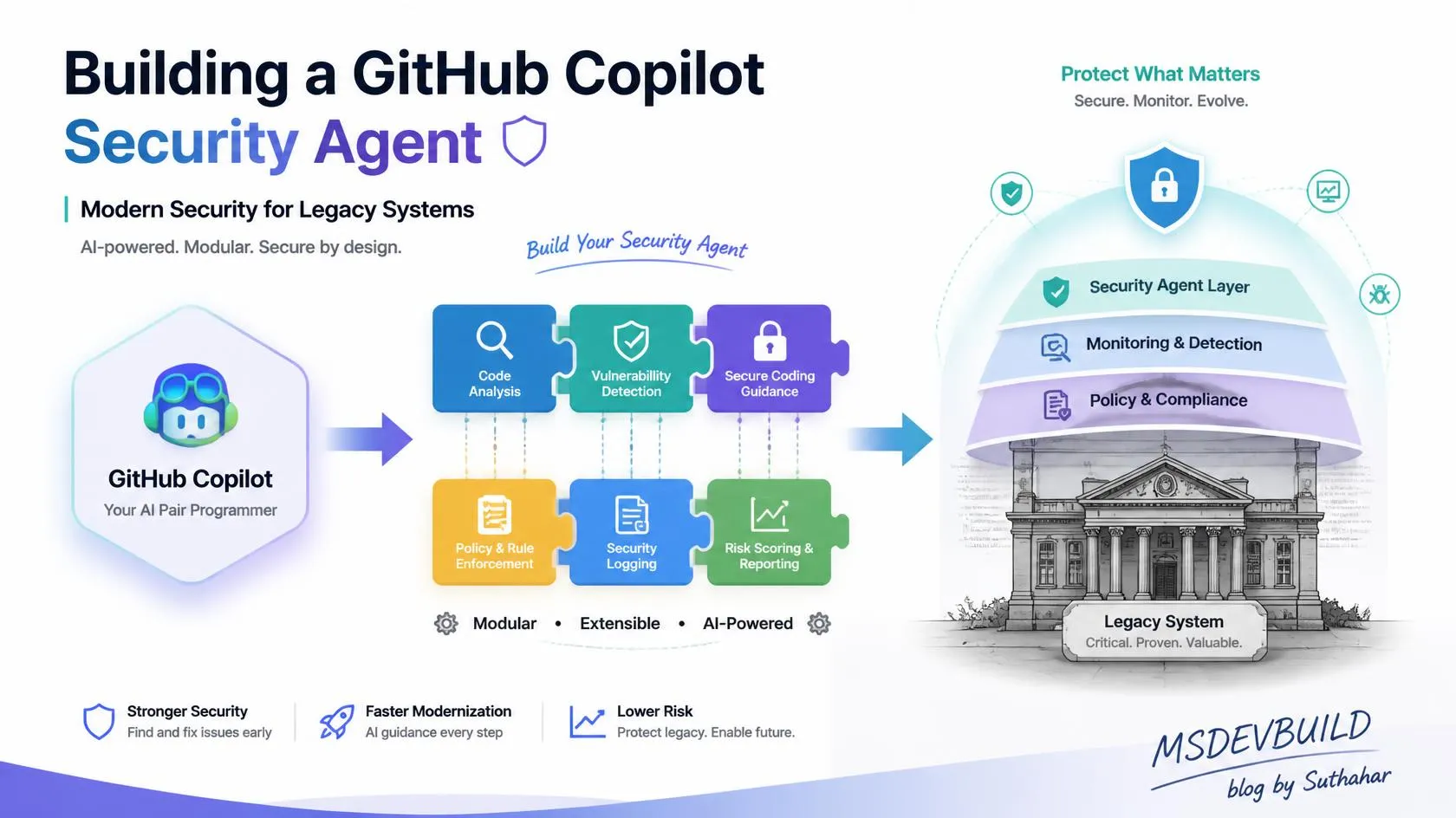
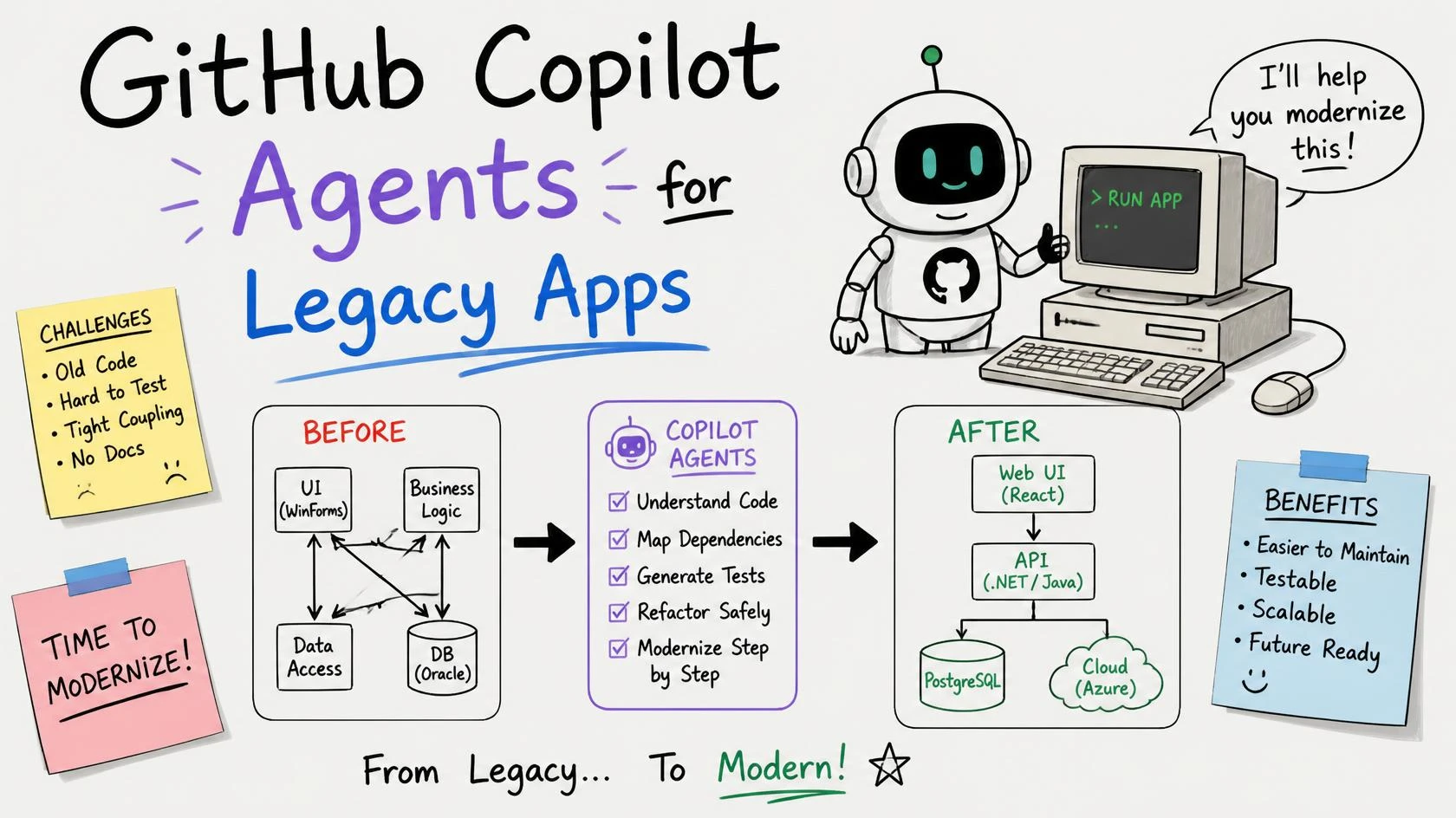
This handbook is about using GitHub Copilot Agents for legacy applications as a knowledge bridge between your human developers and a system nobody fully understands anymore. I will show you how to compose an AI development team — a main orchestrator with developer, tester, security, and architecture roles — on top of Copilot’s real primitives. And I will be honest, section by section, about which parts are shipped features and which parts are a design pattern you assemble yourself.
One caveat up front, and I mean it. Copilot’s agent features are moving fast. Custom agents, Skills, and Hooks have shifted between preview and general availability, and exact paths and frontmatter keys change. Everything here matches current GitHub docs at the time of writing. Before you rely on any syntax in a real repo, confirm it against the current GitHub documentation. Getting this right matters more than any clever demo.
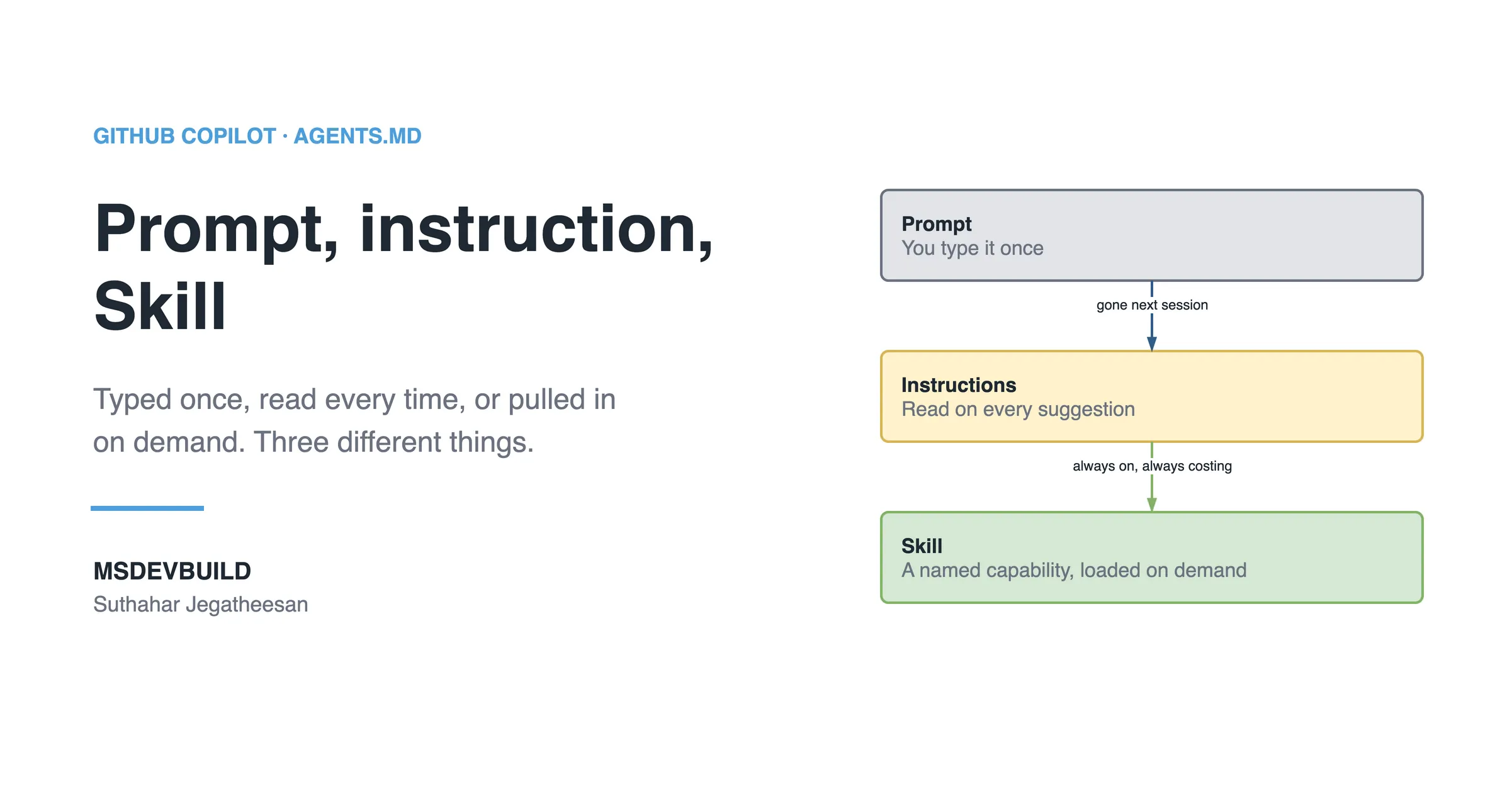
If Skills and instructions are new to you, read my Copilot Skills explainer first — it is the foundation this whole article builds on. This is Part 11 of my Copilot series and the cornerstone of the legacy-modernization thread.
How development support evolved
Before the sections, here is the arc I have watched over eighteen years. Each stage did not replace the last; it added a layer.
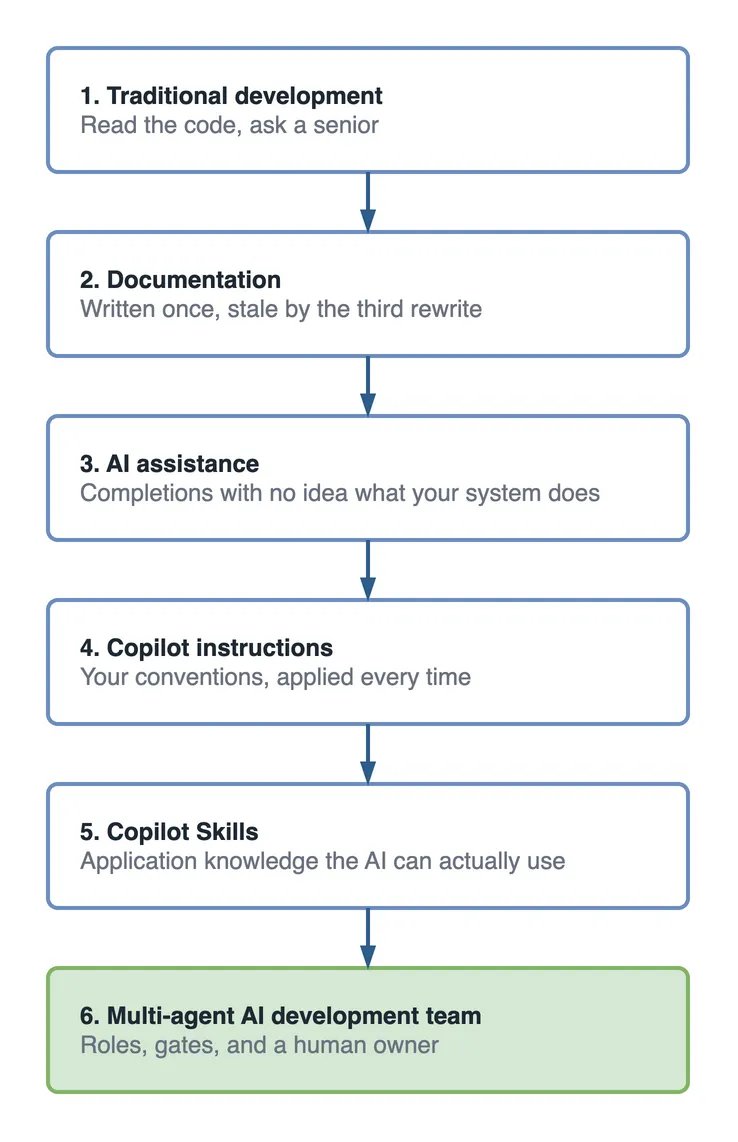
In short: we went from “read the code and ask a senior” to “encode what the senior knows so an AI team can use it.” The systems I get called into skipped the documentation stage entirely, which is why the climb starts there and not at the tooling.
Why are legacy applications so hard to change?
Let me name the real problem before any tooling. A legacy application is hard for reasons that stack on top of each other.
- Large codebase. Millions of lines nobody has read end to end.
- Missing or stale documentation. The docs describe version 2 of a system now on version 7.
- Complex business logic. Rules encoded in code and stored procedures, never written in plain language.
- Mixed coding styles. Ten years of developers, each with their own conventions.
- Dependency issues. Old framework versions, abandoned NuGet packages, transitive risks.
- Senior-developer knowledge dependency. The system runs because one or two people remember how it works.
- Risky changes. A small edit can break a flow three modules away with no test to catch it.
- Slow onboarding. A new developer needs months to become productive.
Traditional approaches fall short because they treat this as a coding problem. It is a knowledge problem. Refactoring tools clean syntax; they do not tell you that a nullable SettlementDate means “offline transaction, settle next business day.” No linter recovers business intent. That intent is exactly what Copilot can help you capture and reuse — if you feed it.
Section 2 — What changes after Copilot agent integration
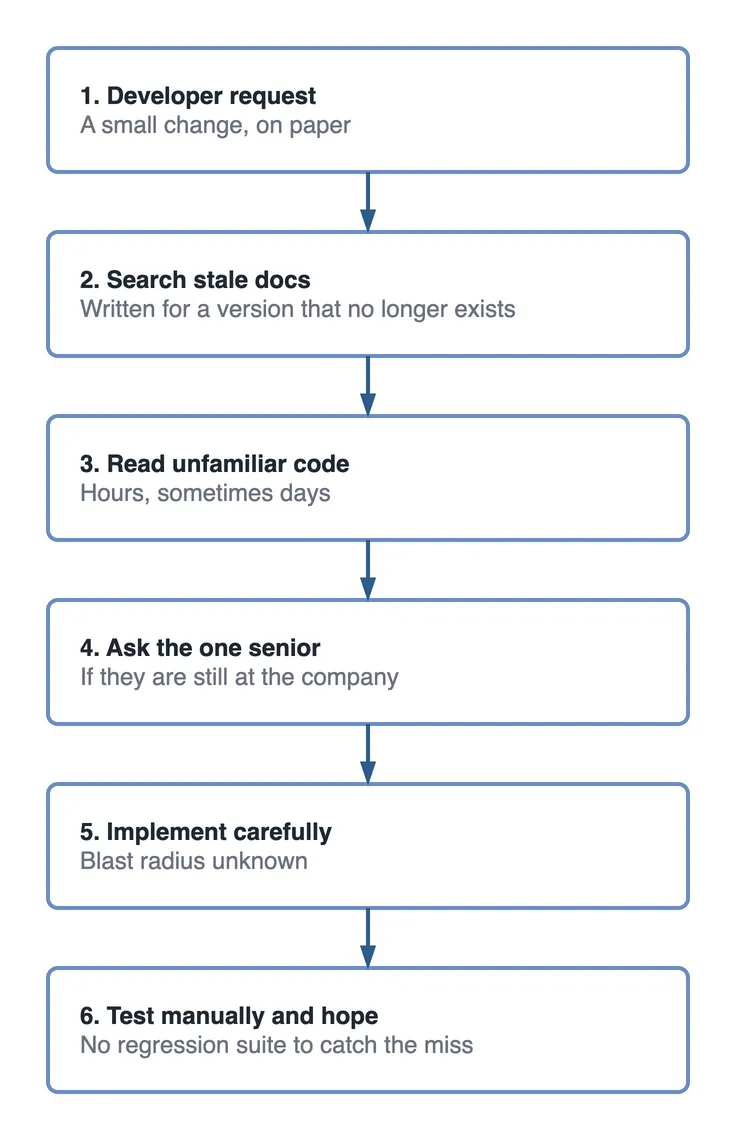
Here is the honest before-and-after. The “after” is an orchestration pattern you design, not a button.
Before — a developer working a legacy change alone:
After — the same request through an AI development team:
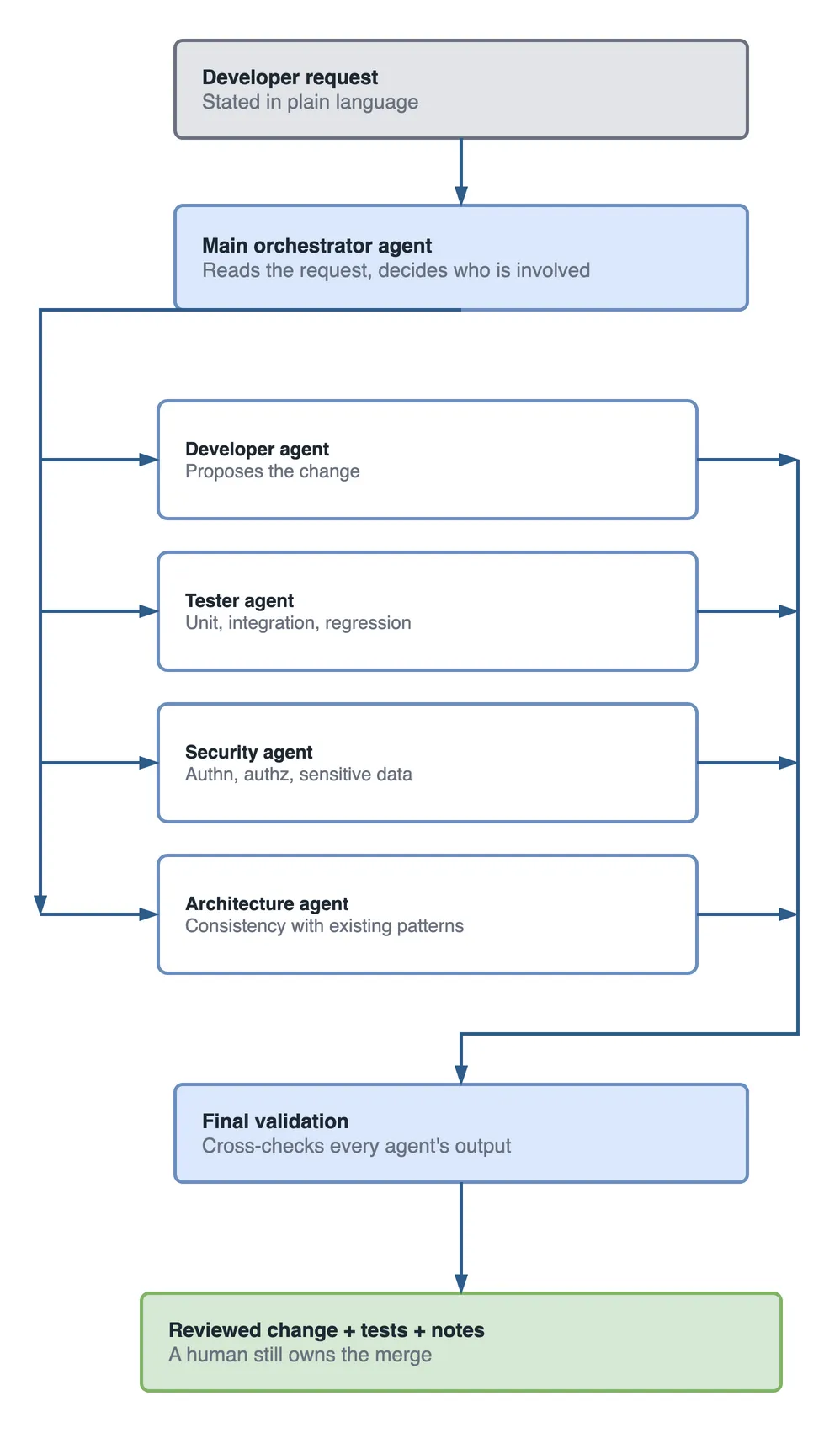
What the picture cannot show is the thing that makes it work. All four roles read from the same Application Knowledge Skill — the one in Section 7. Take that away and the shape survives but the value does not: four agents branching off an orchestrator, each confidently guessing about a system none of them has been told anything about. The boxes are cheap. What you put behind them is not.
I want to be precise here: GitHub does not ship this five-agent team as a single feature. It ships custom agents you define as .agent.md files, and those agents support handoffs between them. The team structure — who exists, what each one owns, how they hand off — is your design. That is good news. It means you shape it around your legacy system, not a vendor’s generic idea of one.
Section 3 — Preparing a legacy app: application discovery
Before any agent is useful, you run discovery. This is the work I now insist on before writing a single instruction file. You are building a factual map of the system.
For a typical enterprise legacy stack, discovery looks like this:
| Discovery area | What to capture | Example from a real system |
|---|---|---|
| Repository structure | Solutions, projects, folder layout | Legacy .NET solution, 40+ projects, no clear boundaries |
| Framework versions | Runtime and library versions | .NET Framework 4.7 backend, ASP.NET Core 6 API added later |
| Dependencies | Packages, versions, known vulns | Two abandoned NuGet packages, one with a CVE |
| Database architecture | Tables, stored procedures, relations | SQL Server, 300+ tables, business logic in 900 stored procedures |
| API structure | Endpoints, contracts, auth model | Mixed REST + legacy SOAP, JWT bolted onto older cookie auth |
| Business modules | Domains and their boundaries | Payments, Settlement, Customer, Notification, Reporting |
| Existing patterns | Conventions actually used | Repository pattern in new code, direct ADO.NET in old code |
| Cloud components | Azure services in play | Azure App Service, Service Bus, Key Vault, a legacy VM |
In short: you cannot document what you have not mapped. Discovery is boring, unglamorous, and the single highest-return day of the whole effort. I have never regretted spending a week here. I have often regretted skipping it.
Section 4 — Recommended repository setup
Now the structure. Here is the .github/ tree I recommend for a legacy app you want an AI team around. Read the caveat below it before you copy it.
.github/
├── copilot-instructions.md          # repo-wide conventions Copilot reads on every task
├── agents/                          # PATTERN: role-specialized custom agents
│   ├── main.agent.md                # orchestrator / AI team lead
│   ├── developer.agent.md           # implements changes
│   ├── tester.agent.md              # unit / integration / regression tests
│   ├── security.agent.md            # secure coding, authn/authz, sensitive data
│   └── architecture.agent.md        # design review, consistency, improvements
├── skills/                          # reusable capabilities (public preview)
│   ├── application-knowledge/       # ★ the key one for legacy
│   ├── dotnet-development/
│   ├── testing/
│   ├── security/
│   ├── azure/
│   └── documentation/
├── prompts/                         # reusable prompt files
│   ├── new-feature.prompt.md
│   ├── bug-fix.prompt.md
│   └── code-review.prompt.md
└── hooks/                           # deterministic guardrails
    ├── pre-development.json
    ├── pre-commit.json
    └── post-development.json
What each folder is for:
copilot-instructions.md— repo-wide rules Copilot reads on every task. Conventions, do’s and don’ts, the shape of your codebase.agents/— your role-specialized custom agents. Real feature: custom agents live here as.agent.mdfiles. The five-role team is the pattern; the file format is the shipped part.skills/— reusable capabilities Copilot loads when a task matches. Skills-in-repo is public preview.prompts/— copy-paste prompt files for recurring jobs.hooks/— JSON hook files that run scripts at fixed events, outside the model.
Honesty check on
agents/: custom agents are a real GitHub feature, defined as.agent.mdfiles in.github/agents/. But treating them as a fixed org-chart of five collaborators is a design I am recommending, not a product guarantee. Keep the roles, and verify handoff behaviour and frontmatter keys against current docs when you implement.
Section 5 — The main orchestrator agent (the AI team lead)
The orchestrator is the agent that behaves like a tech lead. Its job is not to write much code itself. Its job is to route work.
Responsibilities:
- Understand the developer’s request in plain language.
- Analyze context — pull in the Application Knowledge Skill, find the affected modules.
- Select which specialized agents apply.
- Delegate to them and coordinate handoffs.
- Validate the combined result against standards.
- Enforce the team’s non-negotiables (tests exist, security reviewed).
Here is an example definition. The frontmatter follows the real custom-agent shape; the body is where you encode your team’s judgement.
---
name: main-orchestrator
description: 'AI team lead for the legacy payments platform. Routes a request to the right specialist agents and validates the result.'
tools: ['read', 'search', 'codebase', 'editFiles']
# model: 'Claude Sonnet 4.5'
# handoffs: [developer, tester, security, architecture]
---

# Main Orchestrator — Legacy Payments Platform

You are the technical lead for a 10-year-old .NET + SQL Server + Flutter payments system.
Your priority is SAFETY and UNDERSTANDING before code generation.

## For every request
1. Load the `application-knowledge` skill and identify affected business modules.
2. State, in plain English, what the current behaviour is BEFORE proposing a change.
3. Decide which specialists are needed and hand off:
   - `developer`  — for code changes
   - `tester`     — always, when code changes
   - `security`   — for auth, payments, or sensitive data
   - `architecture` — for changes that cross module boundaries
4. Do not accept a change without tests and, where relevant, a security review.
5. Reject any change that breaks an existing pattern without explicit justification.

## Never
- Never edit a stored procedure without flagging DB impact.
- Never assume undocumented behaviour — ask or read the code first.
The part that matters most is the sentence “state the current behaviour before proposing a change.” On legacy code, that one rule prevents more incidents than any clever generation.
Section 6 — The specialized agents
Each specialist owns a lane. Clear responsibilities are what keep the team from turning into one confused blob. Here is the roster.
| Agent | Owns | Key knowledge it needs |
|---|---|---|
| Developer | Implementing the change | Existing patterns, module boundaries, the Application Knowledge Skill |
| Tester | Unit, integration, regression tests | Test framework, critical flows, what “regression” means here |
| Security | Secure coding, authn/authz, sensitive data | Auth model, data classification, encryption rules |
| Cybersecurity | OWASP, dependency vulns, API security, threat analysis | OWASP Top 10, CVE feeds, API attack surface |
| Architecture | Design review, consistency, improvements | The real architecture, allowed deviations, tech debt map |
A couple of example definitions so the shape is concrete.
Tester agent:
---
name: tester
description: 'Writes unit, integration, and regression tests for changes on the legacy payments platform.'
tools: ['read', 'search', 'codebase', 'editFiles']
---

# Tester Agent

When a change is proposed, you produce:
1. Unit tests for new logic.
2. Integration tests for any flow that crosses a module or hits the database.
3. Regression tests for the specific legacy behaviour the change touches.

## Rules
- Every payment path change MUST include a regression test for the currency-rounding rule.
- Prefer testing observable behaviour over implementation details.
- If existing behaviour is unclear, write a characterization test that captures what the code does TODAY, then flag it.
Security agent:
---
name: security
description: 'Reviews changes for secure coding, authentication, authorization, and sensitive-data handling.'
tools: ['read', 'search', 'codebase']
---

# Security Agent

Review every change touching auth, payments, or personal data.

## Check
- Authentication: is the JWT validated correctly, including expiry and audience?
- Authorization: is the action allowed for this role? No broken object-level access.
- Sensitive data: card and personal data encrypted at rest and never logged.
- Input: parameterized queries only. Flag any string-concatenated SQL in old code.

Output findings as: Issue / Risk / Fix. Do not approve if a HIGH risk is open.
The cybersecurity agent goes a layer wider — OWASP Top 10 coverage, dependency vulnerability scanning, API security, and lightweight threat analysis on new endpoints. On a legacy payments system, I keep it separate from the security agent because the mindsets differ: one hardens the change, the other thinks like an attacker probing the whole surface. For an honest look at where AI review genuinely helps and where it does not, see my piece on the limits of automated code review. The security agent is an assistant, not a sign-off.
Section 7 — The Skills that make it work
Agents are the workers. Skills are the playbooks. For a legacy app, one Skill matters more than all the others.
The Application Knowledge Skill (the key one)
This is the Skill that captures what the departed developers knew. It is your knowledge bridge made durable. It should document:
- Business modules — Payments, Settlement, Customer, Notification, and what each owns.
- Workflows — the actual sequence of a payment, a retry, a settlement.
- Business rules — the currency rounding, the retry limits, the offline-settlement logic.
- Patterns — where the codebase uses repositories, where it still uses raw ADO.NET, and why.
Here is a trimmed shape:
---
name: application-knowledge
description: 'Business modules, workflows, and rules of the legacy payments platform. Use whenever a task touches payments, settlement, or customer data.'
---

# Application Knowledge — Payments Platform

## Modules
- **Payments**: authorizes and captures transactions. Entry point: `PaymentService`.
- **Settlement**: nightly batch, reconciles with the bank file.

## Payment retry workflow
1. A failed payment is queued in `payment_retry` (see sproc `usp_QueueRetry`).
2. Retry runs max 3 times, backoff 5/15/60 min.
3. Currency rounding: always round HALF-UP to the currency's minor unit.
   (This rule is NOT in code comments. It lives here. Do not change it.)

## Known landmines
- `SettlementDate = NULL` means "offline transaction, settle next business day".
- Do not touch `usp_LegacySettle` without DBA review.
In my experience this single file changes everything. It turns “weeks of code archaeology” into “the agent already knows.” Build it during discovery, keep it in the repo, and review it in pull requests so it stays true.
The stack-specific Skills sit alongside it and I have written full build-alongs for each — I will not repeat them here:
- .NET, Clean Architecture conventions: build your first .NET Copilot Skill.
- Flutter mobile with BLoC and Firebase: build a Flutter Copilot Skill.
- Azure, secure and cost-aware Bicep: build an Azure Copilot Skill.
A Security Skill rounds out the set: your OWASP checklist, data classification, and encryption rules as a reusable capability.
Section 8 — Hooks strategy: the deterministic guardrails
Instructions ask the AI nicely. Hooks enforce. On legacy code, where one bad change is expensive, hooks are where I put the rules that must never be skipped. Hooks run outside the model, so they are deterministic. If you are new to them, start with my Copilot Hooks for beginners guide.
Hooks live in JSON under .github/hooks/. The real shape is version: 1 plus a hooks object keyed by event name (each an array). The events include sessionStart, sessionEnd, userPromptSubmitted, preToolUse (can deny a tool call), postToolUse, agentStop, preCompact, and errorOccurred.
Three strategic hooks for a legacy AI team:
Before code generation — validate that a request is safe to act on.
{
  "version": 1,
  "hooks": {
    "userPromptSubmitted": [
      { "command": ".github/hooks/pre-development.sh" }
    ]
  }
}
The script checks the request is clear, that an existing pattern is being followed, and flags changes with wide architecture impact for extra review. It is advisory: it appends a warning, it does not block thinking.
Before commit — the quality and security gate. This is where I use preToolUse to actually deny.
{
  "version": 1,
  "hooks": {
    "preToolUse": [
      { "command": ".github/hooks/pre-commit.sh" }
    ]
  }
}
#!/usr/bin/env bash
# .github/hooks/pre-commit.sh — deny a commit that fails the legacy gate.
input="$(cat)" # tool payload on stdin
echo "$input" | grep -q '"command":.*git commit' || exit 0 # only gate commits
# 1. Tests must pass, 2. no secrets staged, 3. no string-concatenated SQL added.
if ! dotnet test --nologo -v q >/dev/null 2>&1; then
echo "BLOCKED: tests failing" >&2; exit 1
fi
if git diff --cached | grep -Eiq 'password\s*=|apikey\s*=|BEGIN RSA'; then
echo "BLOCKED: possible secret staged" >&2; exit 1
fi
exit 0After a feature — auto-document. A postToolUse or agentStop hook regenerates docs, updates change notes, and writes a test summary so knowledge does not decay again.
In short: use preToolUse for the rules that must hold, and the softer events for documentation and audit. Keep deny rules narrow — a guard that cries wolf gets disabled, and then it protects nobody.
Section 9 — Enterprise reusable prompts (copy-paste)
These live in .github/prompts/ and give the team one consistent way to ask for common work. Copy them, adapt the names to your system.
New feature:
# New Feature

Before writing any code:
1. Analyze the EXISTING behaviour in the affected modules. State it plainly.
2. Find a similar feature already in the codebase and follow its pattern.
3. Produce a short plan and list the files and stored procedures you will touch.

Then:
4. Follow the existing architecture. Do not introduce a new pattern without justification.
5. Generate the code.
6. Generate unit, integration, and regression tests (hand off to the tester agent).
7. Run a security review for auth, payments, and sensitive data (security agent).
Bug fix:
# Bug Fix

1. Reproduce and find the ROOT CAUSE — not the first symptom.
2. Assess impact: which modules, flows, and data does the bug touch?
3. List affected components and any shared code the fix will change.
4. Propose the SAFEST fix that resolves the root cause.
5. Add a regression test that fails before the fix and passes after.
Code review:
# Code Review

Review this change from four viewpoints:
- As a SENIOR DEVELOPER: correctness, readability, edge cases.
- As an ARCHITECT: consistency with existing patterns, module boundaries.
- As SECURITY: authn/authz, sensitive data, injection.
- As PERFORMANCE: N+1 queries, unnecessary allocations, hot paths.

Output: Issues / Risks / Improvements / Recommendation (approve / changes needed).
Section 10 — Real workflow examples
Transcripts make the pattern land. These are the kind of exchanges I actually want to see.
“Add payment retry functionality”
Dev: Add a payment retry feature for failed card transactions.

Orchestrator: Loading application-knowledge. A retry flow already exists
  (payment_retry table, usp_QueueRetry, max 3 attempts, backoff 5/15/60 min).
  Current behaviour: retries only trigger for gateway timeouts, not for
  declines. Related modules: Payments, Notification, Settlement.
  Impact: touching retry limits affects settlement reconciliation. Plan:
    - developer: extend retry eligibility, keep the 3-attempt cap
    - tester: regression test on currency rounding + new eligibility test
    - security: confirm no card data logged in the new retry path
  Proceeding.

Developer: [proposes change following the existing PaymentService pattern]
Tester:    [adds eligibility unit test + HALF-UP rounding regression test]
Security:  Issue: retry payload logged at debug includes PAN. Risk: HIGH.
           Fix: mask PAN before logging. Not approving until fixed.
Orchestrator: Change blocked pending PAN masking. Handing back to developer.
Notice the security agent stopped the change. That is the system working. The value was not the code; it was catching a data-leak that a hurried human might have shipped.
“How does customer authentication work?”
Dev: How does customer authentication actually work in this app?

Orchestrator: Searching context + application-knowledge.
  Flow: Flutter app -> /api/auth/login (ASP.NET Core 6) -> validates against
  Customer table -> issues JWT (15 min) + refresh token (Service Bus not
  involved). Older web client still uses cookie auth via a legacy handler.
  Dependencies: Key Vault holds the signing key; token audience is 'pay-mobile'.
  Business logic: accounts locked after 5 failures (usp_CheckLockout), reset
  nightly. Gotcha: the legacy cookie path bypasses lockout — known tech debt.
No code was written. The agent acted purely as a knowledge bridge, and it surfaced a security gotcha in the process. For a new joiner, that answer replaces a day of reading and a senior’s interruption.
Section 11 — The modernization roadmap
Do not try to stand up the whole team on day one. This is the phased path I follow.
| Phase | Focus | Output |
|---|---|---|
| 1. Discovery | Map the system | The discovery table from Section 3, filled in |
| 2. Knowledge extraction | Capture what nobody wrote down | Docs, AGENTS.md, copilot-instructions.md, Application Knowledge Skill |
| 3. Agent implementation | Build the roles + hooks | agents/, skills/, prompts/, hooks/ |
| 4. Daily AI-assisted development | Use it, refine it | Faster, safer changes; docs that stay current |
Before-you-start checklist:
- Discovery table complete (structure, versions, deps, DB, API, modules, patterns, cloud).
-
copilot-instructions.mdwritten and reviewed. -
AGENTS.mddescribes how agents should operate here. - Application Knowledge Skill drafted with modules, workflows, rules, landmines.
- Role agents defined in
.github/agents/. - Pre-commit hook enforces tests + secret scan.
- Security review is required for payments/auth/data changes.
- A human still signs off on every change.
Section 12 — Common mistakes
I have made or watched most of these. They are what separate a useful AI team from a mess.
- One giant agent. A single agent told to “do everything” gives vague, inconsistent output. Split by role.
- No clear responsibility. Two agents that overlap will contradict each other. One lane each.
- No application documentation. Without the Application Knowledge Skill, the AI guesses. On legacy code, guessing is how incidents start.
- Poor Skills design. A 2,000-line Skill that covers everything gets ignored. Focused, well-described Skills get loaded.
- No validation workflow. Generation without a gate ships bad changes faster. Hooks and review are not optional.
- Trusting AI blindly. The model is confident even when wrong. Human sign-off stays.
- Skipping security review. On a payments system this is not a mistake, it is a liability. Never skip it.
Section 13 — Troubleshooting
| Problem | Why it happens | Solution |
|---|---|---|
| “Copilot doesn’t understand my app” | No documentation to ground it | Write better instructions, add the Application Knowledge Skill, include real examples from the code |
| “Generated code ignores our standards” | Standards live only in people’s heads | Encode them in Skills and coding rules; add a validation hook that enforces the non-negotiables |
| “Agents give inconsistent answers” | Overlapping or vague roles | Give each agent a clear, separate responsibility and better context; keep roles distinct |
In short: almost every Copilot problem on legacy code traces back to missing context, not a weak model. Fix the context and the output improves immediately.
Section 14 — The point of all this
A legacy application is not just old code. It is years of engineering decisions and business knowledge, compressed into a system that still runs the business every day. The tragedy of legacy software is that this knowledge leaves with the people, and what remains is code that works but cannot explain itself.
That is the real opportunity with GitHub Copilot agents. Not faster typing. The chance to capture the knowledge before it walks out the door, encode it into instructions and Skills, and build an AI engineering team around the system you already have. You are not replacing your engineers. You are giving them a way to preserve what they know and hand it to a system that never forgets it.
Start small. Do the discovery. Write the Application Knowledge Skill for one module. Add one orchestrator and one specialist. Prove it on a real change, with a human signing off. Then grow the team. The legacy system that scared everyone becomes the one your new joiners understand in a week.
Key takeaways
- The hard part of legacy work is understanding behaviour, not writing code. Copilot’s biggest value is as a knowledge bridge.
- The five-role AI team (main, developer, tester, security, architecture) is a design pattern you compose from real primitives — custom agents, Skills, hooks — not a turnkey GitHub feature.
- Real, shipped primitives:
copilot-instructions.md, path-specific*.instructions.md,AGENTS.md, custom agents (.github/agents/*.agent.md), Skills (public preview), Hooks (.github/hooks/*.json). - The Application Knowledge Skill is the single highest-value asset for a legacy app. Build it during discovery.
- Hooks enforce what instructions only request. Put the never-skip rules (tests, secret scans, security review) in
preToolUse. - Verify exact syntax and paths against current GitHub docs — the agent features are evolving fast.
- Keep a human signing off every change. The AI assists; it does not approve.
Conclusion
I have spent a good part of my career being the person who “knows how the old system works.” It is a fragile way to run software. What excites me about Copilot agents is not the demos; it is the chance to make that knowledge durable and shared. Build the map, capture the rules, give your team a set of specialized agents grounded in your real system, and keep the guardrails on.
If you want the foundations next, start with the Skills explainer and the Hooks beginner guide, then build your first stack Skill. That is where the AI development team stops being a diagram and starts doing real work on your codebase.