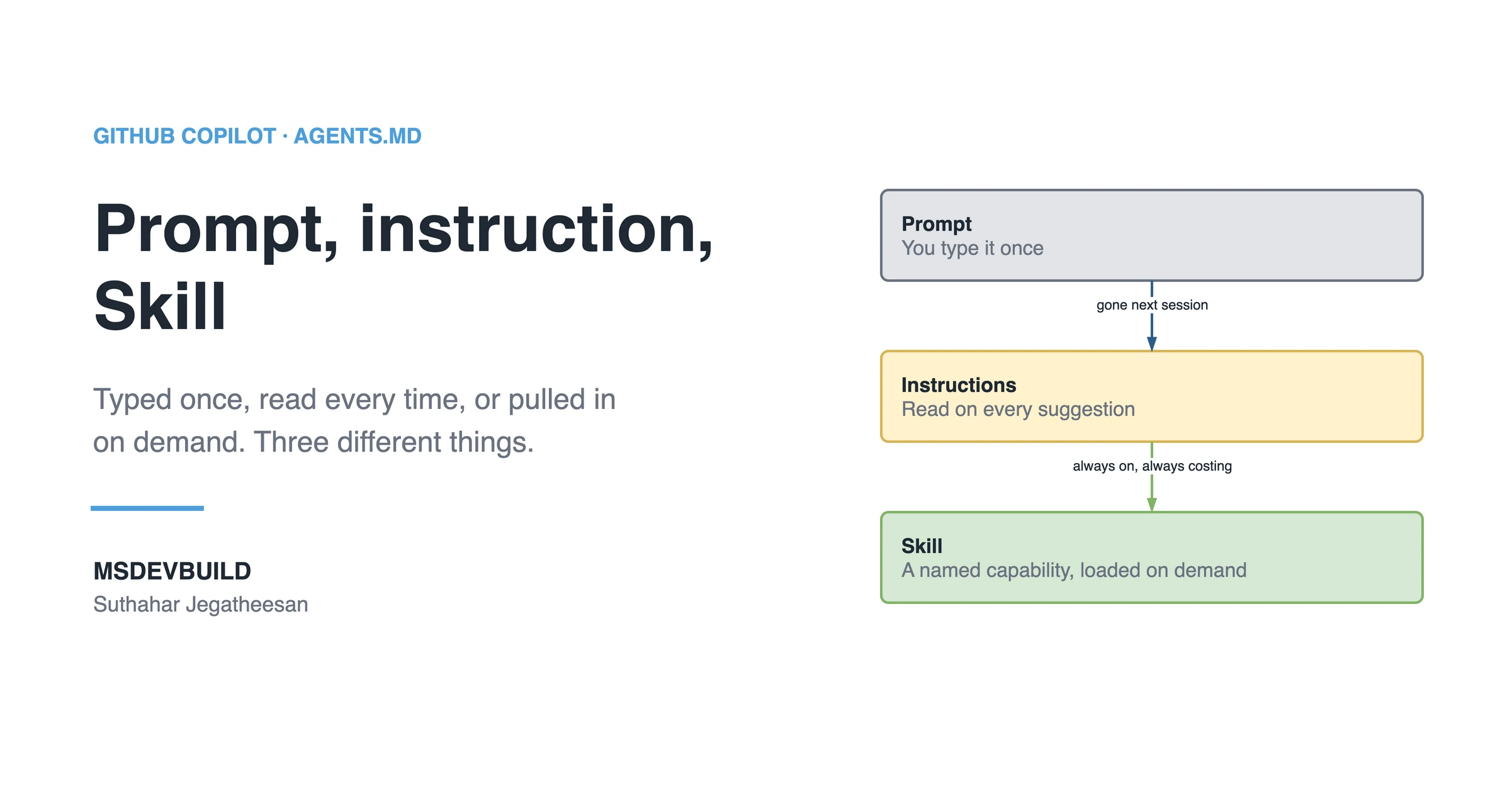
GitHub Copilot Skills are named, reusable methods, one SKILL.md file each, that Copilot loads only when the task in front of it matches their description. They fill the gap between a prompt you type once and instructions Copilot reads on every request. This is what that gap costs on a real app, and how to build Skills that close it.
Picture a tech lead on the MSDevBuild Eats team in the last week of a month. Four times since the 1st, someone has asked Copilot for a new screen and got back a widget that calls Firestore directly, state held in setState, and no test. Four times, the tech lead has typed the same explanation into chat: domain contract first, repository in lib/data, a use case, a Cubit, a bloc_test.
Each explanation worked. Each one disappeared when the chat was closed.
One month of explaining the same method
| When | What happened |
|---|---|
| Week 1 | Order history screen. Firestore called from the widget. The method is explained in chat |
| Week 2 | Restaurant reviews tab. Same mistake, same explanation, a different developer |
| Week 3 | Someone pastes the whole method into copilot-instructions.md. The file triples in size |
| Week 3 | “Rename this variable” now carries the Flutter feature method with it, on every request |
| Week 4 | The method, the pull request review checklist and the rules are split: rules stay in instructions, methods become two Skills |
Week 3 is the instinct most teams follow, and it half works. The explanation stops disappearing. It also starts being paid for on every request, including the thousands that have nothing to do with building a screen.
The command that measured the cost
Copilot reads the instructions file on every request and only the description of each Skill until one matches. So the cost of each approach is a character count away:
# Always loaded: the instructions file
wc -c .github/copilot-instructions.md

# The two methods, as full Skill files
wc -c .github/skills/*/SKILL.md

# What a Skill costs before it is used: its frontmatter description only
for f in .github/skills/*/SKILL.md; do
  awk '/^description:/{on=1} on&&/^---/{exit} on' "$f" | wc -c
done
On the food delivery app, at roughly four characters per token:
| Characters | About tokens | |
|---|---|---|
copilot-instructions.md | 3,575 | 900 |
flutter-feature/SKILL.md | 4,640 | 1,160 |
pr-review-mechanical/SKILL.md | 3,536 | 880 |
| Both Skill descriptions together | about 863 | 215 |
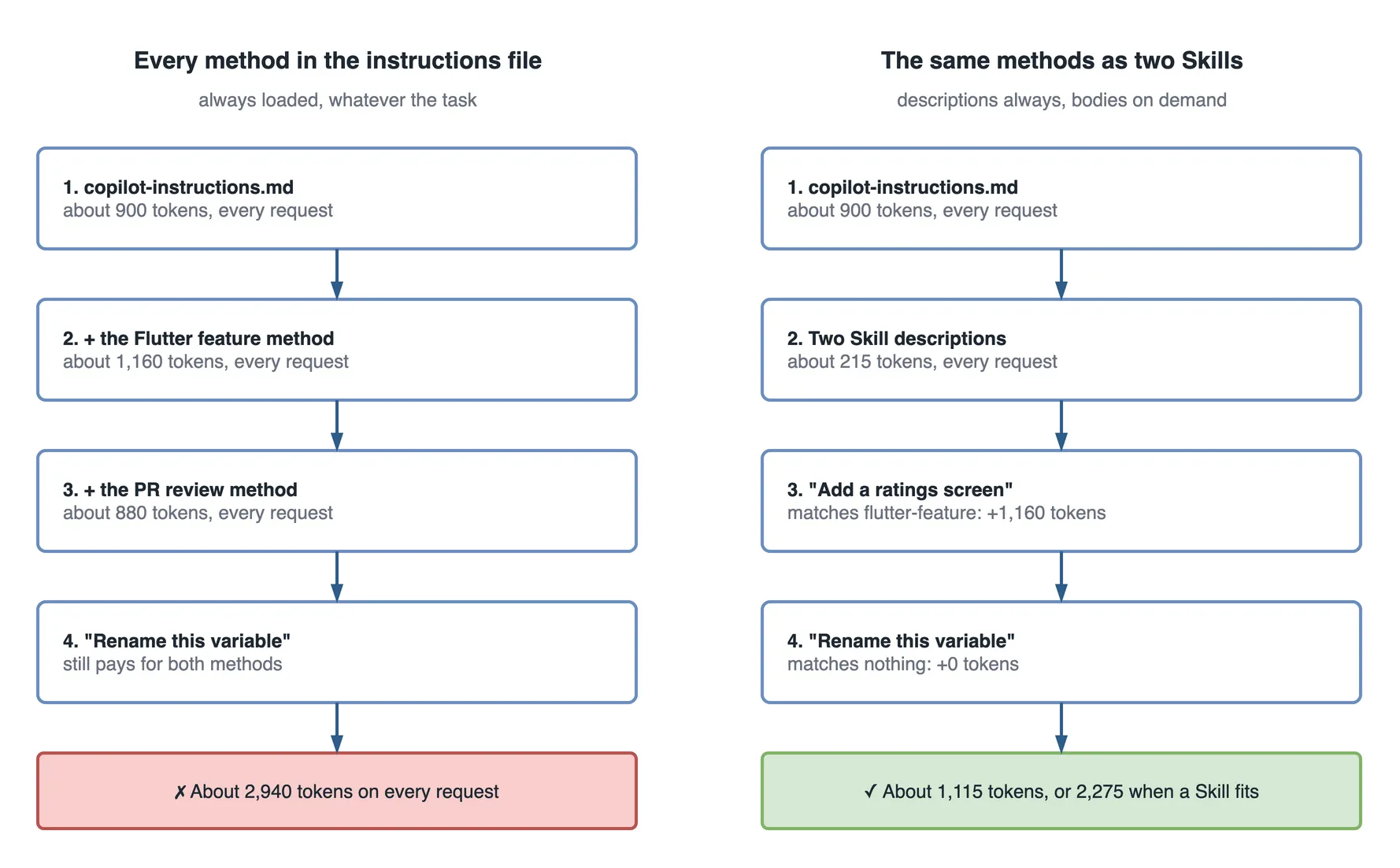
Pasting both methods into the instructions file, as week 3 did, makes every request carry about 2,940 tokens. Keeping them as Skills makes most requests carry about 1,115, and a request that actually builds a screen carries about 2,275. Same knowledge; you pay for it only when you use it.
The real problem: knowledge with nowhere to live
The tech lead’s explanation had two possible homes, and neither fit. A chat prompt is free but forgotten when the tab closes. The instructions file is remembered but paid for on every request, so it has to stay short, and a full method with steps, examples and a checklist is not short.
Real engineering knowledge is large and only occasionally relevant. That is the shape Skills were made for.
What are GitHub Copilot Skills?
GitHub Copilot Skills are reusable, named capability files that teach Copilot how to do a specific job the way your team does it, loaded on demand, not on every request.
A Skill is a short playbook: a name, a clear description of when to use it, steps, code examples, and a checklist of what “done correctly” looks like. In practice it is a SKILL.md file, Markdown with a small YAML header, in its own folder under .github/skills/.
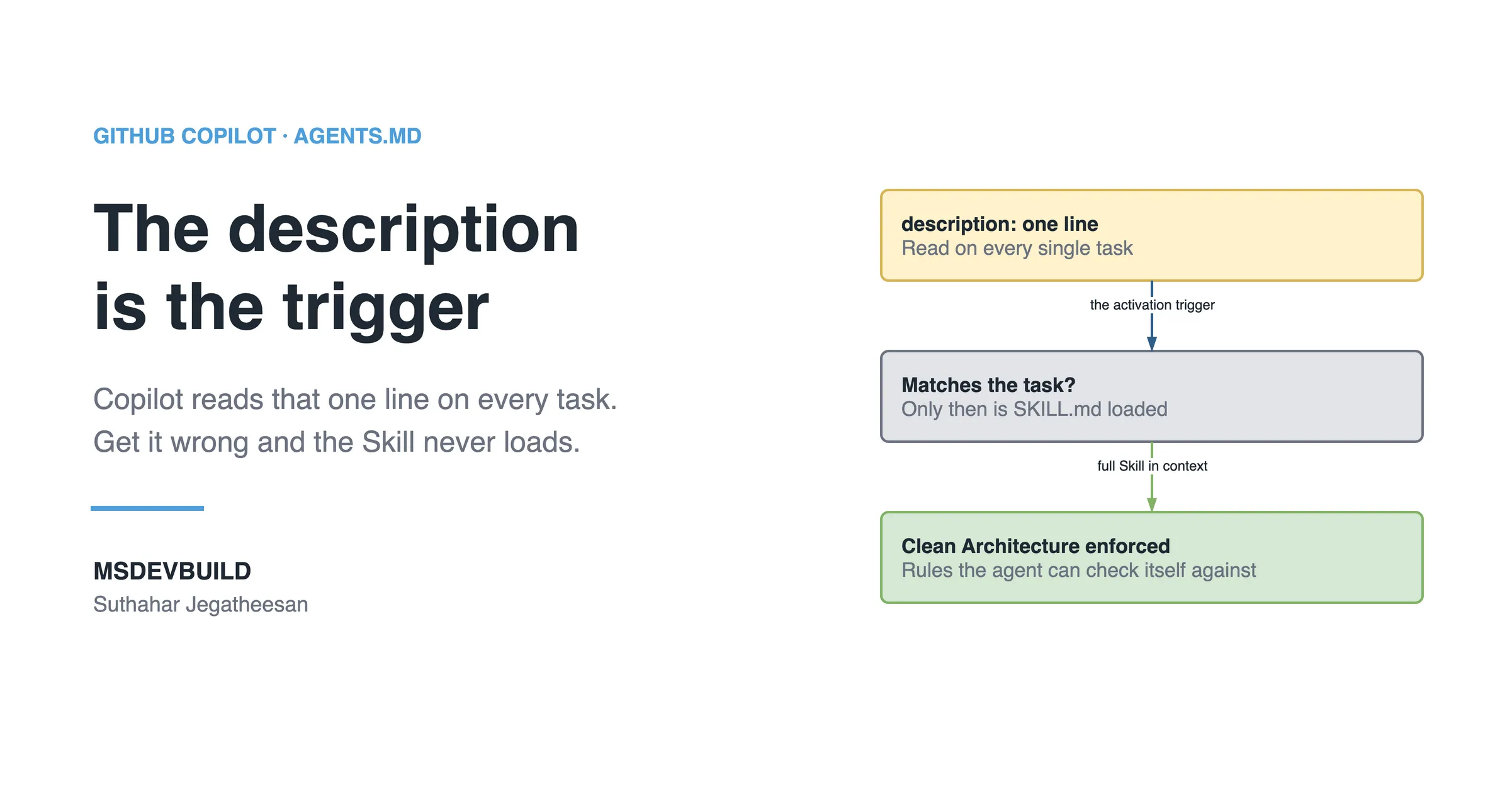
The part most write-ups skip: Copilot does not read the full text of every Skill all the time. It reads the description of each one. When a task matches a description, it loads that Skill and follows it. When it does not, the Skill stays out of the way. That is called progressive disclosure, and it is the whole trick. You can keep twenty detailed Skills in a repository and pay only for the one or two that apply.
A minimal Skill looks like this:
---
name: dotnet-clean-api-feature
description: >
  Use when creating or modifying a feature in the .NET Web API backend.
  Covers Clean Architecture layers, CQRS handlers, API response contract,
  logging, and the required unit tests. Trigger on "new endpoint",
  "add feature", "controller", "command", "query".
---

# How we build a Web API feature

## When to use this
Any new or changed endpoint in the Backend.Api project.

## Steps
1. Add the request/response DTOs in Application/Features/{Feature}.
2. Create a Command or Query record plus its handler...
That description field is not decoration. It is the trigger. If it is vague, Copilot never activates the Skill and you will swear the feature is broken. It is the most common mistake by a distance.
If you would rather see the idea first, this month’s cost is a short video, and so is the full set of files Copilot reads:
Why do we need Copilot Skills?
Because knowledge that lives in one person’s prompts is not knowledge the team owns.
- Stop repeating yourself. Write the method once; every developer, in every session, gets it when it applies.
- Share engineering knowledge. The way one developer handles idempotency or structures widget tests becomes a file the whole team inherits.
- Keep standards consistent. Generated code stops drifting, because the convention travels with the repository.
- Onboard faster. A new developer’s Copilot knows the team’s methods on day one.
- Pay only for what applies. The method costs tokens only on the requests that need it.
The short business version: Skills turn AI-assisted development from an individual trick into a team asset.
The evolution: prompt to instructions to Skills to agents
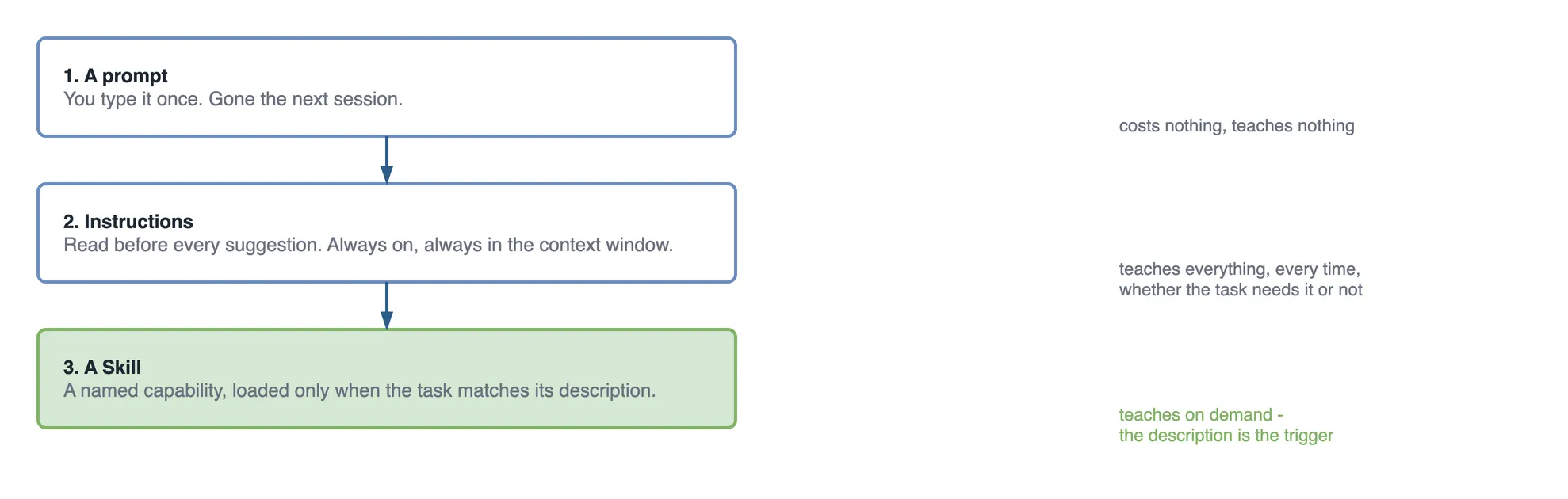
Each layer solved a limit of the one before it.
 PROMPT            INSTRUCTIONS          SKILLS               AGENTS
 "do this now"     "here is who          "here is HOW we      "go do the whole
                    we are, always"       do this job,         job, and pull in
                                          when relevant"       the right skills"
 ─────────────    ─────────────────    ─────────────────    ──────────────────
 one-off          always loaded        loaded on demand     autonomous, multi-step
 not reusable     small by necessity   large & modular      uses skills as tools
per developer per repo per capability per task- Prompt: you type it, you get an answer, it is gone. Good for exploring, useless for consistency.
- Instructions: the always-on repository profile,
copilot-instructions.mdorAGENTS.md. Top-level rules. Must stay lean because it loads every time. - Skills: deep, specific, reusable know-how loaded only when the task matches. The missing middle layer.
- Agents: the autonomous worker that takes a goal, plans steps, and reaches for Skills the way an engineer reaches for a runbook.
The mental model: instructions describe your team, Skills describe your team’s methods, and agents do the work using both.
Copilot Skills vs prompts, instructions, AGENTS.md, agents and extensions
These terms get used interchangeably, and they should not be.
| Concept | What it is | Loaded when | Reusable? | Best for |
|---|---|---|---|---|
| Prompt | A single message you type into chat | Only when you send it | No | Quick, one-off questions and exploration |
| Copilot instructions | Repository-level profile of conventions | Every request, automatically | Yes, but must stay small | Top-level rules: stack, style, hard “never do this” lines |
| AGENTS.md | Cross-tool instructions file for agents | Every agent run | Yes | Shared rules that many AI tools read, not just Copilot |
| Skill (SKILL.md) | Named playbook for one specific job | Only when the task matches its description | Yes, and modular | Deep methods: how to build a feature, review, migrate |
| AI agent | Autonomous worker that plans and executes | When you give it a task | It is the actor, not the knowledge | Multi-step work: implement, test, open a pull request |
| Extension | Connects Copilot to an external system or API | When invoked or matched | Yes | Bringing outside data or actions in |
Instructions set the baseline, Skills supply the specialised method, extensions bring in outside data, and the agent orchestrates all of it.
When not to write a Skill
Use a Skill for knowledge that is deep, specific and only sometimes relevant. Do not write one in three cases.
- The rule is short and applies everywhere. “Never import
lib/data/fromlib/features/” is one line that matters on every request. It belongs in instructions. - Nobody has agreed the method yet. A Skill makes a method official. If the team is still arguing about it, the Skill will win the argument by default.
- It is a one-off. A migration you will run once is a prompt, or a script, not a Skill that sits in the repository forever.
Anatomy of a professional Copilot Skill
A weak Skill reads like a saved prompt. A strong one reads like a runbook a new engineer could follow without asking questions.
- Frontmatter:
name, lowercase and hyphenated, and a sharpdescriptionnaming the domain, the capabilities and the trigger phrases. - Purpose: one sentence on what this Skill produces.
- When to use and when not to use: so it activates at the right time and stays quiet otherwise.
- Inputs required: what Copilot needs before it starts.
- Rules: the non-negotiables. Layer boundaries, naming, security.
- Workflow: numbered steps, in order.
- Code examples: real, from your codebase, not
FooandBar. - Validation checklist: how to confirm the output is correct.
- Expected output: the file list and shape of a correct result.
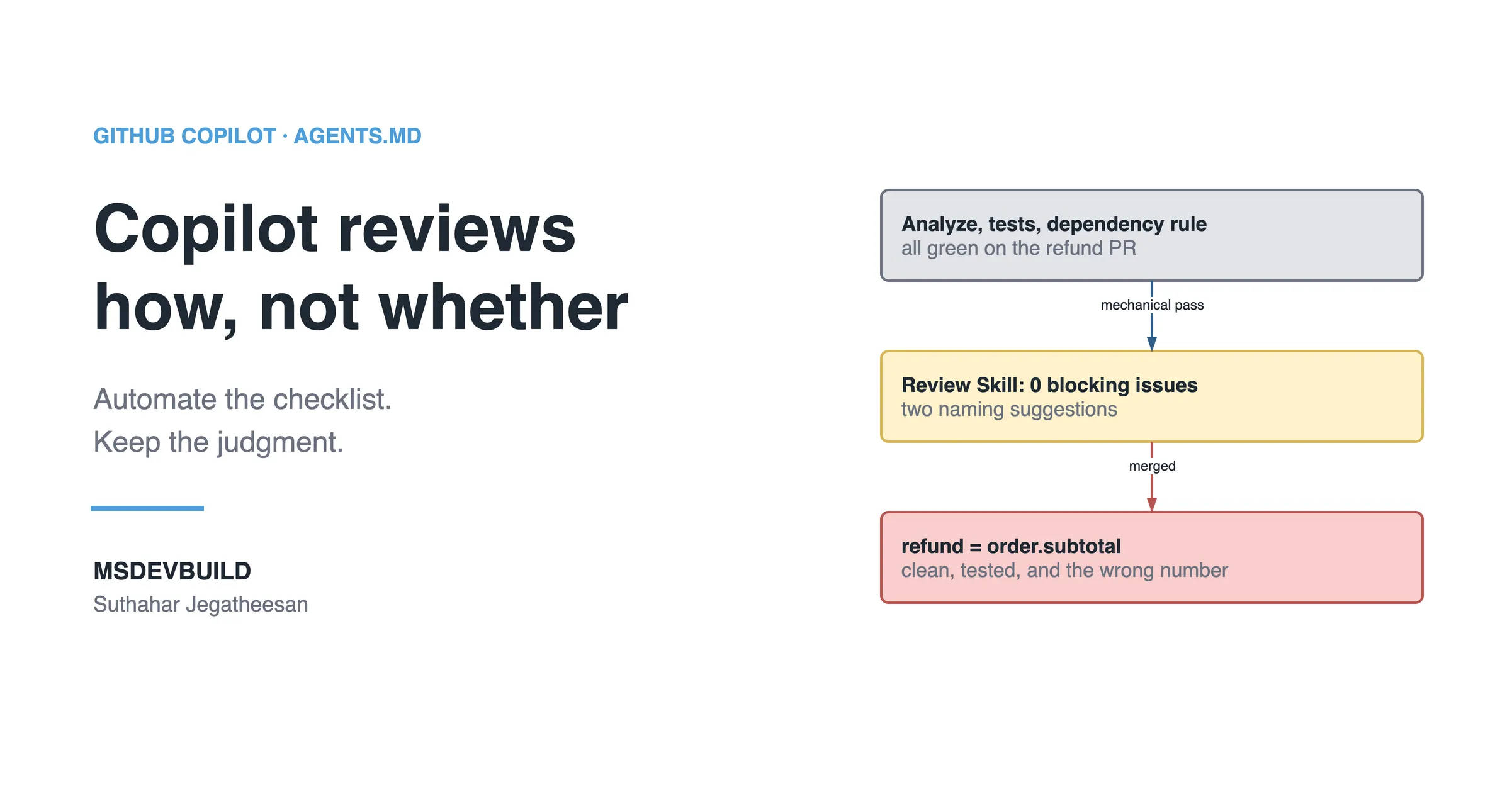
The checklist is what separates a Skill that “kind of helps” from one that produces reviewable code. It gives the agent a way to check itself.
Enterprise Skill examples that earn their place
A .NET backend Skill
This one enforces Clean Architecture and CQRS on a Web API. The layout behind it is the same one in structuring a Minimal API project.
---
name: dotnet-cqrs-feature
description: >
  Use when adding or changing a feature in the .NET 10 Web API.
  Enforces Clean Architecture layers, MediatR CQRS, FluentValidation,
  the ApiResponse<T> contract, structured logging, and xUnit tests.
  Trigger: "new endpoint", "add command", "add query", "feature".
---

# Building a Web API feature the way we build it

## Rules (non-negotiable)
- Domain has NO dependency on Application or Infrastructure.
- Every write is a Command; every read is a Query. No logic in controllers.
- Validate inputs with FluentValidation, never inline `if` checks.
- All responses use ApiResponse<T>. Never return raw entities.
- Log with ILogger and structured properties, never string interpolation.

## Workflow
1. DTOs in Application/Features/{Feature}/.
2. Command/Query record + Handler (implements IRequestHandler).
3. Validator for the request.
4. Thin controller action that only sends the request via IMediator.
5. xUnit tests: one happy path, one validation failure, one not-found.

## Example handler
public sealed record CreateOrderCommand(Guid CustomerId, List<OrderLine> Lines)
: IRequest<ApiResponse<OrderDto>>;
public sealed class CreateOrderHandler
: IRequestHandler<CreateOrderCommand, ApiResponse<OrderDto>>
{
private readonly IOrderRepository _repo;
private readonly ILogger<CreateOrderHandler> _logger;
public CreateOrderHandler(IOrderRepository repo, ILogger<CreateOrderHandler> logger)
{
_repo = repo;
_logger = logger;
}
public async Task<ApiResponse<OrderDto>> Handle(
CreateOrderCommand request, CancellationToken ct)
{
var order = Order.Create(request.CustomerId, request.Lines);
await _repo.AddAsync(order, ct);
_logger.LogInformation("Order {OrderId} created for {CustomerId}",
order.Id, request.CustomerId);
return ApiResponse<OrderDto>.Ok(order.ToDto());
}
}Why this works in production: the handler has one job, dependencies are injected so it is testable, logging uses structured properties so it is queryable in Application Insights, and the response is wrapped in a contract the mobile app already understands. The mistake this Skill prevents is business logic leaking into the controller, the first thing that makes a codebase hard to test.
A Flutter mobile Skill
This is the real flutter-feature Skill from the food delivery app, condensed. The frontmatter is exactly as committed:
---
name: flutter-feature
description: >
  Use when adding or changing a feature screen in the MSDevBuild Eats Flutter
  app. Enforces the layered structure (pure-Dart lib/domain, lib/data,
  lib/features/{feature}/{bloc,presentation}), state in a Bloc or Cubit, and
  Firebase reached only through a repository. Every bloc gets a bloc_test.
  Trigger phrases: "add screen", "new feature", "add page", "Firestore",
  "cubit", "bloc", "list from Firebase".
---

# Building a Flutter feature the way we build it

## Rules
- Layers: lib/domain (pure Dart), lib/data, lib/features/{feature}.
- Nothing in lib/features imports from lib/data.
- UI never calls Firebase directly. Always go through a repository.
- Repositories and use cases return Result<T>. They never throw upward.
- State lives in a Bloc or Cubit, not inside the widget.
- Every bloc has a bloc_test covering loading, data, and failure.

## Workflow
1. Entity + repository interface in lib/domain. Impl in lib/data.
2. Use case in lib/domain/usecases — the bloc asks for one thing.
3. Cubit/Bloc + state class in lib/features/{feature}/bloc.
4. Screen uses BlocProvider + BlocBuilder. No logic in build().
5. bloc_test with a mocked use case. No emulator.
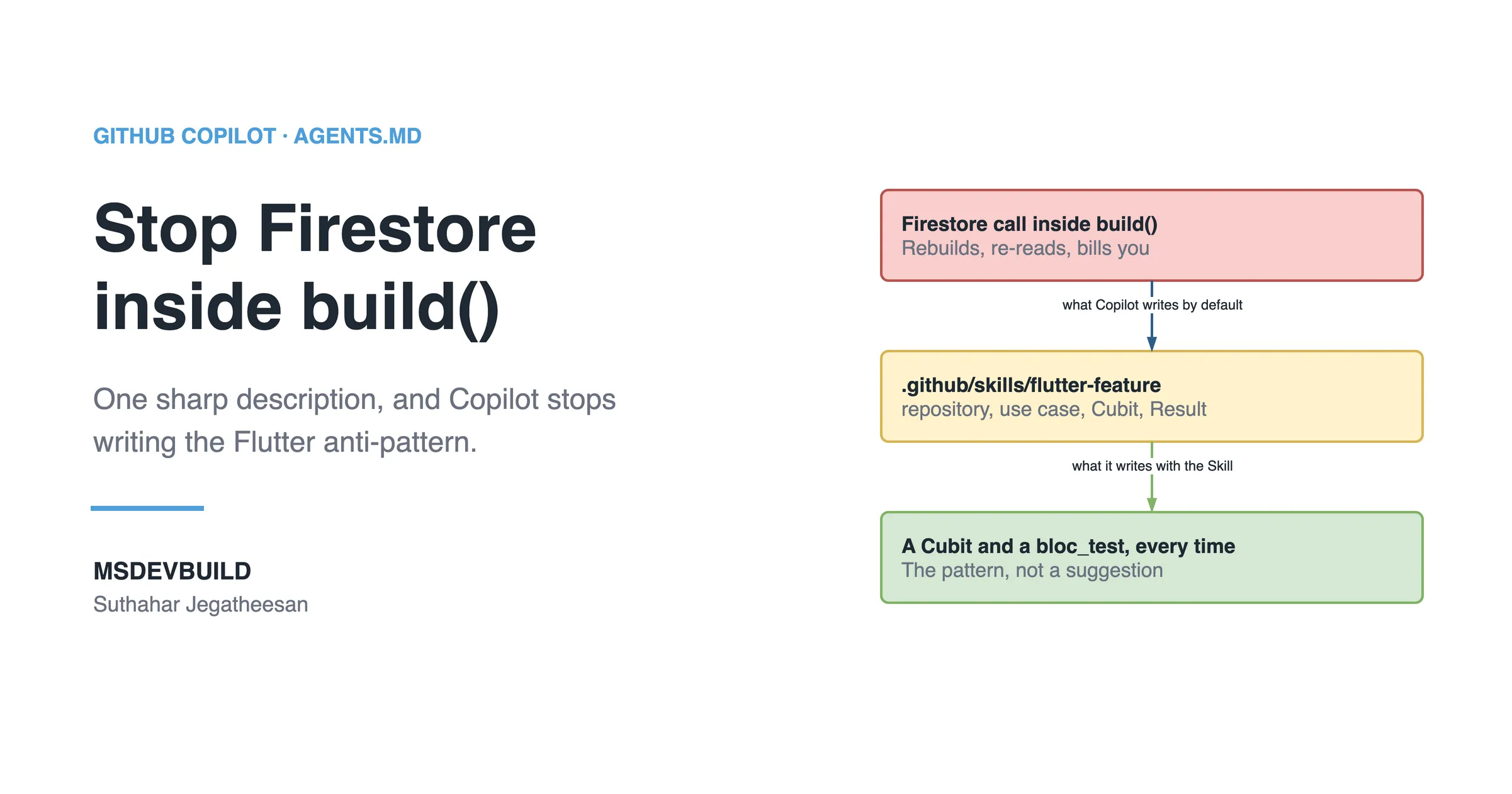
Notice the description’s trigger phrases: “add screen”, “Firestore”, “list from Firebase”. Those are the words the four developers in the scenario actually typed. That is how a description is written: from the requests people make, not from the architecture’s own vocabulary.
A performance rule worth adding to any Flutter Skill: keep build methods cheap and push work into the bloc. Most “Flutter is slow” complaints are really “we rebuilt an expensive widget tree on every state change”. With BLoC, buildWhen is the lever Copilot never reaches for on its own.
An Azure cloud Skill
For infrastructure, the Skill is less about code and more about guardrails.
---
name: azure-service-baseline
description: >
  Use when provisioning or reviewing Azure resources for a service.
  Enforces private networking, Managed Identity over keys, cost tier
  rules, and diagnostic logging. Trigger: "deploy", "bicep", "azure
  resource", "app service", "storage".
---

# Azure baseline for a new service

## Security rules
- No connection strings in config. Use Managed Identity + Key Vault.
- Storage and databases: private endpoints, public access disabled.
- Every resource sends diagnostics to the central Log Analytics workspace.

## Cost rules
- Default App Service to B1 in non-prod; require sign-off for P-tier.
- Turn on auto-shutdown for non-prod compute.
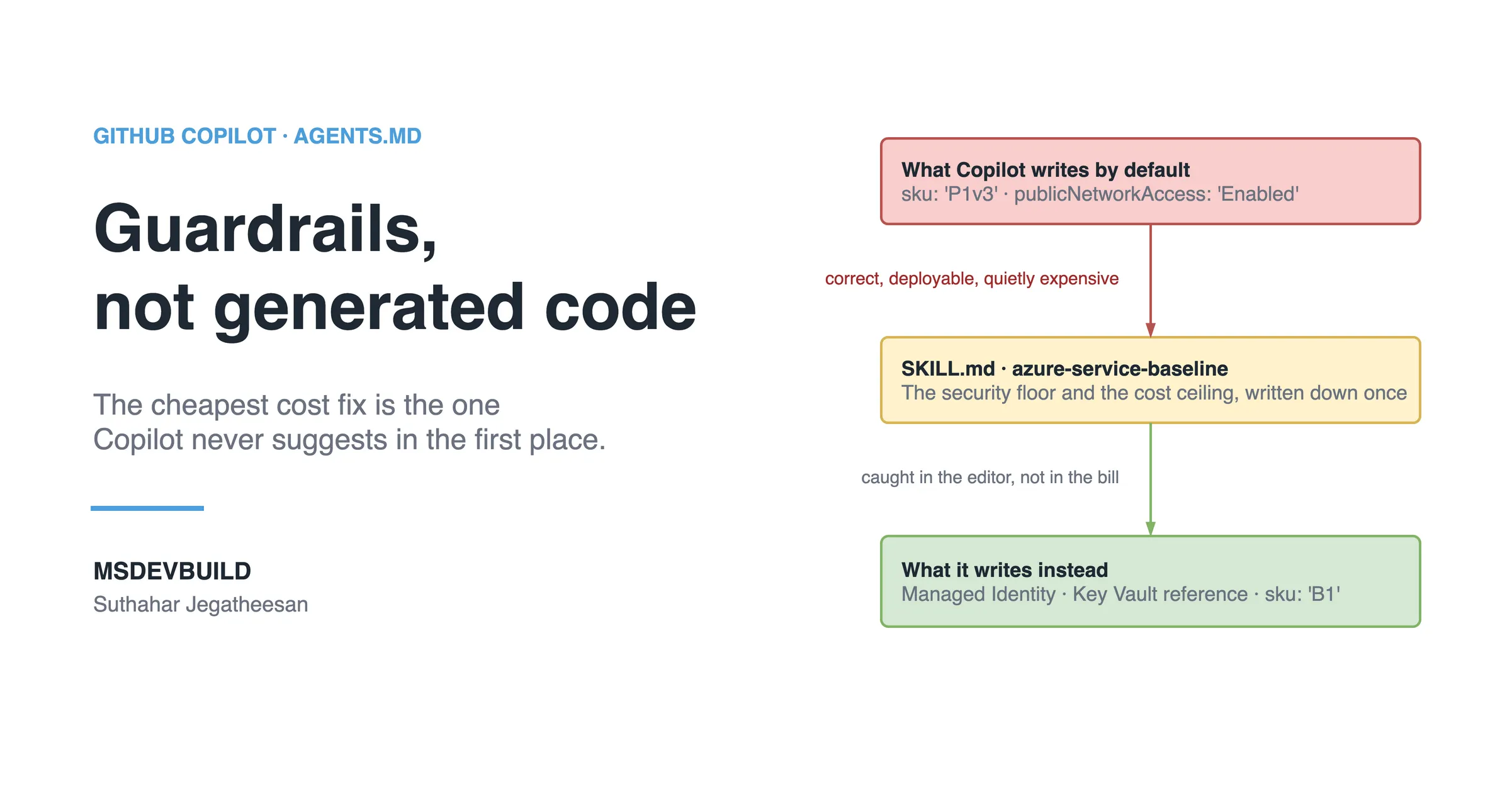
The cost section is the one that pays for itself. A forgotten premium-tier plan left running in a test environment for months is one of the most common cloud bills there is, and a Skill that defaults non-production to a cheap tier and flags anything higher catches it in the pull request, before the invoice does. For the AI side of Azure work, the same approach applies to the patterns in building RAG on .NET with Azure OpenAI.
How to create effective Copilot Skills
Build Skills backwards, from a real problem rather than a blank template.
- Start with a recurring engineering problem. Not “document CQRS” but “Copilot keeps putting logic in controllers”. The problem defines the scope.
- Capture how your best people already solve it. You are turning tribal knowledge into a file.
- Write the description the way people ask. Name the domain, the capability and the trigger words people actually type.
- Add real examples from your codebase. Copilot mirrors examples closely.
- Define quality checks. A validation checklist turns “looks fine” into “meets our standard”.
- Keep it under about 500 lines. Past that, move reference detail into separate files and keep
SKILL.mdas the map. - Maintain it. A Skill describing an abandoned convention is worse than none; it steers new code the wrong way.
Do’s and don’ts
| Do | Don’t |
|---|---|
| Write a precise, trigger-rich description | Write a vague description and wonder why it never fires |
| Keep one Skill focused on one job | Cram backend, mobile and cloud into one mega-Skill |
| Use real code from your repository | Use Foo/Bar snippets the AI cannot map to anything |
| Add a validation checklist | Leave “correct output” undefined |
| Version and review Skills in pull requests | Keep them on one laptop as personal prompts |
| Update the week a convention changes | Let Skills rot until they lie about your codebase |
Common mistakes developers make
Writing a Skill like a saved prompt. A prompt says “do X”. A Skill teaches a repeatable method with steps, examples and checks. If your Skill is three sentences, it is a prompt in a costume.
A weak description. Copilot sees only the description until it decides to activate. “Helper for backend stuff” will never trigger reliably.
No expected output. Without a picture of a correct result, you get code that is confident and wrong.
One Skill trying to do everything. A 900-line Skill covering the whole platform triggers on the wrong tasks and costs the most when it does.
Never testing it. Try it on a real task, read what the agent produces, and tighten the wording.
How efficient are Skills?
The instructions file is paid for on every request. A Skill’s description is paid for on every request, and its body only when it applies. That difference is the entire efficiency argument, and the food delivery app’s own files give the numbers.
| Setup | Tokens on “rename this variable” | Tokens on “add a ratings screen” |
|---|---|---|
| Rules only, no methods | about 900 | about 900, and the method is missing |
| Both methods pasted into instructions | about 2,940 | about 2,940 |
| Rules in instructions, methods as Skills | about 1,115 | about 2,275 |
And what the scenario month looked like once the Skills were in:
| Weeks 1 to 3 | Week 4 onwards | |
|---|---|---|
| Times the method was explained in chat | 4 | 0 |
| New screens with Firestore in the widget | 3 | 0 |
| Always-on tokens per request | up to 2,940 | about 1,115 |
The rule underneath: a Skill’s cost is its description on every request plus its body on the requests that need it. Twenty Skills with good descriptions cost less, most of the time, than one method pasted into the instructions file.
Questions a tech lead will ask about this
- “Why not put everything in AGENTS.md?” Because it loads on every request. Rules that apply everywhere belong there; methods that apply sometimes belong in Skills.
- “How do I know a Skill is being used?” Give it a task that matches the description and read what comes back. If the method is not followed, the description is wrong, not the Skill.
- “Who owns a Skill?” Whoever owns the method, the same way a team owns a service. Changes go through review.
- “How many Skills is too many?” There is no hard limit, but every description is paid for on every request. Twenty sharp descriptions are fine; twenty vague ones cost tokens and trigger on the wrong work.
- “Can a Skill be wrong?” Yes, and it spreads a wrong pattern faster than any person could. That is why Skills are reviewed like code.
What to do on day one
- Find the explanation you have typed into chat more than twice. That is your first Skill.
- Write its description from the words people use when they ask for that work.
- Add real code, a validation checklist and an expected-output section.
- Keep one-line rules in the instructions file, not in the Skill.
- Try it on a real task in a fresh session before you merge it.
Key takeaways
- Skills are the missing middle layer between always-on instructions and autonomous agents.
- They load on demand, so deep knowledge costs tokens only on the requests that need it.
- The description is the trigger; write it from the way people ask for the work.
- One Skill, one job, under about 500 lines, with real code and a checklist.
- Ship Skills like code: versioned, reviewed, owned and maintained.
The next new screen
The first week of the following month, a new developer on the team asks Copilot to “add a screen listing a restaurant’s reviews from Firestore”.
The request matches flutter-feature’s description word for word: “Firestore”, “add screen”. Copilot loads the Skill, adds a ReviewRepository interface in lib/domain, an implementation in lib/data, a use case, a ReviewsCubit and a bloc_test with a mocked use case. Nothing in the widget touches Firebase.
The tech lead reads the pull request and, for the first time that month, has nothing to explain. The instructions file is back to 3,575 characters.
Test yourself: answer in the comments
Sources and further reading: