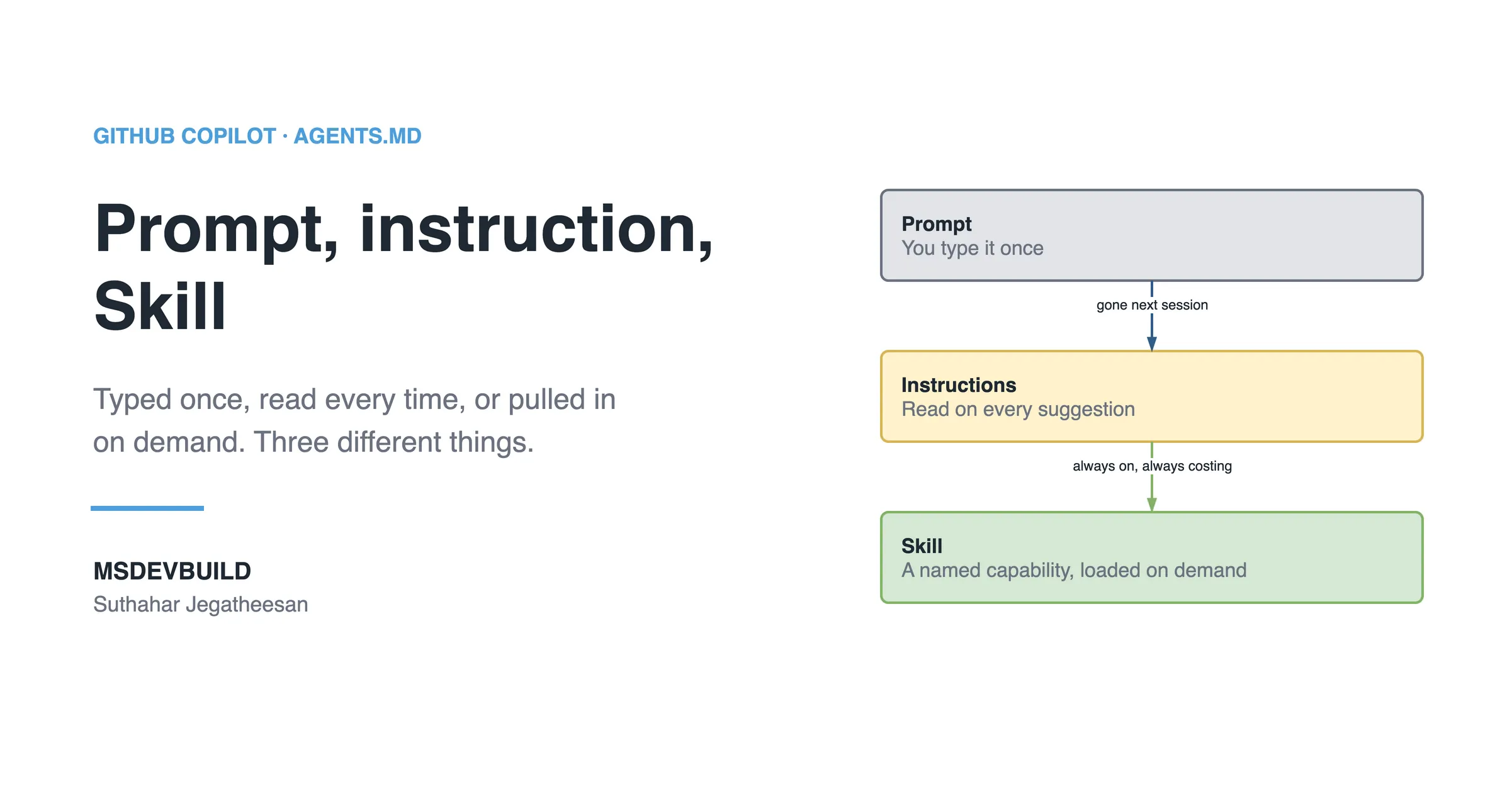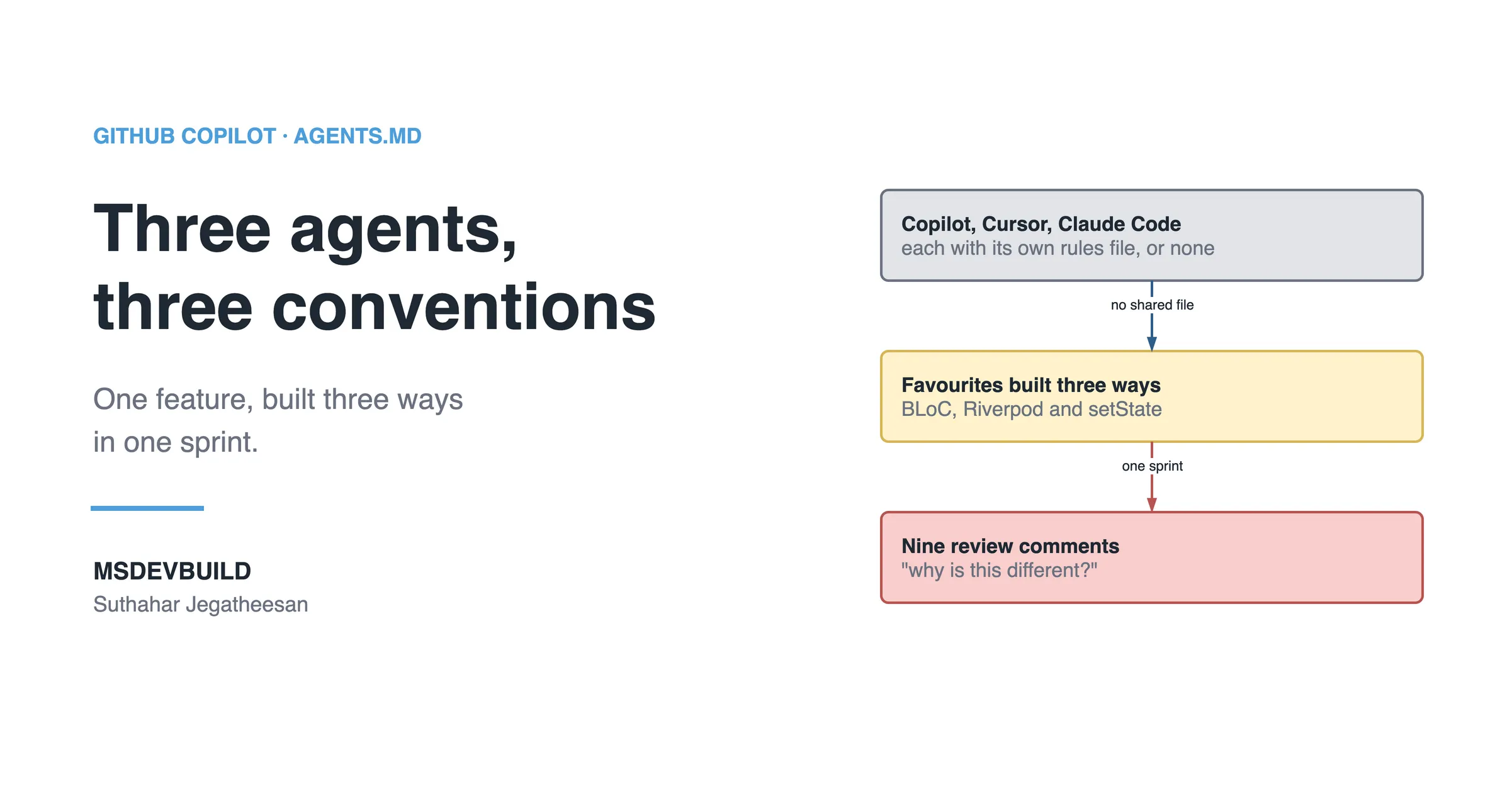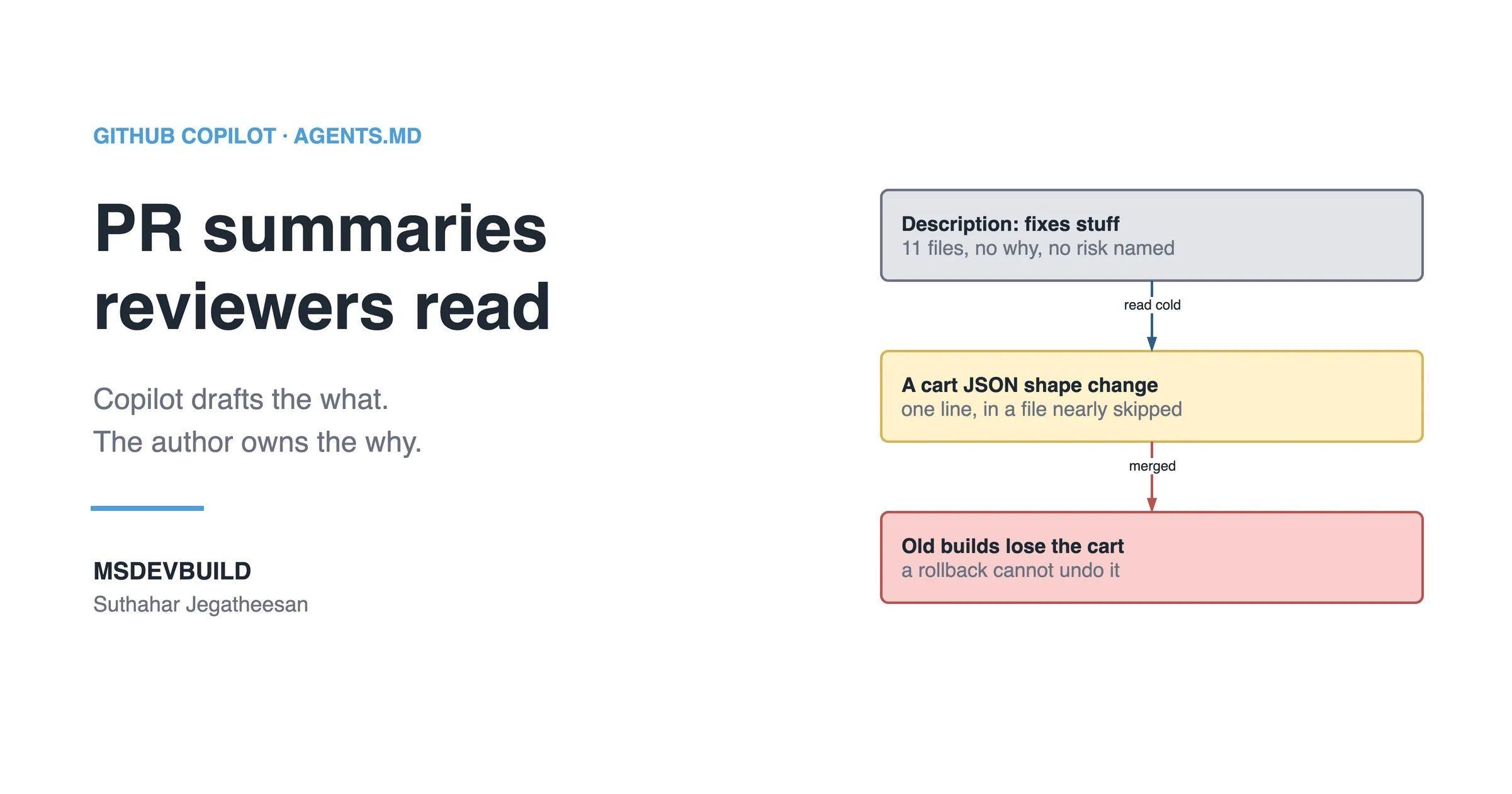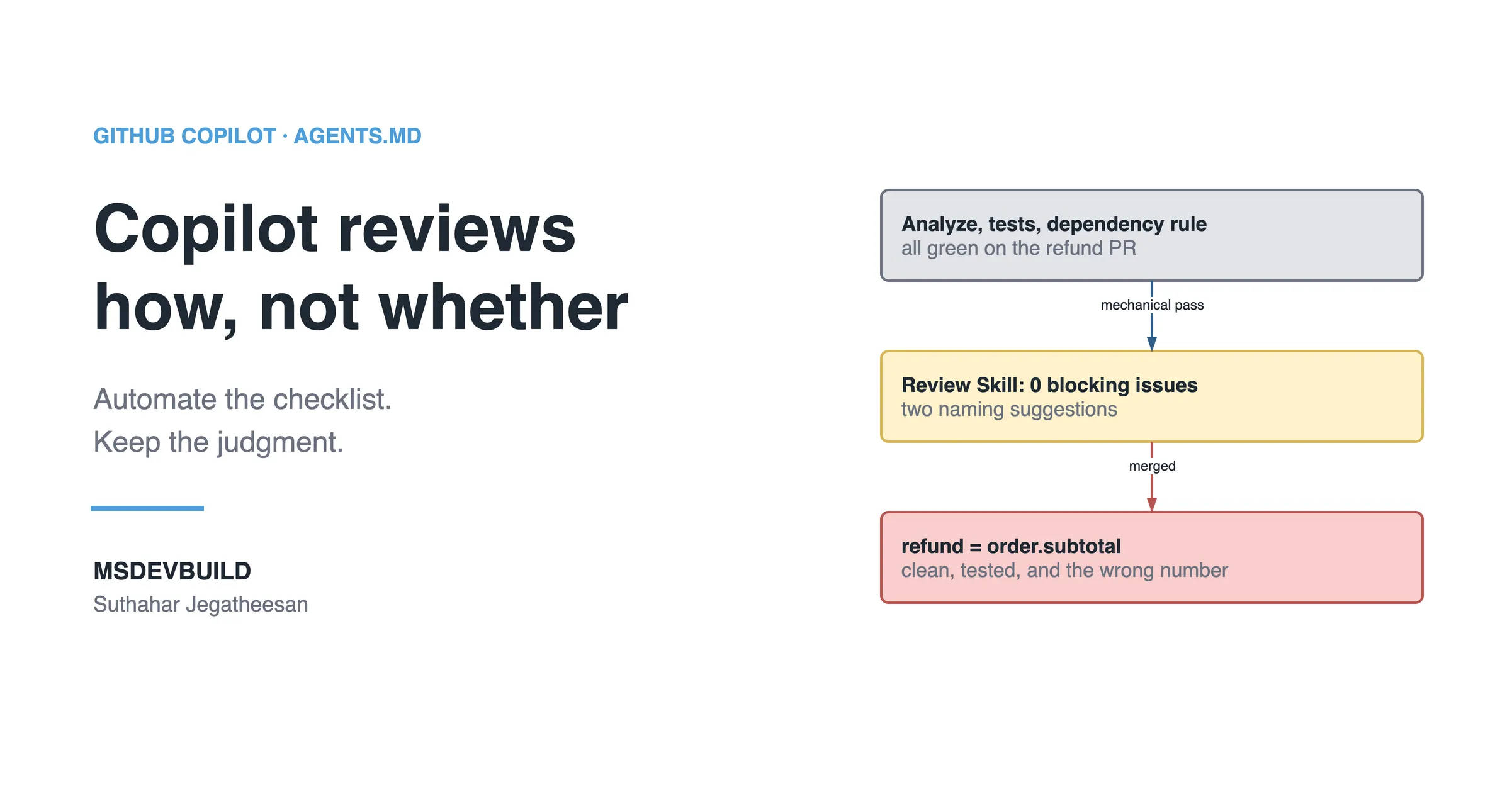
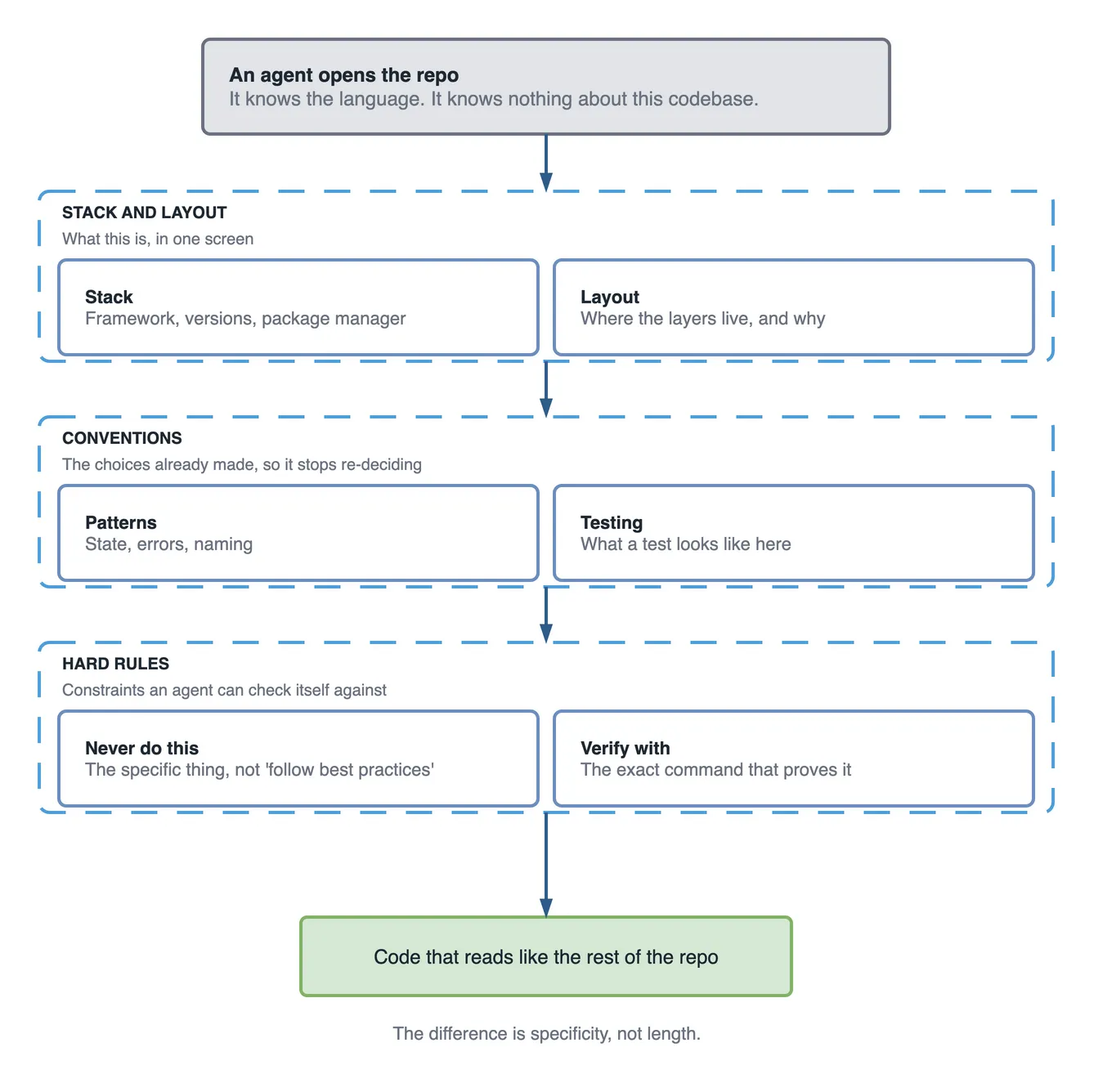
An AGENTS.md file is the set of rules every AI coding agent reads before it writes code in your repository. A good one is not longer than a bad one; it is more specific, and it contains the rules no tool can infer from the code. This playbook covers every section worth having, what to keep out, how far Copilot’s /init gets you, and a template to copy.
Most AGENTS.md guides stop at “here’s what the file looks like”. That is the easy part. The hard part is what goes inside each section, and which sections earn their place at all. Why a team needs the file at all is covered in the pain points AGENTS.md removes; this is the how. The fastest way to see why the inside matters is a week in which a team skipped that part.
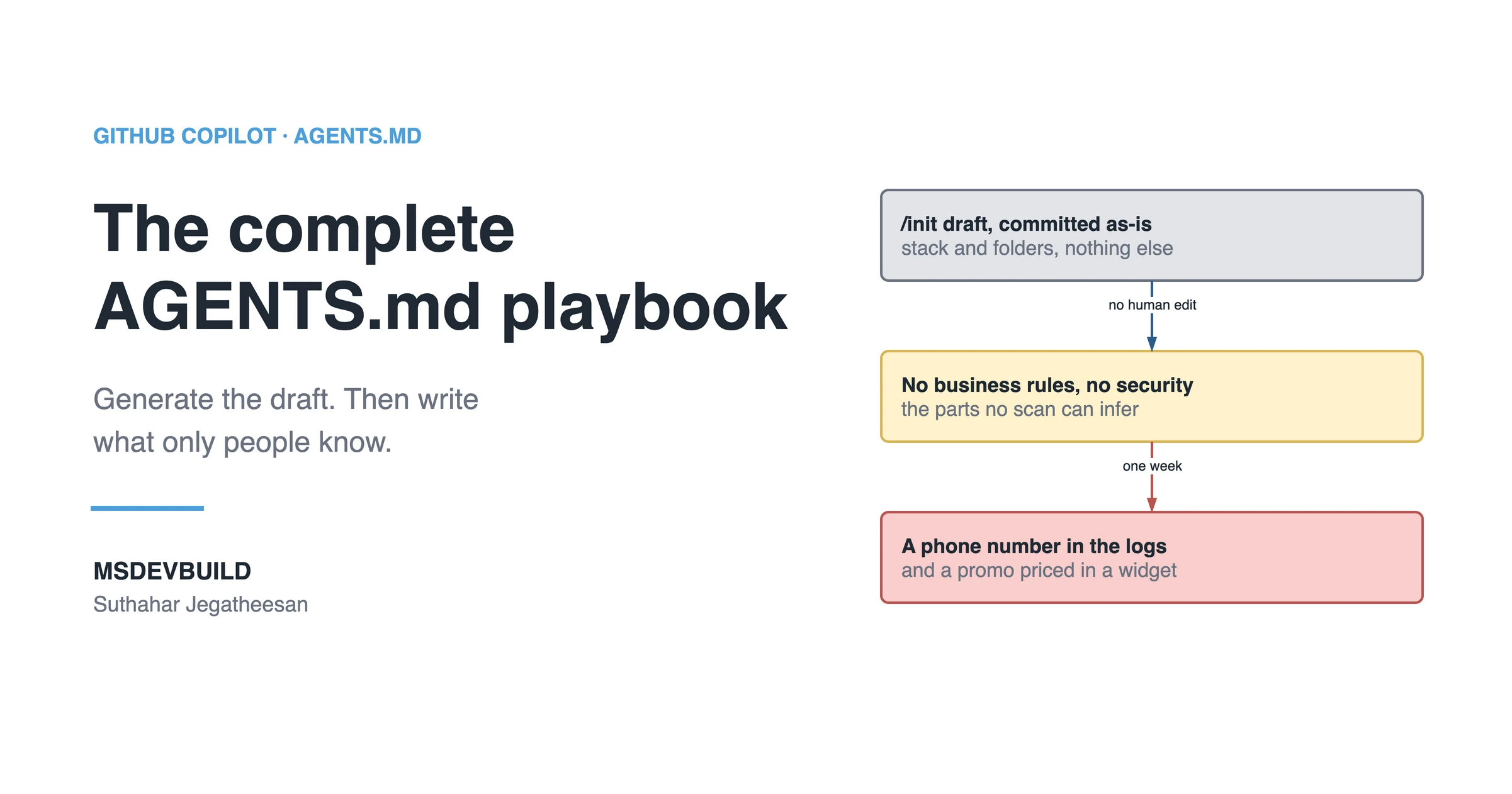
One week with a generated file
| Day | What happened |
|---|---|
| Mon | A developer runs /init, reads the draft, finds nothing obviously wrong, and commits it |
| Tue | An agent builds a partner “export today’s orders” button and adds debugPrint(order.toJson()) for debugging. Every order carries the customer’s name, phone number and address |
| Wed | An agent adds a festival promo and calculates the discount inside the checkout widget, next to the button |
| Thu | Review catches both. The lint that forbids print does not catch debugPrint, and nothing in the file mentioned personal data or promos |
| Fri | The tech lead runs the audit below and edits the file by hand |
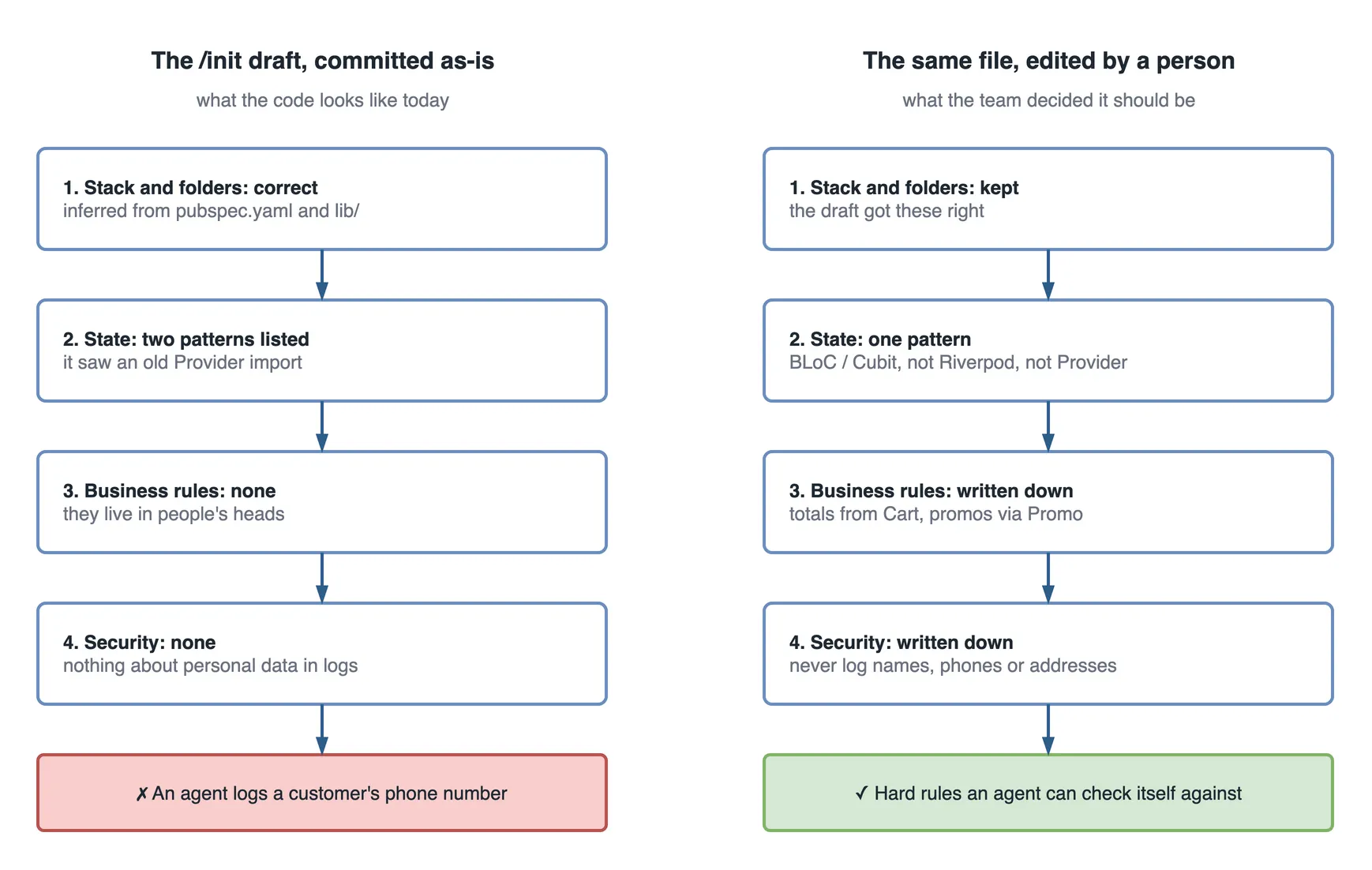
The draft was not wrong. Everything in it was true: the stack, the folders, the packages. It simply described what the code looks like, and nothing a person had decided. The two mistakes of the week both lived in that gap.
The audit that measured the gap
A useful AGENTS.md is made of hard rules. A weak one is made of descriptions and vague advice. You can count the difference:
f=AGENTS.md
echo "sections:     $(grep -c '^## ' $f)"
echo "vague lines:  $(grep -ciE 'best practice|clean code|as appropriate|where possible' $f)"
echo "hard rules:   $(grep -ciE '\bnever\b|\bmust\b|\bdo not\b|don.t' $f)"
echo "security:     $(grep -ciE 'secret|api key|password|credential|token' $f)"
echo "commands:     $(grep -cE '^\s*(flutter|dart|npm|dotnet) ' $f)"
The /init draft in this scenario | The app’s committed AGENTS.md | |
|---|---|---|
| Sections | 6 | 9 |
| Vague lines | 5 | 0 |
| Hard rules | 2 | 11 |
| Security mentions | 0 | 1 |
| Runnable commands | 2 | 4 |
The right-hand column is the real file, measured today. It shows what the human edit added: three sections, eleven hard rules, no vague lines. It also shows something honest: the committed file still has one security mention, and that line is a statement that the app needs no API keys, not a rule. The export button could be written against it today. The worked example at the end of this playbook adds the missing section.
What AGENTS.md is, and why you need it now
AGENTS.md is a plain-text file your AI coding agent reads automatically, before it writes anything. It describes how your project is actually built: the architecture, the conventions, the boundaries, the things a new contributor would otherwise learn the hard way.
It’s not a persona. It’s not something you invoke. It’s context loaded behind the scenes, every session, the same way for every developer touching the repo.
Why it matters now is pretty mechanical. Agents write a real share of new code today, and every generation is a decision. Which state pattern, which error style, which folder something belongs in. With no shared file, every one of those decisions gets made independently, by whichever session happens to be running. Multiply that across a team, or across your own sessions six months apart, and inconsistency stops being a risk. It’s the default.
README.md vs. AGENTS.md
People mix these up constantly, so let’s be precise.
| README.md | AGENTS.md | |
|---|---|---|
| Answers | “How do I run this?” | “How should this be built?” |
| Audience | Humans, mostly new contributors | AI coding agents, humans second |
| Contains | Install steps, setup, deployment | Architecture, conventions, boundaries |
| Read by | People, once, at the start | Agents, automatically, every session |
An out-of-date README is an annoyance. Someone loses ten minutes finding the real install command. An out-of-date AGENTS.md is worse. It silently steers every future AI-generated feature toward the wrong pattern, for as long as it stays wrong.
How agents actually use the file
The file gets loaded into context before generation. It’s not consulted mid-task like a lookup table.
That has one practical consequence: everything in the file competes for the agent’s attention with your actual prompt and the code it’s looking at right now. A ten-line file with five sharp rules gets followed more reliably than a two-hundred-line file where those same five rules are buried in detail the agent has to weigh against everything else.
It’s also why editing the file mid-session fixes nothing. Start a new session so the update is actually part of what gets loaded.
If you would rather see the idea first, generating and then editing the file is a short video:
The anatomy of a well-designed AGENTS.md
Here are the sections worth having, roughly in the order they matter. Not every project needs all of them. A solo side project might only want the first four. An enterprise codebase probably wants most of the list.
Project overview
Two or three lines: what it is, the core stack, target platforms. This exists purely to stop the agent from guessing the basics.
MSDevBuild Eats — a Flutter food delivery app. Flutter 3.x, Dart 3.x.
Web, Android, iOS and tablet from one codebase. Seeded in-memory demo
backend by default; Firebase is the optional second implementation.
That one is lifted from my food delivery app, which I’ll keep using for the rest of the examples in this post so you can check every rule against real code.
Architecture rules
Name the architecture out loud: Clean Architecture, MVVM, Feature-First, whatever’s actually in use. Say it in a way that leaves no room for a “reasonable” alternative.
Clean Architecture, three layers, dependencies point inward only.
lib/domain is pure Dart and imports no Flutter. Do not introduce a
different architectural pattern for new features, even a well-known one.
Folder structure
Show it. Don’t describe it in prose. A literal tree is faster for both humans and agents to read correctly.
lib/
├── app/             # composition root: DI graph, router, app-wide cubits
├── core/            # shared services, errors, Result, theme, widgets
├── domain/          # pure Dart: entities, repository contracts, use cases
├── data/            # models, data sources, repository implementations
├── features/        # one folder per feature: bloc/ + presentation/
│   ├── cart/
│   ├── orders/
│   └── checkout/
└── main.dart
Coding standards
The small, constant rules a linter won’t give you: prefer const constructors, keep functions short, avoid deeply nested conditionals. Whatever’s specific to how your team actually writes code day to day.
Naming conventions
State the case convention per context: classes, files, variables, constants. “Follow standard conventions” means something different in every language, and it gets read differently every time.
Error handling standards
One approach, stated plainly. This is one of the highest-impact sections in the whole file. If every feature handles failure differently, every feature also gets tested and reviewed differently.
API errors return a Result<T, Error> type. Never throw exceptions
across a repository boundary. Log unexpected errors through the
shared Logger service, never with print() or console.log().
Security guidelines
This is the section most AGENTS.md files skip, and it’s the one that costs the most when it’s missing. Say what must never happen: hardcoded secrets, credentials in client-side code, unsanitized input reaching a query. These feel obvious to you. They aren’t obvious to a model that has no view into your compliance requirements.
Never hardcode API keys or secrets — use environment configuration.
All user input must be validated before reaching the data layer.
Payment data never touches application logs, structured or otherwise.
Performance expectations
Only where it’s genuinely a constraint, such as image loading strategy, pagination, list virtualization for long lists. Skip this if performance isn’t a distinguishing concern. Padding it with generic advice only weakens the sections that matter more.
Testing requirements
Name which test types apply and what triggers writing one. “Every new repository method needs a unit test” is something an agent can act on. “Write good tests” isn’t.
Git workflow
Branch naming, commit message format, and whether the agent may commit directly or should only propose changes for review.
Pull request checklist
If your team has one, put it here. It gives the agent something concrete to check itself against before handing back a finished feature.
Documentation expectations
Whether new public functions need doc comments, whether a new feature needs an entry in an internal docs folder. Often skipped, rarely enforced unless it’s written somewhere the agent reads.
AI-specific instructions
This section does the most actual work, so it’s worth its own explanation. Generic coding standards apply to humans and agents alike. This section is specifically about agent behavior:
- Reuse existing components and services before creating new ones
- Never duplicate business logic already implemented elsewhere
- Do not introduce a new package or dependency without flagging it explicitly
- Do not modify generated code (build_runner, protobuf, etc.)
- When two valid approaches exist, prefer the one already used in this codebase
- Prefer consistency with existing code over a "better" alternative pattern
Approved and forbidden libraries
Name what’s already in use, and explicitly rule out the common alternatives an agent might otherwise reach for. “Use BLoC” is good. “Use BLoC, not Riverpod or Provider” closes the door the first version leaves open.
Business rules the AI must never violate
Narrow, boundary-only. Not an explanation of your business. A hard constraint the agent respects no matter how a prompt is worded.
- Never mark an order as paid without a confirmed payment gateway response
- Never expose a user's full payment details in logs, responses, or error messages
- Refund logic must always go through the RefundService, never a direct database write
Things that should never go in the file
Worth stating as clearly as what belongs, because the failure mode here is different. This isn’t a weaker file. It’s a liability.
| Keep out | Why |
|---|---|
| Actual secrets, API keys, credentials | The file usually ends up in version control history permanently |
| Detailed business strategy, roadmap, pricing rationale | Not a coding instruction, and it’s context most AI providers don’t need |
| Personally identifiable information, real customer data | No reason for it to exist in a repo-level instructions file at all |
| Long prose explaining why a decision was made | Slows the agent down parsing for the actual rule — put reasoning in a design doc, the rule here |
| Instructions that contradict your linter or CI config | Creates a standing conflict the agent can’t resolve either way |
Guidelines for a genuinely good AGENTS.md
If you remember nothing else, remember these. They’re the habits that separate a file that works from one that just exists.
- Be specific enough that a violation would be obvious in review. If a rule is vague enough that you can’t tell whether code broke it, the agent can’t either.
- One rule per line, one idea per rule. Long compound sentences hide the actual instruction. Short bullets get followed.
- Name one approved pattern, not a menu. “Use BLoC for state” beats “we generally use BLoC but Riverpod is fine too.” The second one is permission to be inconsistent.
- Write rules as constraints, not preferences. “Never throw across a repository boundary” lands harder than “try to avoid throwing across boundaries.”
- Keep it short on purpose. Every line competes for attention. If a section isn’t earning its place, cut it.
- Only write down what you’ve actually decided. Don’t use the file to quietly win an architecture debate the team never had. That surfaces fast in review and it poisons trust in the rest of the file.
- Test it. Open a fresh agent session, ask it to describe your stack and conventions back to you. If it gets them wrong, the file is wrong.
- Treat it like code, not docs. Same PR, same review, same git history. More on this below.
Common mistakes teams make writing this file
Treating specificity as optional. “Follow good practice” and “write clean code” show up constantly and mean almost nothing; what counts as good differs by team, by language, and sometimes by which senior engineer you ask. Every vague line is a line the agent has to interpret, and it’ll interpret it differently in different sessions.
Writing it once and calling it done. A file describing last year’s architecture actively misdirects new code toward decisions that already got reversed.
Scope creep. The file grows to cover onboarding, culture, meeting notes, roadmap context, because once someone’s already editing it, everything nearby feels like it belongs. It doesn’t. If a line isn’t a coding rule or a boundary, it’s probably in the wrong document.
Rules that sound official but were never agreed on. It’s tempting to use the file to settle an architecture debate no one actually settled. That surfaces fast in review, and it undermines the whole file once one section turns out to be somebody’s personal preference dressed up as policy.
Can Copilot generate this file for you?
Yes, partly. And “partly” is the whole answer, so it’s worth being precise about the line.
Type /init in Copilot Chat and it scans the repo and drafts a file from what it finds. It’s genuinely good at the inferable parts: your dependencies, an existing consistent folder structure, a pattern that’s already used uniformly across the code. (Same trick works for Copilot’s own custom instructions file, the smaller, Copilot-specific cousin of this one.)
What it can’t know:
- Your security policy and any compliance rules specific to your industry
- Which of two competing patterns already in your code is the one you actually want going forward
- Business rules that live only in someone’s head or an old Slack thread
- Which conventions are deliberate versus just what happened to get typed first
So the honest answer to “should I generate it or write it by hand?” is both: generate first, then correct by hand. A blank file wastes the time Copilot would save you on the boring parts. But shipping Copilot’s draft untouched is risky, because it describes what your code looks like today, not what you’ve decided it should look like. The draft is a first pass. The human edit is what makes it correct.
If you let Copilot generate it: the checklist
Run through every one of these before you commit the generated file. This is where the “human edit” actually happens:
- Read every line. Don’t trust it because it’s plausible. Plausible is exactly the failure mode.
- Check which pattern it picked. If your code has both BLoC and a leftover Provider import, Copilot may document both, or whichever it saw first. Name the one you’re standardizing on.
- Add the security section. Copilot almost never infers this. Write your real constraints: secrets handling, input validation, what must never be logged.
- Add business rules by hand. These live nowhere in the code, so Copilot cannot invent them. If you don’t add them, they don’t exist.
- Delete the filler. Generated drafts pad with generic “write clean code” advice. Cut anything that isn’t specific enough to catch a violation in review.
- Confirm no secrets or real data got scooped up. If the scan pulled an example key or a real endpoint into the draft, remove it now, before it’s in git history forever.
- Resolve conflicts with your linter and CI. Anything the draft says that fights your existing config becomes a standing argument the agent can’t win. Reconcile them.
- Name owners and off-limits folders. Add who owns the file and which folders (generated code, migrations) the agent must never touch.
- Test it on a fresh session. Ask a clean agent to describe the stack and conventions back. If it’s wrong, the file is wrong. Fix it before you rely on it.
Do that, and you’ve kept the time Copilot saved you without inheriting the risk of trusting a draft blind.
Keeping it in sync with the actual project
The practical version: treat AGENTS.md edits like code changes, not documentation edits. Same PR, same review. Ideally a lightweight rule: any PR that changes a core pattern (swapping a library, moving folders) updates the file in the same PR, not later. “Later” is where these files go stale.
Enterprise governance for AI coding agents
At team scale, a few extra habits matter beyond writing the file well:
- Ownership. Someone specific owns the root file, usually whoever owns architecture decisions. Nested, squad-specific files can be owned by that squad, with the root file as the shared baseline.
- Review, not unilateral edits. Changes go through the same review as code, precisely because a quiet edit here changes behavior for every developer’s agent sessions at once, not just the editor’s.
- Version history. It’s just a file in the repo, so
git blamealready gives you an audit trail. Use it. When a rule changes, the commit message should say why. - Pair it with human onboarding. AGENTS.md complements onboarding, it doesn’t replace it. It answers “how do I write code that fits,” not “why do we do things this way.” Pair it with whatever your team already does for the second question.
A complete AGENTS.md template
Everything above, assembled into one file. Delete whatever doesn’t apply; most projects won’t need all of it.
# AGENTS.md

## Project Overview
[App name]. [Core stack]. [Platforms]. [Backend].

## Architecture
[Named pattern]. [One line on how features are organized.]
Do not introduce a different architectural pattern for new features.

## Folder Structure
[Literal tree of your actual structure]

## Coding Standards
- [Rule]
- [Rule]

## Naming Conventions
- Classes: [convention]
- Files: [convention]
- Constants: [convention]

## Error Handling
[One approach, stated as a rule, not a suggestion.]

## Security Guidelines
- Never hardcode secrets or credentials
- [Project-specific security rule]
- [Project-specific security rule]

## Performance Expectations
[Only if genuinely a constraint for this project]

## Testing Requirements
- [Test type]: [when it's required]

## Git Workflow
- Branch naming: [convention]
- Commit format: [convention]

## Pull Request Checklist
- [ ] [Item]
- [ ] [Item]

## Documentation Expectations
[What needs doc comments, what needs a docs entry]

## AI-Specific Instructions
- Reuse existing components before creating new ones
- Never duplicate business logic
- Do not introduce new dependencies without flagging it
- Do not modify generated code
- Prefer consistency with existing code over a "better" alternative

## Approved Libraries
- [Library]: use for [purpose]
Do not use: [explicitly ruled-out alternatives]

## Business Rules (Hard Constraints)
- [Rule the AI must never violate]
- [Rule the AI must never violate]

## Off-Limits
- [Folder/file the AI should never modify]
A worked example: Flutter food delivery
To make this concrete, here’s a chunk of the AGENTS.md from my food delivery app. Not an illustration: this is the committed file, and you can open the code behind every rule in it:
## Architecture
Clean Architecture, three layers, dependencies point inward only.
lib/domain (pure Dart — no package:flutter import), lib/data,
lib/features/<feature>. Nothing in lib/features imports from lib/data.

## State management
BLoC / Cubit. Not Riverpod, not Provider, not setState.
Blocs are NOT registered in get_it — they resolve their use cases from
it and are created by BlocProvider at the screen that owns them.

## Error Handling
Result<T> from every repository and use case. Never throw across a
repository boundary. Data sources throw AppException; repositories
translate to a Failure through mapErrorToFailure, in exactly one place.

## Business Rules (Hard Constraints)
- Order totals are recomputed from the Cart entity when the order is
  created. Never trust a total posted from the checkout screen.
- PlaceOrder creates the order AND clears the cart.
- OrderStatus owns its own state machine. The partner's advance button,
  the customer timeline and the rider job card read that one definition.
- Adding a dish from a second restaurant emits a pendingConflict state.
  Never silently replace the basket.
The audit found the gap this file still has. Here is the security section it should gain, written the same way:
## Security (hard constraints)
- Never log an Order, User or Address object, or any field from them:
  names, phone numbers, delivery addresses. Log ids only.
- debugPrint counts as logging. So does an exception message built
  from those fields.
- Never commit a real Firebase project config, API key or test password.
  lib/firebase_options.dart is generated and stays out of review diffs.
- Demo accounts use @msdevbuild.com addresses only. Never seed a real
  customer's details, even in local data.
Tuesday’s export button breaks the first two lines of that section, which is exactly why they need to exist.
Notice how specific these are. None of them say “write secure code.” Every line is something an agent can actually check itself against, and several of them, like the get_it rule, are things no agent could ever infer by reading the code.
That last one is worth pausing on. get_it is in the dependency list and blocs are in every feature folder, so the obvious conclusion is to register the blocs too. It’s wrong, and an agent finds that out only if you write it down. If you want to see whether the rules held, the app is running as a live web build (customer@msdevbuild.com / demo1234) and an Android build from the same codebase.
Do’s and don’ts, condensed
| Do | Don’t |
|---|---|
| Write rules as explicit constraints an agent can check itself against | Write vague guidance like “write clean code” |
| Name exactly one approved pattern for state and data | Offer a menu of “any of these is fine” options |
| Keep every section short — cut anything not earning its place | Let the file swell to onboarding, culture, and roadmap notes |
| Update the file in the same PR that changes the pattern it describes | Let it drift for a “cleanup sprint” that never comes |
| Keep business-rule sections narrow — boundaries only | Explain business strategy or reasoning at length |
| Review changes to this file like code | Let one person quietly edit shared rules unreviewed |
| Generate a first draft with Copilot, then fill in what only a human knows | Trust a generated draft without checking which pattern it picked |
| Write down only what the team actually decided | Use the file to settle a debate no one agreed to settle |
A quick checklist before you commit it
- Every rule is specific enough that a violation would be obvious in review
- The security section exists and names actual constraints, not generalities
- Exactly one approved pattern is named for state and data, not several options
- No secrets, credentials, or real customer data anywhere in the file
- Off-limits folders (generated code, migrations) are listed explicitly
- Someone specific owns updates, and changes go through review
- You tested it: a fresh agent session asked to describe the stack back gets it right
How efficient is a good AGENTS.md?
The file costs a fixed amount on every agent request. Every hard rule in it removes one class of mistake from every future request. That trade is what makes specificity cheap and vagueness expensive.
The /init draft | The edited file | |
|---|---|---|
| Size | about 60 lines | 108 lines, 4,548 characters |
| Cost per agent request | roughly 600 tokens | roughly 1,100 tokens |
| Hard rules an agent can check | 2 | 11, plus 4 security rules once added |
| Mistakes of the scenario week it would have stopped | 0 of 2 | 2 of 2 |
About 500 extra tokens per request bought eleven rules. A vague line costs the same tokens as a hard rule and stops nothing, which is why the audit counts them separately.
The rule underneath: pay tokens for rules, never for descriptions. A line the agent could have inferred from the code is a line you pay for on every request and get nothing back.
Questions a tech lead will ask about this
- “Can’t we just ship the
/initoutput?” Ship it as a first commit, then edit it the same week. It gets the stack right and the decisions wrong. - “Why a security section? We have a linter.” The linter catches
print, notdebugPrintof an order. The file is where “never log personal data” lives in words an agent reads before it writes. - “How long should it be?” As long as the hard rules need and no longer. The audit’s “vague lines” count should be zero.
- “Who owns it?” Whoever owns the architecture. Changes go through review, because one edit changes every agent session on the team.
- “How do we know it works?” Run the audit, then open a fresh agent session and ask it to list the rules back. Both should match what you intended.
Key takeaways
- The difference between a useless AGENTS.md and an effective one is specificity, not length.
/initwrites the half that describes the code. The half that decides, business rules and security, only a person can write.- Security, business-rule boundaries and AI-specific instructions are the sections most files skip and most projects need.
- Never put secrets, real customer data or long reasoning in the file. Keep it to rules and boundaries.
- Audit the file: count sections, vague lines, hard rules and security rules, and update it in the same pull request that changes a pattern.
The Friday edit
On Friday the tech lead spends forty minutes on the file. The Provider line goes. The business rules go in, word for word from what the team already knew. The security section goes in, the one shown in the worked example above.
The following Tuesday, an agent builds the rider’s “today’s deliveries” export. It logs the order ids and nothing else. The Wednesday promo change goes through Promo.discountFor. The audit reads nine sections, zero vague lines, fifteen hard rules, four security rules.
Neither mistake from the week before appears in review. Nobody had to remember to catch them.