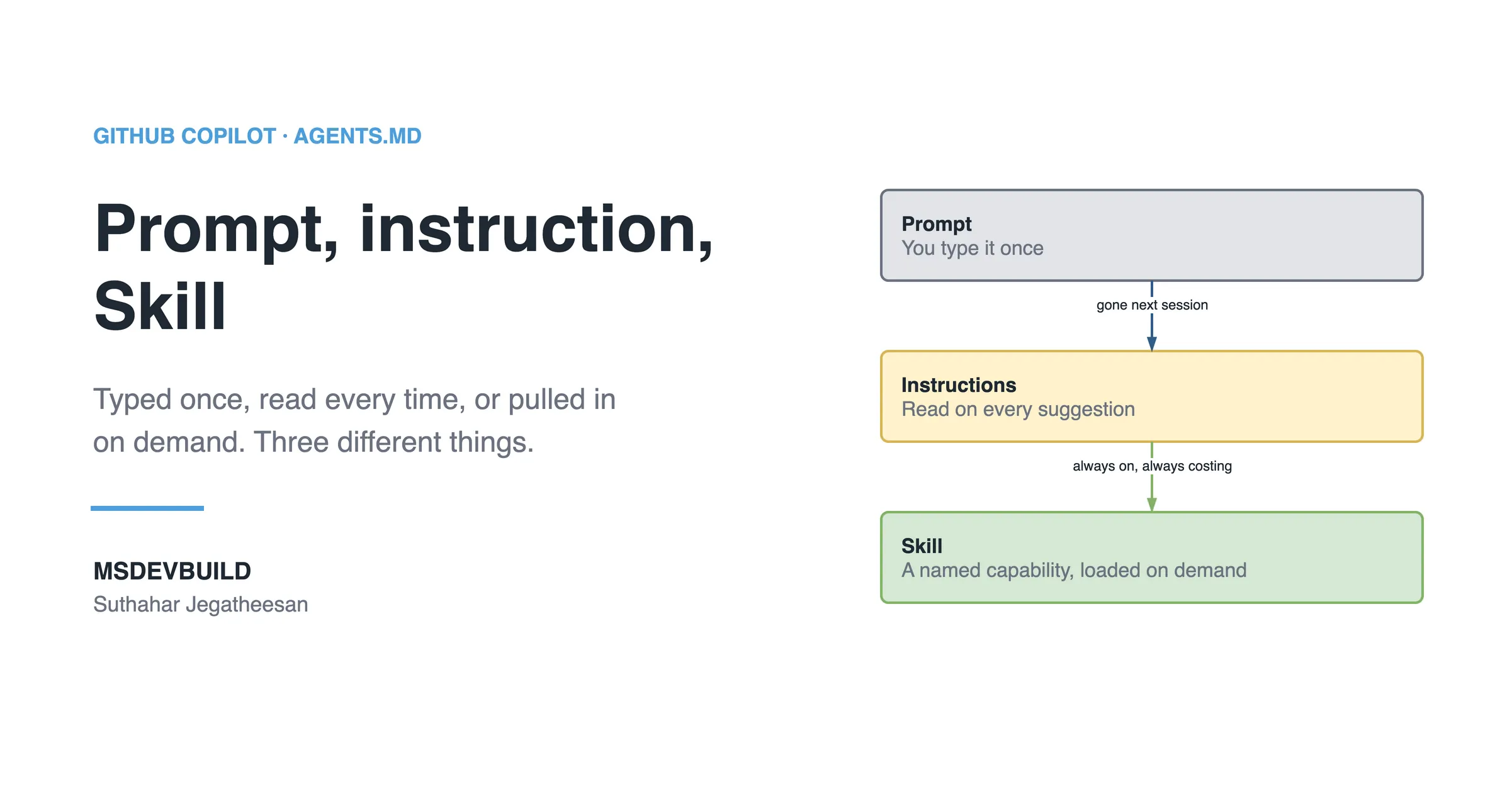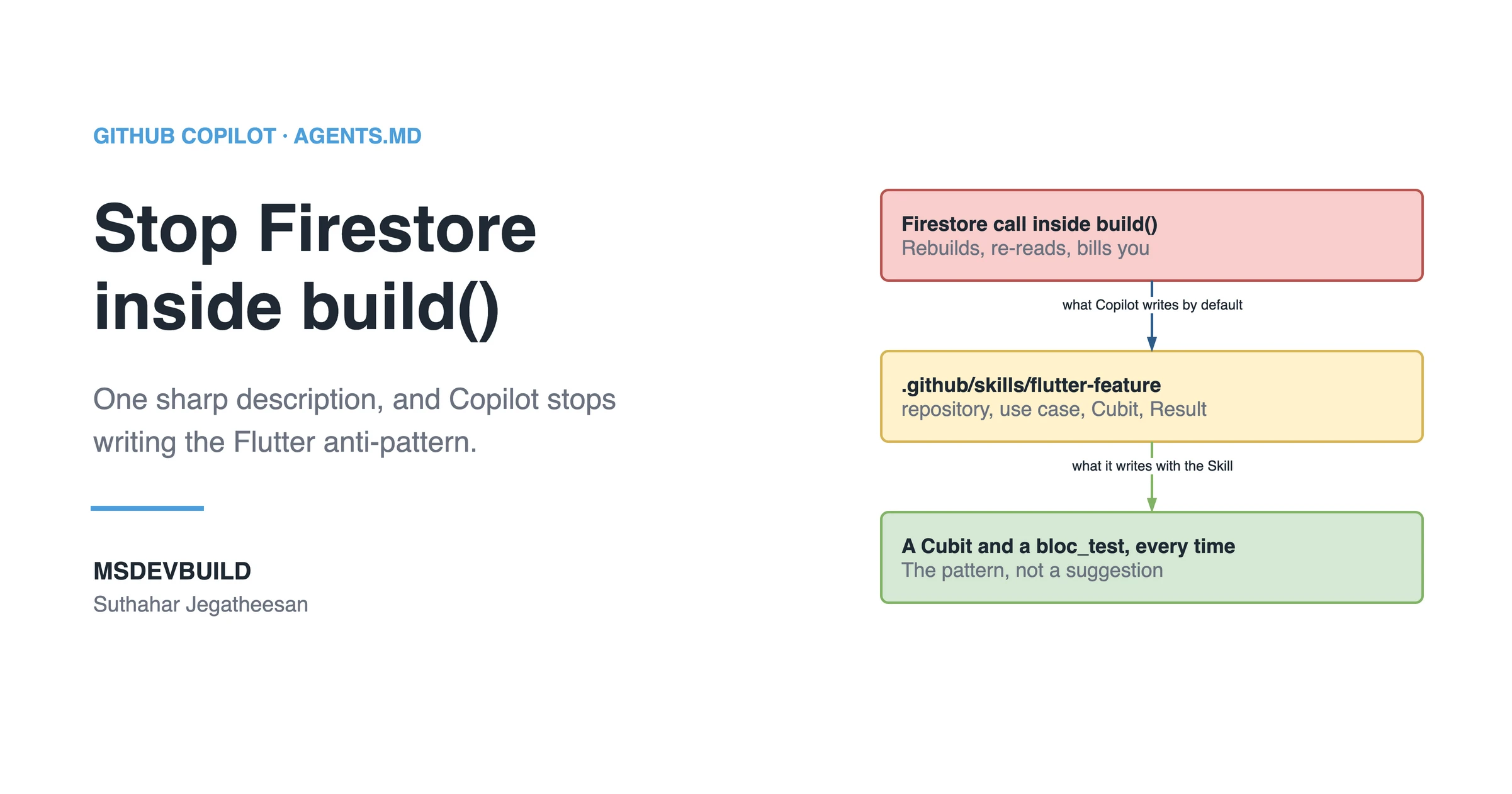
A Flutter Copilot Skill is one SKILL.md file that teaches GitHub Copilot how your app builds a feature: a pure-Dart domain, a repository in front of Firebase, a Cubit or Bloc for state, and a bloc_test for every bloc. This is a build-along from an empty file to a tested Skill, using the real one from the MSDevBuild Eats food delivery app.
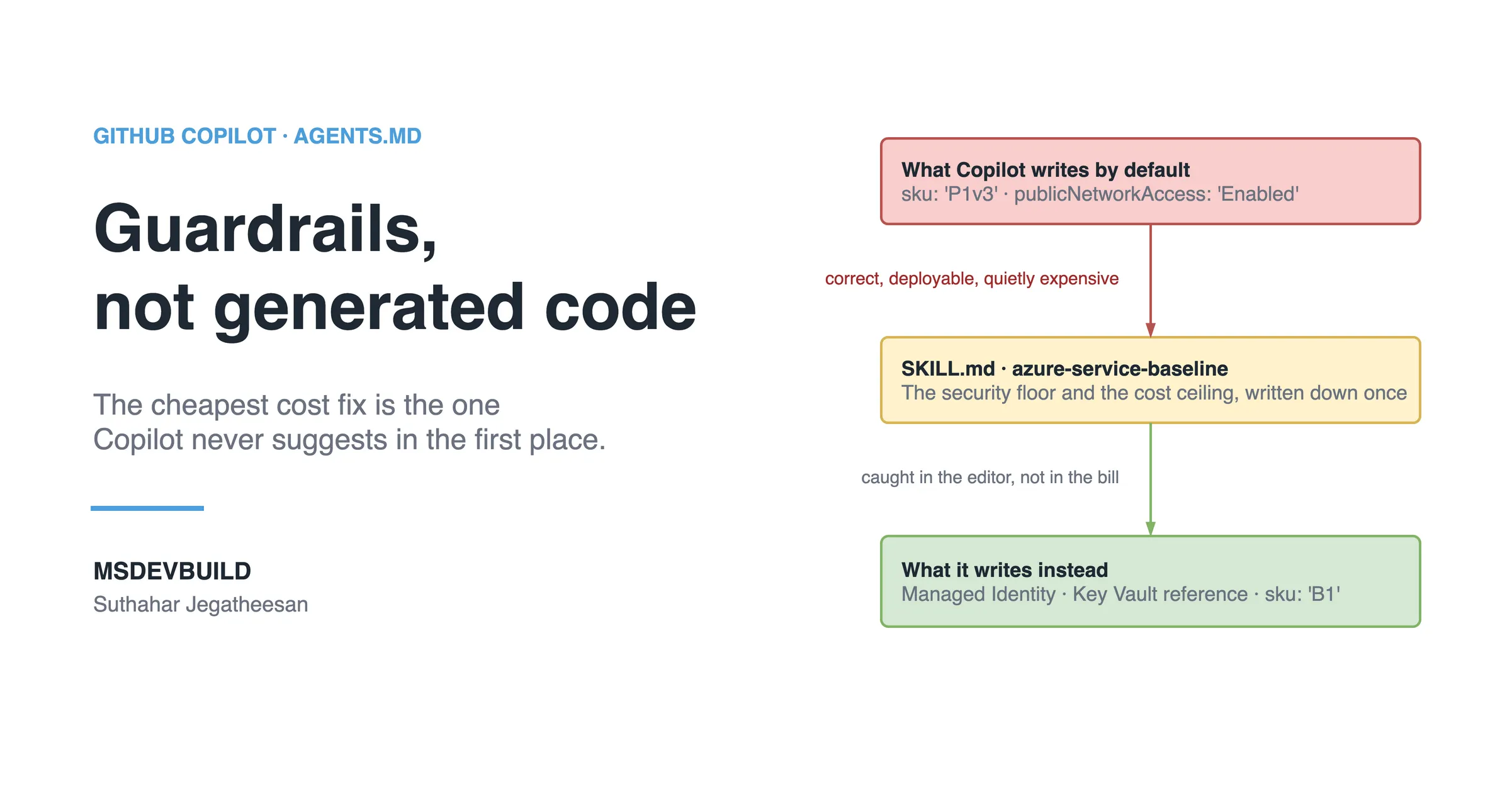
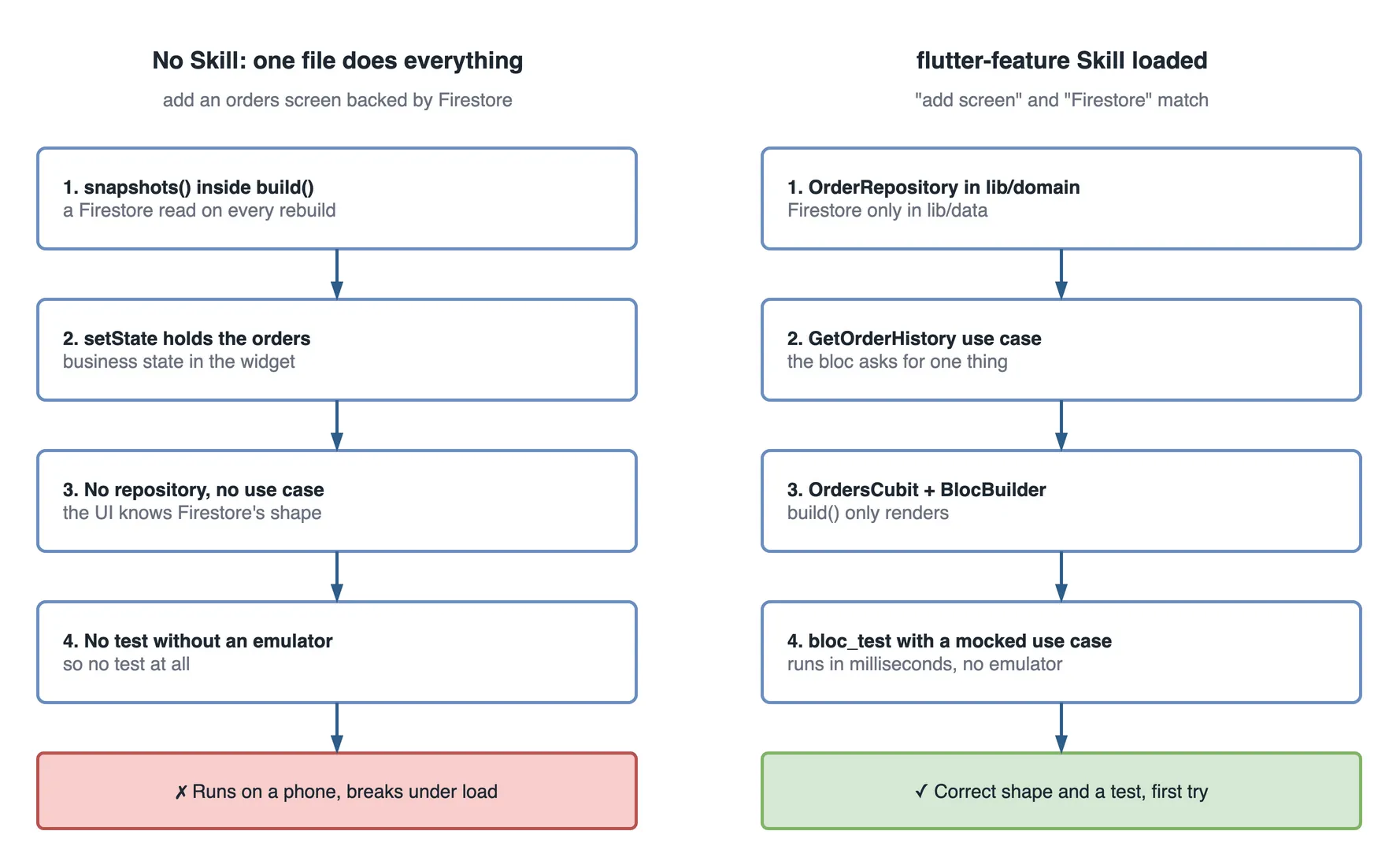
Picture a developer on the app’s team asking Copilot to build an orders list. Copilot does, in one file. FirebaseFirestore.instance.collection('orders').snapshots() is called straight inside the widget’s build() method. The orders live in setState. There is no repository, no bloc, no test. It runs fine on a Pixel. It would read Firestore again on every rebuild under load, and it cannot be tested without a live emulator.
Copilot is not wrong about Flutter. It knows the APIs. It does not know this app’s Flutter, and that knowledge lived in review comments nobody could reuse.
For the theory, what a Skill is and why it loads on demand, read why Copilot Skills exist first. For the same build-along in C#, see the .NET version. Here we build the Flutter one.
One week of screens in one file
| Day | What happened |
|---|---|
| Mon | “Build an orders list.” snapshots() inside build(), orders in setState, no test |
| Tue | Review asks for a repository, a use case, a Cubit and a bloc_test. Half a day of rework |
| Wed | “Add a favourites page from Firestore.” The same one-file shape |
| Thu | Someone tries to test the empty state and needs a seeded Firestore emulator on a device |
| Fri | The tech lead turns the review comments into the Skill this article builds |
The command that shows where the line is
Three grep commands tell you whether a Flutter codebase is keeping Firebase out of its UI:
# Features that talk to Firestore directly (should be zero)
grep -rlE "FirebaseFirestore|cloud_firestore" lib/features | wc -l

# Features with a Bloc or Cubit
grep -rlE "extends (Bloc|Cubit)<" lib/features | wc -l

# Tests that exercise a bloc without an emulator
grep -rl "blocTest" test | wc -l
On the food delivery app’s main branch today:
| Check | Result |
|---|---|
| Feature files importing Firestore | 0 |
Bloc and Cubit files in lib/features | 13 |
Test files using blocTest | 2 |
The first line is the one that matters, and it is zero: nothing in lib/features knows Firestore exists. Monday’s screen would have made it one. The third line is honest in the other direction: thirteen blocs and two test files that use blocTest. The Skill’s “every bloc gets a bloc_test” rule is what closes that gap for new code.
If you would rather see the idea first, it is a short video:
What you need before we start
This is a hands-on build, so here is the setup I am assuming. It is exactly what the food delivery repo already has, which is why I use it throughout.
- A Flutter app with a layered structure:
lib/domain(pure Dart),lib/data, andlib/features/{feature}. - BLoC for state:
flutter_bloc, with aCubitwhen a screen has one action and a fullBlocwhen it has several events. If you use Riverpod, the rules change but the recipe holds. - Firebase / Firestore reached only through a repository interface, never from a widget.
- GitHub Copilot with Agent Skills on your plan, in VS Code or the JetBrains plugin.
- A repo you can commit to, because Skills are files in the repo.
One honest note. Agent Skills is a fast-moving area, and exact availability and folder conventions shift between Copilot releases. Treat the paths here as the current shape and confirm against your Copilot version. The thinking is stable even when the plumbing moves.
Where does the Skill file live in a Flutter project?
A Skill is a folder with a SKILL.md inside it, under .github/skills at the root of your Flutter repo, right next to pubspec.yaml. Here is the layout we are building toward, using the real folder names from the food delivery app.
food_delivery_app/
├─ .github/
│  ├─ copilot-instructions.md          # always-on, small, general
│  └─ skills/
│     └─ flutter-feature/
│        ├─ SKILL.md                    # the Skill we build in this article
│        └─ reference/
│           └─ firestore-mapping.md     # optional detail, loaded on demand
├─ lib/
│  ├─ domain/                           # pure Dart: entities, contracts, use cases
│  ├─ data/                             # models, data sources, repository impls
│  ├─ features/
│  │  └─ orders/
│  │     ├─ bloc/
│  │     └─ presentation/
│  └─ main.dart
├─ test/
└─ pubspec.yaml
Keep the folder name and the name in the frontmatter the same. Six months from now, when someone in a pull request asks “which Skill wrote this screen?”, the matching name is what answers it.
Step 1: Start with just the frontmatter
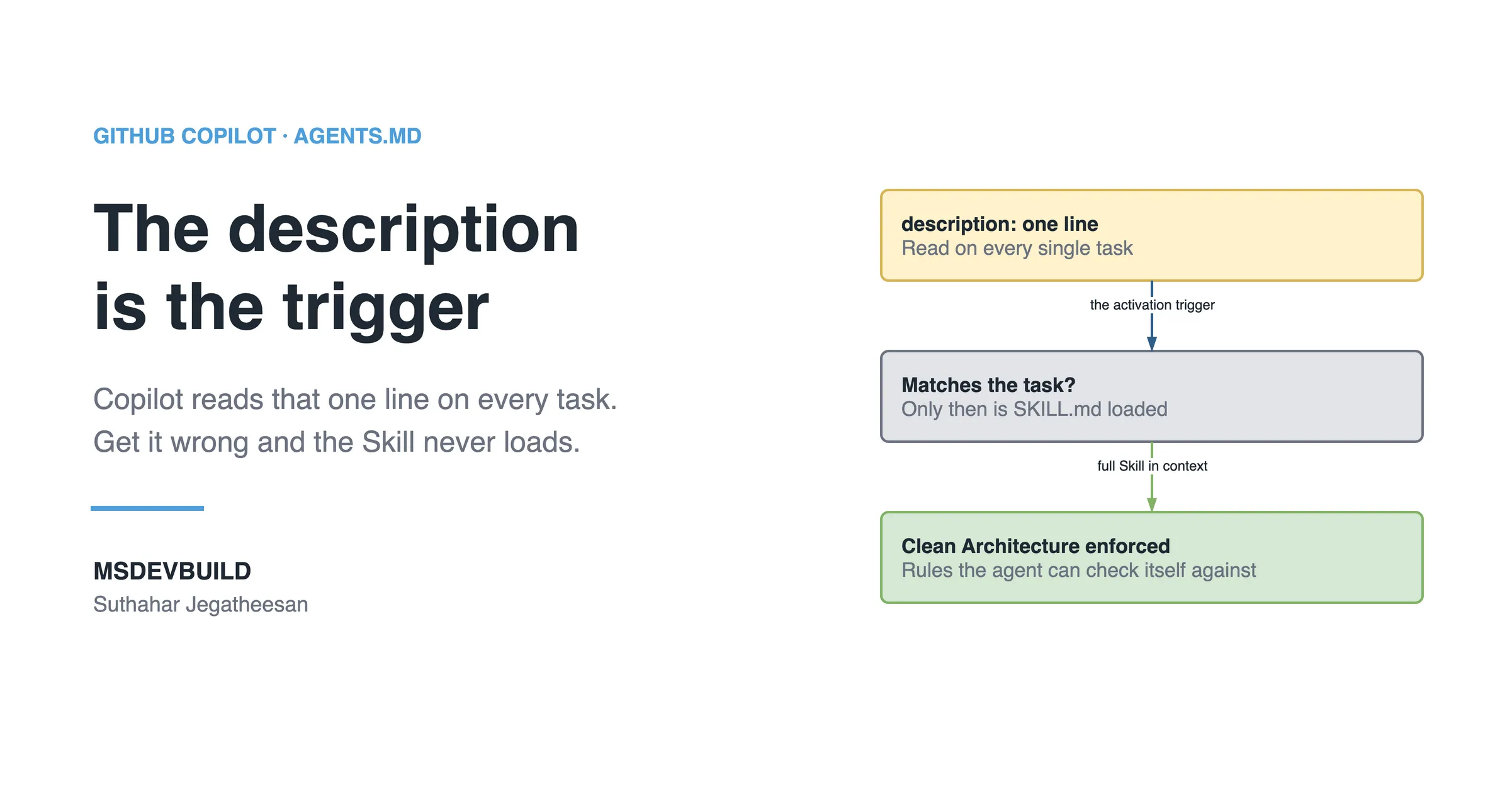
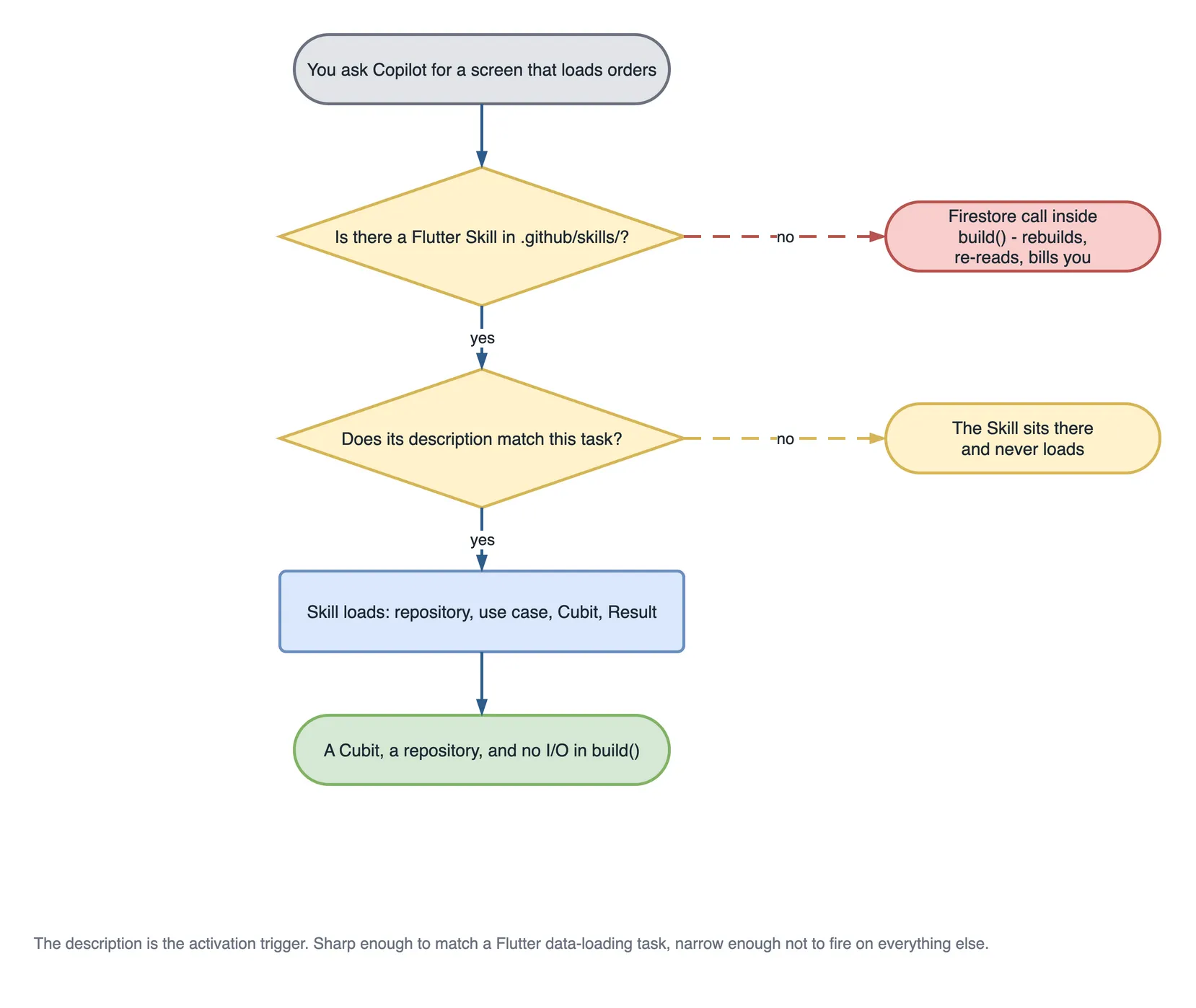
Create .github/skills/flutter-feature/SKILL.md and write nothing but the header first. I do this on purpose. The frontmatter, and the description inside it, is the most important part of the whole file. It is the activation trigger. Copilot reads the description of every Skill on every task and loads the full body only when the description matches the work.
So if the description is weak, nothing else you write matters. The Skill never fires. The .NET walkthrough covers the why at length; here it stays short.
Here is a weak description, the kind I wrote on my first try:
---
name: flutter-feature
description: Helps with Flutter development and app coding standards.
---
That reads fine to a human and fails with Copilot. “Flutter development” matches almost any task and none of them sharply. I got flaky activation for days before I understood why.
Here is the strong version. Notice it names the concrete words a Flutter developer actually types.
---
name: flutter-feature
description: >
  Use when adding or changing a feature screen in the Flutter app.
  Enforces the layered structure (pure-Dart lib/domain, lib/data,
  lib/features/{feature}/{bloc,presentation}), state in a Bloc or Cubit,
  and Firebase reached only through a repository. Every bloc gets a
  bloc_test. Trigger phrases: "add screen", "new feature", "add page",
  "Firestore", "cubit", "bloc", "list from Firebase".
---
The difference is precision, not politeness. A strong description states the job, lists what the Skill enforces, and spells out the phrases that should wake it up. When a developer types “add an orders screen backed by Firestore”, the words “add screen” and “Firestore” line up with this description and the Skill activates.
In short: write the description as a matching rule, not a summary.
Step 2: Add Purpose and when NOT to use it
Now the body gets a spine. The first section tells Copilot what this Skill is for and, just as important, when to stay out of the way.
# Building a Flutter feature the way we build it

## Purpose
Add or change a feature screen so it matches our architecture on the
first try: a pure-Dart domain contract, a repository implementation in
data/, a Cubit or Bloc for state, a screen that only renders, and a test.

## When to use
- Adding a new screen or page tied to data (a list, a detail view, a form).
- Adding a Cubit or Bloc for a feature's state.
- Wiring a screen to Firestore through a repository.

## When NOT to use
- Pure package or build config work (pubspec.yaml, Gradle, iOS pods).
- App-wide theming, routing setup, or localisation.
- Backend, .NET, or Azure work — those have their own Skills.
I learned the value of “when not to use” the hard way. An early Skill of mine kept trying to add a Cubit to a pubspec.yaml dependency bump, because I never told it where its job ended. Three lines fixed it. On mobile teams this matters more than on backend. A lot of Flutter tickets are pure config, and you do not want a feature Skill firing on a version bump.
Step 3: Add the inputs the Skill needs
Before Copilot can build a feature, it needs a few facts. This section is short but it stops Copilot from inventing field names or guessing whether Firebase is even involved.
## Inputs required
Before generating code, confirm you know:
- Feature name (e.g. Orders, Cart, Profile).
- Does it need Firebase/Firestore? If yes, which collection.
- The entity fields and their types.
- The screen type: list, detail, or form.
- Loading, empty, and error states the UI must show.
If any of these is unclear, ask one short question before writing code.
That last line matters more than it looks. Without it, Copilot fills gaps with assumptions and hands you a screen wired to a products collection when you meant orders. With it, Copilot asks “which Firestore collection?” and you avoid a whole wrong file.
Step 4: Add the rules, your non-negotiables
This is the heart of the Skill. These are the rules I would say out loud in a review. Writing them here means I never have to say them again.
## Rules (non-negotiable)
- Layers: entities, repository interfaces and use cases in lib/domain
  (pure Dart, no package:flutter import). Implementations in lib/data.
  Screens and blocs in lib/features/{feature}/{bloc,presentation}.
- Nothing in lib/features imports from lib/data. It talks to use cases.
- The UI NEVER calls FirebaseFirestore directly. Always go through a
  repository interface defined in lib/domain/repositories.
- Repositories and use cases return Result<T>, never throw. Data sources
  throw AppException; the repository maps it to a Failure in one place.
- State lives in a Bloc or Cubit, never in setState.
- Orchestration lives in a use case, not in the bloc. A bloc asks for
  one thing.
- Blocs are NOT registered in get_it. They resolve use cases from it and
  are created by BlocProvider at the screen that owns them.
- Entities are immutable, Equatable, and carry their own rules.
- build() stays cheap — no queries, no heavy work, no loops building
  large trees on every rebuild.
- Every bloc ships with a bloc_test covering loading, data, and failure.
Keep rules as flat statements. “Do X.” “Never do Y.” Copilot follows crisp, testable rules far better than paragraphs. I once wrote a rule as a soft hint (“try to keep Firebase out of widgets”) and got snapshots() in build() anyway. Changed it to “The UI NEVER calls FirebaseFirestore directly” and the behaviour flipped.
The rule about get_it is the one nobody can infer. get_it is right there in the dependency list, blocs are right there in every feature folder, and the obvious conclusion (register the blocs too) is wrong. Rules like that are exactly what a Skill is for.
Step 5: Add the numbered workflow
Rules say what must be true. The workflow says what order to do things in. This is where the Skill becomes a repeatable recipe.
## Workflow
1. lib/domain/entities — create the immutable entity.
2. lib/domain/repositories — add the interface method, returning Result<T>.
3. lib/data — implement it: a model with JSON mapping plus the data
   source call, wrapped in guard() so exceptions become Failures.
4. lib/domain/usecases — add the use case the screen actually needs.
5. lib/features/{feature}/bloc — create the Cubit/Bloc and its state.
6. lib/features/{feature}/presentation — create the screen: BlocProvider
   at the top, BlocBuilder rendering loading / data / error.
7. test/bloc — write a bloc_test with a mocked use case (no emulator).
8. Run the validation checklist below before finishing.
The order is deliberate: the contract exists first, then the implementation, then the use case, then state, then the screen, then the test. When Copilot follows this order it rarely doubles back, because each step depends only on steps already done. The domain layer has no idea Firestore exists. That is the point.
Step 6: Add real code examples
Now we show Copilot exactly what “correct” looks like. This is where most Skills go weak. People write abstract Foo/Bar snippets and Copilot returns abstract code. Use real, production-shaped examples with real names. Everything below is lifted from the Orders feature in the food delivery repo, so you can open the file next to the article.
First, the domain, meaning the repository interface. Notice there is not a single Firebase import, and every method hands back a Result.
// lib/domain/repositories/order_repository.dart
abstract interface class OrderRepository {
  Future<Result<Order>> getOrderById(String orderId);

  Future<Result<List<Order>>> getOrdersForUser(String userId);

  /// Live updates for the tracking screen.
  Stream<Order> watchOrder(String orderId);

  Future<Result<Order>> cancelOrder(String orderId, {String? reason});
}
Why this shape works in production: the contract does not know how orders are fetched, and failure is part of the return type rather than an exception the caller may forget to catch. Result<T> is a sealed class with Success<T> and FailureResult<T>, so a fold that ignores the error path does not compile cleanly past review. That single decision is what lets you swap the backend and test the bloc without an emulator.
Next, the data layer. This is the only place cloud_firestore is allowed to appear, and the only place exceptions live.
// lib/data/repositories/order_repository_impl.dart
class OrderRepositoryImpl implements OrderRepository {
  OrderRepositoryImpl({required FirestoreDataSource remote}) : _remote = remote;

  final FirestoreDataSource _remote;

  @override
  Future<Result<List<Order>>> getOrdersForUser(String userId) {
    return guard<List<Order>>(() => _remote.getOrdersForUser(userId));
  }
}

// lib/data/models/order_model.dart — the mapping, defensive on purpose
factory OrderModel.fromJson(Map<String, dynamic> json) => OrderModel(
      id: json['id'] as String,
      userId: json['userId'] as String,
      restaurantName: json['restaurantName'] as String,
      status: OrderStatus.fromName(json['status'] as String?),
      placedAt: DateTime.parse(json['placedAt'] as String),
      subtotal: (json['subtotal'] as num).toDouble(),
      discount: (json['discount'] as num?)?.toDouble() ?? 0,
      customerName: json['customerName'] as String? ?? '',
    );
Two things earn their place here. guard() is the single point where a thrown AppException becomes a domain Failure, so error translation happens once instead of in every repository method. And the mapping defaults every optional field rather than letting a null cast blow up in production. A common mistake is json['subtotal'] as double, which throws the moment Firestore hands back an int. (json['subtotal'] as num).toDouble() survives both.
Now the state: a Cubit and its state class. This is where loading, data, and error live, off the widget.
// lib/features/orders/bloc/orders_cubit.dart
class OrdersCubit extends Cubit<OrdersState> {
  OrdersCubit({required GetOrderHistory getOrderHistory})
      : _getOrderHistory = getOrderHistory,
        super(const OrdersState());

  final GetOrderHistory _getOrderHistory;

  Future<void> load(String userId, {bool silent = false}) async {
    if (!silent) emit(state.copyWith(status: OrdersStatus.loading));

    final Result<List<Order>> result = await _getOrderHistory(userId);
    result.fold(
      (Failure failure) => emit(
        state.copyWith(
          status: OrdersStatus.failure,
          errorMessage: failure.message,
        ),
      ),
      (List<Order> orders) {
        final List<Order> sorted = List<Order>.of(orders)
          ..sort((Order a, Order b) => b.placedAt.compareTo(a.placedAt));
        emit(
          state.copyWith(
            status: OrdersStatus.success,
            orders: sorted,
            clearError: true,
          ),
        );
      },
    );
  }
}
Three things I always encode in the Skill. The cubit depends on a use case, not on a repository and certainly not on Firestore. That indirection is what a test mocks. fold forces both paths to be handled, so a Firestore error becomes a rendered error state instead of an unhandled exception. And silent: true exists because pull-to-refresh should not drop the screen back to skeletons; I have shipped the version that flickers and been asked about it in the same demo.
The state class is where the small conveniences live, which keeps the widget dumb:
// lib/features/orders/bloc/orders_state.dart
class OrdersState extends Equatable {
  const OrdersState({
    this.status = OrdersStatus.initial,
    this.orders = const <Order>[],
    this.errorMessage,
  });

  final OrdersStatus status;
  final List<Order> orders;
  final String? errorMessage;

  bool get isLoading =>
      status == OrdersStatus.loading || status == OrdersStatus.initial;

  List<Order> get active =>
      orders.where((Order o) => o.isActive).toList(growable: false);

  List<Order> get past =>
      orders.where((Order o) => !o.isActive).toList(growable: false);

  @override
  List<Object?> get props => <Object?>[status, orders, errorMessage];
}
active and past are computed here rather than in the widget, and props from Equatable is what stops BlocBuilder rebuilding when nothing actually changed. Miss props and every emit repaints the screen.
Then the screen, which provides the cubit and renders three states. Nothing else.
// lib/features/orders/presentation/orders_screen.dart
@override
Widget build(BuildContext context) {
  return BlocProvider<OrdersCubit>(
    create: (_) =>
        OrdersCubit(getOrderHistory: sl<GetOrderHistory>())..load(user.id),
    child: Scaffold(
      appBar: AppBar(title: const Text('Orders')),
      body: BlocBuilder<OrdersCubit, OrdersState>(
        builder: (BuildContext context, OrdersState state) {
          if (state.isLoading) return const OrdersSkeleton();
          if (state.status == OrdersStatus.failure) {
            return ErrorView(
              message: state.errorMessage,
              onRetry: () => context.read<OrdersCubit>().load(user.id),
            );
          }
          if (state.orders.isEmpty) return const EmptyOrdersView();
          return ListView.builder(
            itemCount: state.orders.length,
            itemBuilder: (_, int i) => OrderCard(order: state.orders[i]),
          );
        },
      ),
    ),
  );
}
Look at what is not here. No Firestore. No setState. No sorting, no filtering, no business logic. The cubit is created by BlocProvider at the screen that owns it, so its lifetime matches the route, which is why it is not in get_it. sl<GetOrderHistory>() pulls the use case out of the service locator, which is the only thing the screen resolves. And ListView.builder builds rows lazily, so a 5,000-order history does not build 5,000 widgets at once.
Finally the test, a bloc_test with a mocked use case. No emulator, runs in milliseconds.
// test/bloc/orders_cubit_test.dart
class _MockGetOrderHistory extends Mock implements GetOrderHistory {}

void main() {
  late _MockGetOrderHistory getOrderHistory;

  setUp(() => getOrderHistory = _MockGetOrderHistory());

  blocTest<OrdersCubit, OrdersState>(
    'emits loading then the sorted history',
    setUp: () => when(() => getOrderHistory(any()))
        .thenAnswer((_) async => Result<List<Order>>.success(<Order>[orderA])),
    build: () => OrdersCubit(getOrderHistory: getOrderHistory),
    act: (OrdersCubit cubit) => cubit.load('u-1'),
    expect: () => <Matcher>[
      isA<OrdersState>()
          .having((OrdersState s) => s.status, 'status', OrdersStatus.loading),
      isA<OrdersState>()
          .having((OrdersState s) => s.orders, 'orders', <Order>[orderA])
          .having((OrdersState s) => s.status, 'status', OrdersStatus.success),
    ],
  );

  blocTest<OrdersCubit, OrdersState>(
    'surfaces the failure message',
    setUp: () => when(() => getOrderHistory(any())).thenAnswer(
      (_) async => const Result<List<Order>>.failure(ServerFailure('Offline')),
    ),
    build: () => OrdersCubit(getOrderHistory: getOrderHistory),
    act: (OrdersCubit cubit) => cubit.load('u-1'),
    skip: 1,
    expect: () => <Matcher>[
      isA<OrdersState>()
          .having((OrdersState s) => s.errorMessage, 'error', 'Offline'),
    ],
  );
}
This test is the whole payoff of the Result rule. The failure case is a one-line Result.failure(...): no emulator, no network, no fake exception plumbing. Give Copilot this example and it stops writing screens that can only be tested by hand on a device.
Step 7: Add a validation checklist
The checklist turns “looks done” into “is done”. I make Copilot run through it before handing work back, and it doubles as the human PR gate.
## Validation checklist
Before finishing, confirm every item:
- [ ] Entities, contracts and use cases are in lib/domain, with no
      package:flutter import.
- [ ] No file in lib/features imports from lib/data.
- [ ] Firestore code appears only in lib/data.
- [ ] Repository and use case return Result<T>; nothing throws upward.
- [ ] State is a Bloc/Cubit, not setState, and is not in get_it.
- [ ] The state class extends Equatable and lists every field in props.
- [ ] build() has no queries or heavy work.
- [ ] A bloc_test covers loading, data, and failure with a mocked use case.
Here is the same checklist as a table, which is how I hold it in my head during review:
| Check | Correct | Common failure |
|---|---|---|
| Layers | contracts in lib/domain, impls in lib/data | everything in one lib/screens file |
| Dependency rule | lib/features talks to use cases | widget imports a repository impl |
| Firebase isolation | Firestore only in lib/data | snapshots() inside build() |
| Errors | Result<T> + one guard() | try/catch repeated in the bloc |
| State | Cubit / Bloc | setState in the widget |
| Equality | props lists every field | missing props, so every emit repaints |
| DI | use cases in get_it, blocs in BlocProvider | blocs registered as singletons |
| Tests | bloc_test + mocked use case | no test, or needs a live device |
Step 8: Add the expected output
Finish the Skill by telling Copilot what a correct result looks like as files. This removes any doubt about “am I done”. When the file list matches, the feature is structurally complete.
## Expected output
A correct result for a new "Orders" feature produces:
- lib/domain/entities/order.dart
- lib/domain/repositories/order_repository.dart
- lib/domain/usecases/order_usecases.dart
- lib/data/models/order_model.dart
- lib/data/repositories/order_repository_impl.dart
- lib/features/orders/bloc/orders_cubit.dart (+ orders_state.dart)
- lib/features/orders/presentation/orders_screen.dart
- test/bloc/orders_cubit_test.dart
That is the whole Skill. Frontmatter, purpose, when-not-to-use, inputs, rules, workflow, real examples, checklist, expected output. You now have a complete, assembled SKILL.md, the same shape as the .NET one, only the content is Flutter. Commit it and let us test it for real.
How do I know the Skill actually fired?
A Skill you have not tested is a guess. So let us run the exact scenario from the top of this article. Clone the repo, open Copilot Chat in agent mode, and give it a fresh task:
Add an Orders screen backed by Firestore.
Here is what good activation looks like. Copilot recognises “add”, “screen”, and “Firestore”, matches them against your flutter-feature description, and pulls in the Skill. You should see it produce, in order:
- An immutable
Orderentity and anOrderRepositoryinterface inlib/domain. - An
OrderRepositoryImplinlib/data, with the document mapping andguard(). - A
GetOrderHistoryuse case. - An
OrdersCubitandOrdersStateinlib/features/orders/bloc. - An
OrdersScreenwithBlocProviderandBlocBuilderrendering loading, data, and empty. - A
bloc_testwith a mocked use case.
If you get that, the Skill works. The knowledge that used to live in review comments now runs itself.
How to tell the description failed to trigger
Sometimes you ask for a screen and Copilot puts snapshots() straight in build() anyway. That is the tell that the Skill did not activate. Do not start editing the rules. They are fine; they were never loaded. The problem is the description did not match.
Two quick fixes, in order:
- Add the exact words you used to the description’s trigger phrases. If you typed “orders list page” and the description only lists “add screen”, add “list” and “page”.
- Reference the Skill by name once to confirm the body is good: “Using the flutter-feature skill, add an orders screen from Firestore.” If that produces correct code, you have proven the body works and the fault is purely the description’s matching.
In short: bad output on the first prompt is usually an activation problem, not a content problem. Fix the trigger words before you touch anything else.
What Flutter gotchas should the Skill encode?
A .NET Skill and a Flutter Skill share a shape but not their traps. Here are the Flutter-specific ones I bake into every mobile Skill, because Copilot gets them wrong by default.
Rebuild cost. The single biggest Flutter performance mistake is doing work inside build(). build() can run many times a second. If a screen queries Firestore or builds a big widget tree on every rebuild, the app janks. The rule “build() stays cheap” plus ListView.builder for long lists is what keeps frames under 16ms. With BLoC there is a second lever Copilot never reaches for on its own: BlocBuilder’s buildWhen, so a state change that only affects a badge does not repaint the whole list.
Bloc lifetime. A bloc created by BlocProvider is closed for you when the route is popped. A bloc registered as a singleton in get_it is not. It lives for the whole app, holding a stream subscription for a screen nobody is looking at. That is why the rule says blocs stay out of the service locator, and why only the three genuinely app-wide ones (session, basket, theme) are hoisted to the root. On a mobile device with a real memory ceiling, a screen you open and close a hundred times should not leave a hundred live listeners behind.
Event transformers for search. The moment a feature has a search box, Copilot will write a bloc that fires a query on every keystroke. In the repo, search uses bloc_concurrency’s restartable() with a 320 ms debounce, so only the newest query is ever in flight. Encode it as a rule (“search events use restartable() with a debounce”) or you will pay for it in Firestore reads.
Keeping Firebase out of the UI so tests stay fast. This is the one that pays off every single day. When Firestore lives only in lib/data behind an interface, your bloc tests run against a mocked use case with no emulator. On Monday’s one-file screen, testing the empty state meant seeding a real collection and running on a device. With the split, the same test is a blocTest that runs in milliseconds in CI. That difference is why a team starts writing bloc tests instead of skipping them.
How efficient is the Flutter Skill?
The real flutter-feature/SKILL.md in the app is 4,640 characters, roughly 1,160 tokens, and its description is about 430 characters, roughly 110 tokens. The description rides on every request; the body loads only when someone asks for a screen, a page or anything Firestore.
| Monday, no Skill | After the Skill | |
|---|---|---|
| Files for an orders screen | 1 | 6: entity, repository, implementation, use case, Cubit, screen, plus a test |
| Firestore reads per screen rebuild | 1 | 0; the Cubit loads once |
| Can the empty state be tested in CI? | No, it needs an emulator | Yes, a blocTest in milliseconds |
| Review comments about architecture | 6 | 0 |
The rule underneath: a Flutter Skill costs about 110 tokens on every request and 1,160 on the requests that build a screen; a screen without it costs a Firestore read on every rebuild, forever.
Questions a tech lead will ask about this
- “Our lint rules already exist. Why a Skill?” A lint catches
print. It does not know that orders should come through a use case. The Skill carries the method; the lint carries the syntax. - “What about setState?” Local UI state, a checkbox, a page index, a quantity stepper, is fine in
setState; the app does exactly that. Feature data is not. Say it that precisely in the rules. - “How do we know it fired?” Ask for a screen and count the files. One file means it did not load.
- “Does it work for Riverpod teams?” The recipe does; the rules change. Name your state library and the ones you do not use.
- “Where does the Firestore mapping go?” In
lib/data, and in areference/file in the Skill folder if the mapping rules are long.
What to do on day one
- Run the three
grepcommands and write down the numbers. - Write the description from the words your team types: “add screen”, “Firestore”, “list”.
- Use one real feature from your app for every example in the Skill.
- Make “every bloc gets a bloc_test” a rule, and check it with the third
grep. - Put the Firestore-in-features check in CI so it stays at zero.
Key takeaways
- A Flutter Skill lives at
.github/skills/flutter-feature/SKILL.md, and its description decides whether it ever loads. - The rules that matter most: Firebase only in
lib/data, state in a Bloc or Cubit, andbuild()that only renders. - Test it on the exact request that went wrong, and treat bad output as an activation problem first.
- Keeping Firestore out of widgets is what makes bloc tests possible without an emulator.
- Measure the line with
grep, and keep the first number at zero in CI.
The next screen
The following Monday, the same developer asks Copilot to “add a page listing a rider’s past deliveries from Firestore”.
“Add”, “page” and “Firestore” match the description. Copilot writes a DeliveryRepository contract in lib/domain, the Firestore implementation in lib/data, a GetDeliveryHistory use case, a DeliveriesCubit, a screen with BlocBuilder, and a blocTest that covers loading, data and empty with a mocked use case.
The first grep still returns zero. The third one returns three. Review is about the empty-state wording.
Test yourself: answer in the comments
For the Cubit versus Bloc split, the BLoC documentation is worth a read.