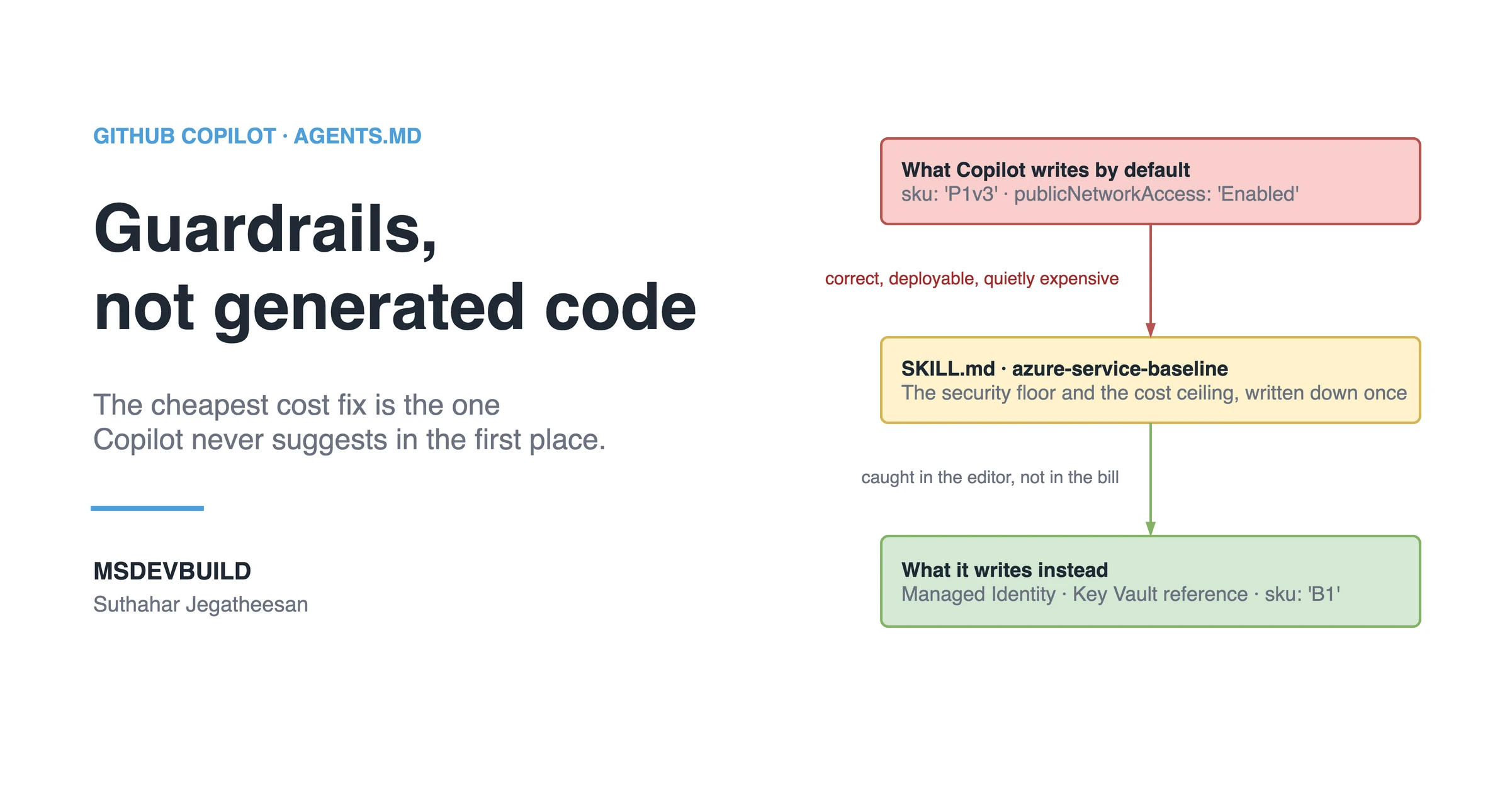
An Azure Copilot Skill is one SKILL.md file that turns your cloud security and cost policy into rules GitHub Copilot follows while it writes Bicep: Managed Identity over keys, secrets in Key Vault, public network access off, cheap tiers outside production. This is a build-along from an empty file to a tested guardrail, and it starts with the kind of resource the Skill exists to prevent.
Picture a test subscription for the API behind a food delivery app like MSDevBuild Eats. A P1v3 App Service plan has been running in it for four months. Someone copied a Bicep block from a production template, changed the resource name, and deployed it to a throwaway environment nobody looked at. It serves maybe a hundred requests a day, and it costs several times what a basic plan would. Nothing is broken. That is the problem.
It is not a mistake of skill. It is a mistake of default. The convenient thing to copy was the expensive thing, and nobody in the loop was asked “does a test environment need a premium plan?”
Now add Copilot. Ask it to “provision a storage account for the orders service” and it gives you correct, deployable Bicep with, unless you say otherwise, public network access left on, an access key in the output, no diagnostics and no tags. Copilot knows the Azure resource schema. It does not know the security floor and the cost ceiling your team agreed on.
Four months of the convenient default
| When | What happened |
|---|---|
| Month 1 | A production App Service block is copied into a test environment, SKU and all: P1v3 |
| Month 1 | Copilot adds a storage account for test data. publicNetworkAccess is left unset, which means enabled |
| Month 2 | An access key from that account ends up in a .env file and a shared Postman collection |
| Month 3 | An incident in test needs logs. The resources never had diagnostics |
| Month 4 | A quarterly cost review finds the plan. Nothing had ever failed, so nothing had ever been looked at |
Every one of those resources passed review, because each one was correct Azure. None of them was the Azure the team had agreed to run.
The queries that found them
Azure Resource Graph can ask every subscription at once what is actually deployed. Two queries cover the scenario’s two worst defaults:
# App Service plans on Premium SKUs outside production
az graph query -q "
resources
| where type =~ 'microsoft.web/serverfarms'
| where tostring(tags.env) != 'prod'
| where tostring(sku.tier) startswith 'Premium'
| project name, resourceGroup, sku = tostring(sku.name), env = tostring(tags.env)"

# Storage accounts that still accept traffic from the public internet
az graph query -q "
resources
| where type =~ 'microsoft.storage/storageaccounts'
| where tostring(properties.publicNetworkAccess) != 'Disabled'
| project name, resourceGroup, allowSharedKeyAccess = properties.allowSharedKeyAccess"
az graph query needs the resource-graph CLI extension, and the same queries run unchanged in the Resource Graph Explorer in the portal. In the scenario, the first query returns the four-month-old P1v3 plan, and the second returns every storage account Copilot ever wrote without being told otherwise.
These queries are the last gate, the one that finds problems after they cost money. The Skill in this article is the first.
If you would rather see the idea first, it is a short video:
For the theory of what a Skill is and how it loads on demand, read why Copilot Skills exist first. Here we build an Azure one.
Why an Azure Copilot Skill is different: guardrails, not generated code
Here is the shift that makes this Skill unlike the others. In the .NET and Flutter walkthroughs, the Skill taught Copilot to generate something: a CQRS feature, a BLoC screen. The value was in the code it produced. An Azure Skill is mostly the opposite. Its value is in the code it refuses to produce.
Think of it as a policy your AI will not violate. Provisioning a resource is easy; provisioning it safely and cheaply is a hundred small decisions where the convenient answer and the correct answer point in different directions. An Azure Copilot Skill encodes those decisions once, so Copilot picks the correct answer by default instead of the convenient one.
Quick definition: an Azure Copilot Skill is a SKILL.md file that encodes your cloud security and cost policy as hard rules, so Copilot writes compliant Bicep in the editor rather than the insecure-but-convenient default.
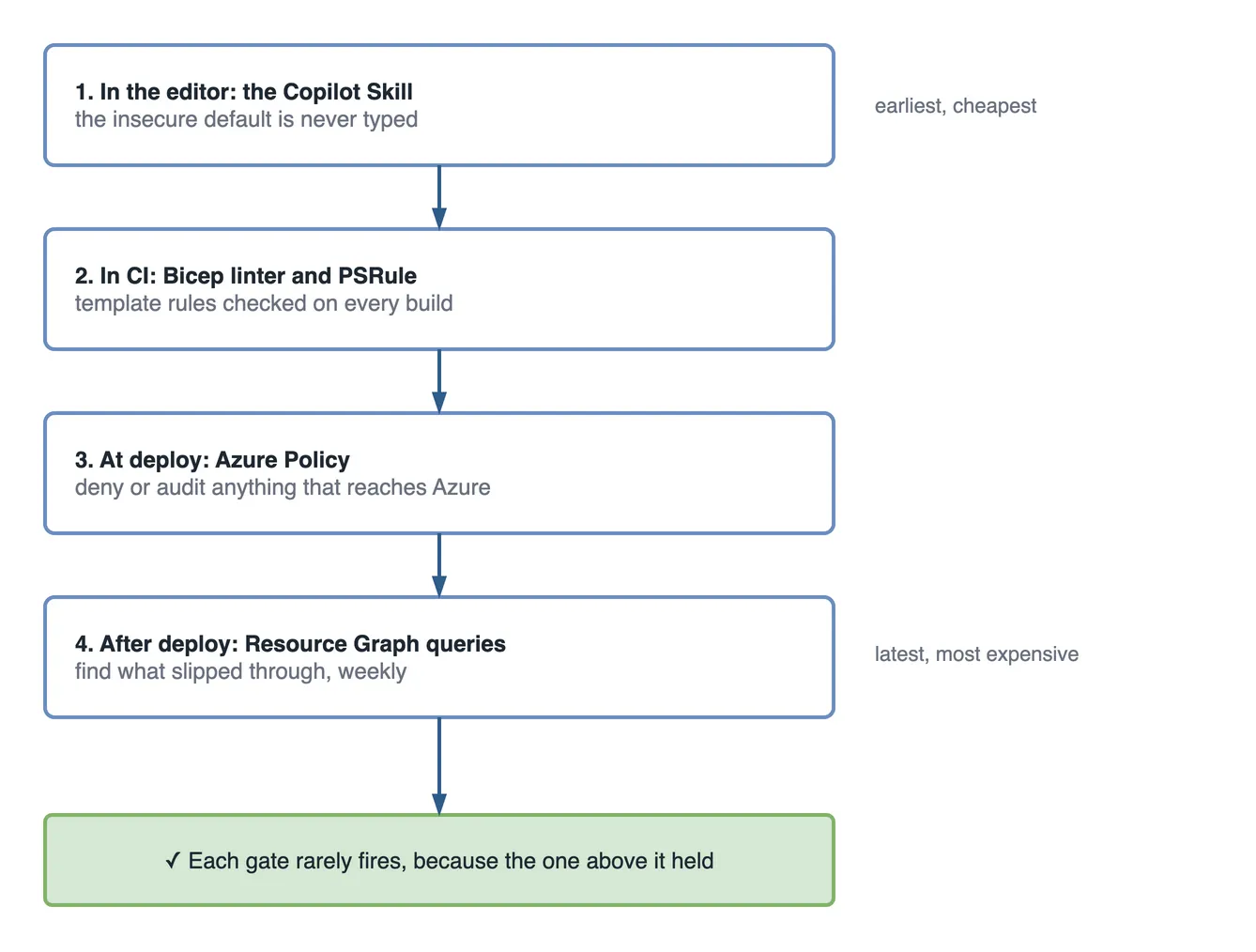
The real win is when the catch happens. Most teams have three gates against a bad resource:
| Gate | When it runs | What it catches |
|---|---|---|
| Copilot Skill | As you type the Bicep | The insecure default, before it exists |
| Bicep linter / PSRule | On build / in CI | Template-level rule breaks |
| Azure Policy | At deploy and run time | Anything that reaches the cloud |
Notice the Skill is the leftmost gate. It shifts security and cost catches into the editor, before the pull request, before CI, long before the bill. That is the whole pitch: the cheapest security fix and the cheapest cost fix are the ones your AI never suggests in the first place.
One thing I want to be honest about up front: a Skill does not replace Azure Policy or Bicep linting, and it must not pretend to. A Skill is a preventive control at authoring time. It has no enforcement power. A developer can ignore Copilot and type the insecure thing by hand. Azure Policy is your guarantee at deploy time; the linter is your guarantee in CI. The Skill just means the other two gates almost never have to reject anything, because the problem never got written. Left-shift, not replacement.
What you need before we start
This is a hands-on build. Here is the setup I am assuming. Nothing exotic.
- An infrastructure-as-code repo using Bicep modules: a
modules/folder with reusable files (app-service.bicep,storage.bicep, and so on), stitched by amain.bicep. - A naming and tagging convention your team already agreed on. A common one is
<workload>-<service>-<env>for names, and every resource carriesenv,owner, andcostCentertags. - A central Log Analytics workspace for diagnostics. If you do not have one yet, that is the first module you should write.
- GitHub Copilot with Agent Skills on your plan, in VS Code or Visual Studio, with the Bicep extension.
- A repo you can commit to, because Skills are files in the repo.
One honest note. Agent Skills is a fast-moving area, and exact availability and folder conventions shift between Copilot releases. Treat the paths here as the current shape and confirm against your Copilot version. The thinking is stable even when the plumbing moves.
Where the Skill lives in an IaC repo
A Skill is a folder with a SKILL.md inside it, under .github/skills at the repo root. Here is the layout we are building toward.
platform-infra/
├─ .github/
│  └─ skills/
│     └─ azure-service-baseline/
│        └─ SKILL.md            <- the guardrail we are building
├─ modules/
│  ├─ app-service.bicep
│  ├─ storage.bicep
│  ├─ key-vault.bicep
│  └─ diagnostics.bicep
├─ env/
│  ├─ prod.bicepparam
│  └─ nonprod.bicepparam
└─ main.bicep
To confirm Copilot can see the Skill: open the repo, ask Copilot in the agent to “list the Skills you have available for this workspace”, and check that azure-service-baseline shows up. If it does not, the folder path or the frontmatter is wrong, and nothing below it will fire.
Building the azure-service-baseline SKILL.md, section by section
We will grow this file from the top down, the same way I actually write one. Each part earns its place.
1. Frontmatter: the description is the trigger
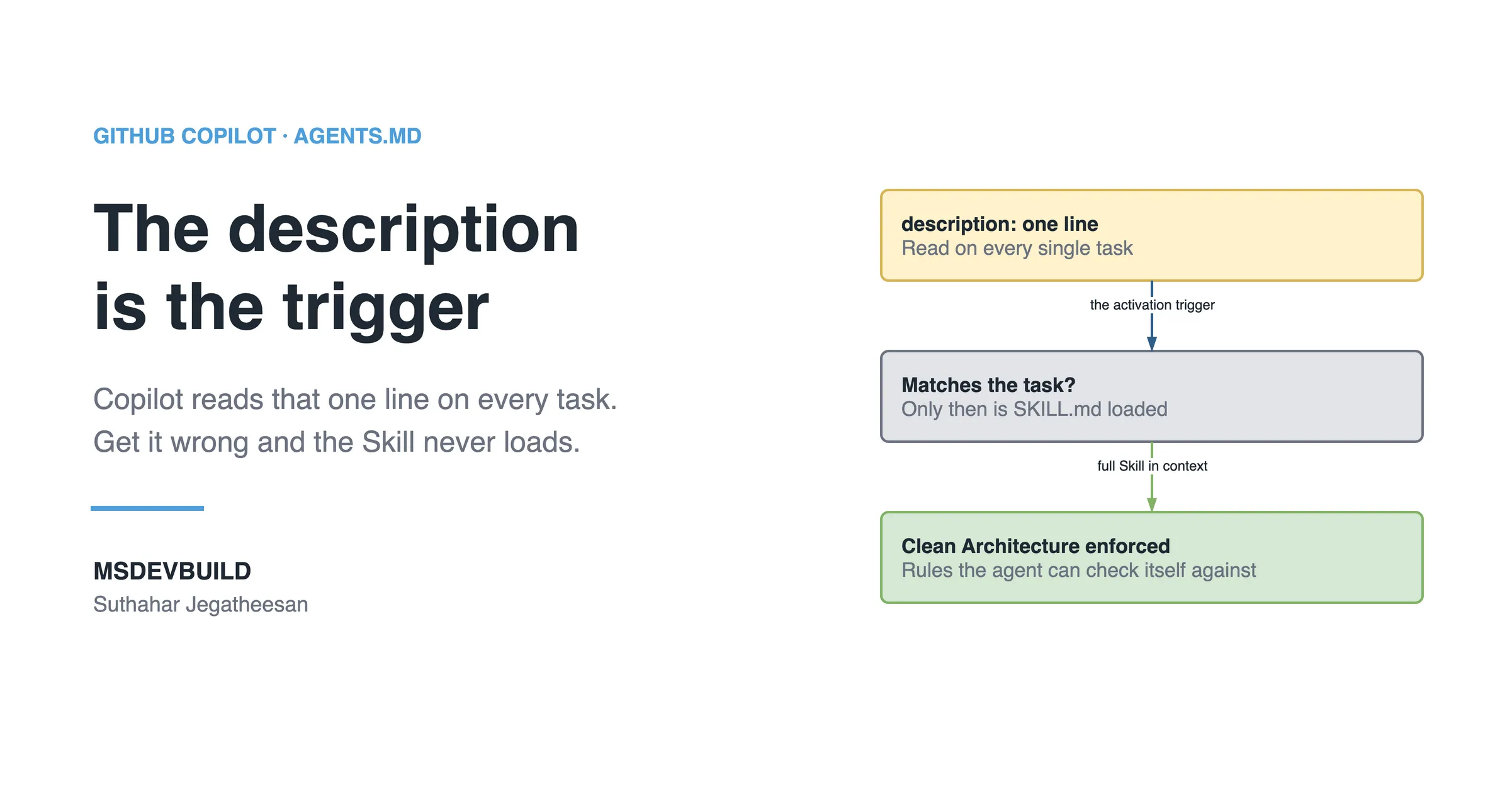
The description is not documentation. It is the activation trigger. Copilot reads the description of every Skill on every task and loads the full body only when the description matches the work. I covered this in depth in the .NET walkthrough, so here I will just say the rule that matters for Azure: name the resource verbs a developer actually types, and explicitly exclude application code, so the Skill fires on infrastructure and stays silent on a controller.
---
name: azure-service-baseline
description: >
  Use when provisioning or changing Azure infrastructure with Bicep —
  triggers on "deploy", "provision", "bicep", "azure resource",
  "app service", "storage account", "key vault", "private endpoint",
  or any new .bicep module. Enforces the team security and cost
  baseline: Managed Identity, Key Vault secrets, private networking,
  central diagnostics, and cost-appropriate SKUs. Do NOT use for
  application code (C#, controllers, business logic) — only for
  infrastructure and deployment resources.
---
That last sentence does real work. Without it, I have seen an Azure Skill wake up when someone asked for a repository class, because the word “storage” appeared. Excluding the wrong trigger is as important as naming the right one.
2. Purpose, and when NOT to use it
Right under the frontmatter, I state the job in one line and, more usefully, the boundary.
# Azure Service Baseline

Provision Azure resources in Bicep that meet our security and cost
floor by default. Every resource this Skill produces is safe to merge
without a security exception.

## When to use
- Adding a new Azure resource (App Service, Storage, SQL, Key Vault…).
- Changing an existing module's SKU, networking, or identity.

## When NOT to use
- Application code of any kind.
- One-off manual portal changes (those belong in a change record, not here).
- Landing-zone / subscription-level policy — that is Azure Policy's job,
  not this Skill's.
That “when NOT to use” block is the humility the Skill needs. It tells Copilot, and the next engineer reading the file, that this guardrail has edges.
3. Inputs the Skill requires
Before Copilot writes a line, it should know three things. If the prompt does not supply them, the Skill tells it to ask.
## Required inputs
Before generating anything, confirm:
1. **Service name** — the workload this resource belongs to (e.g. "orders").
2. **Environment** — `prod` or `non-prod`. This decides SKU and networking.
3. **Resources needed** — which Azure services (App Service, Storage, …).

If any is missing, ask for it. Environment is non-negotiable: never
assume prod, and never assume non-prod.
The environment input is the one I care about most. It is the single flag that drives both the cost tier and the strictness of the networking rules. Guessing it is how you end up with my four-month premium plan.
4. Security rules (non-negotiable)
This is the heart of the Skill. These are stated as hard rules, not suggestions, because Copilot treats firm language more firmly.
## Security rules — non-negotiable
1. **Identity over keys.** Use system-assigned Managed Identity for
   service-to-service auth. Never output, store, or reference an access
   key or a connection string with an embedded secret.
2. **Secrets in Key Vault.** Any secret (third-party API key, etc.) lives
   in Key Vault and is read via reference. Never place a secret or a
   connection string in app settings, params, or the Bicep file.
3. **Private by default.** Storage, SQL, and databases set
   `publicNetworkAccess: 'Disabled'` and are reached through a private
   endpoint. Public access requires an explicit, commented exception.
4. **Everything is observed.** Every resource sends diagnostic settings
   to the central Log Analytics workspace. No resource ships dark.
Rule 1 and rule 2 are the two that stop the exact pain from the scenario: the pasted connection string and the leaked key. Rule 3 is the one that surprises developers, because it breaks naive connectivity, and I will come back to that in the gotchas. Rule 4 is the one nobody misses until an incident, and by then it is too late to collect the logs.
5. Cost rules
Security gets attention. Cost usually does not, until the review. So I give it equal weight in the Skill.
## Cost rules
1. **Cheap by default in non-prod.** Non-prod compute defaults to the
   lowest workable tier (App Service **B1**, not P-tier). Storage is
   Standard LRS unless told otherwise.
2. **Premium needs a reason.** Any P-tier / Premium SKU requires an
   explicit sign-off note in the PR describing why. Do not select a
   premium tier silently.
3. **Non-prod compute auto-shuts-down** where the resource supports it.
4. **Cost tags are mandatory.** `costCenter` and `owner` tags are
   required on every resource. A resource with no owner is a resource
   nobody will ever turn off.
Rule 2 is the four-month-plan fix, encoded. The premium tier is not banned. Sometimes non-prod genuinely needs it for a load test. It just cannot be the silent default anymore. It has to be a decision someone wrote down.
6. Reliability and convention rules
## Convention rules
- **Naming:** `<workload>-<service>-<env>`, lowercase, e.g.
  `orders-api-nonprod`. Storage names strip dashes and stay under 24 chars.
- **Required tags on every resource:** `env`, `owner`, `costCenter`.
- **"Production-ready" before merge means:** Managed Identity wired,
  no secret in plain text, public access disabled, diagnostics attached,
  correct SKU for the environment, all three tags present.
That last definition is the contract. When Copilot or a reviewer asks “is this done?”, this is the answer. It also becomes the PR checklist later, which is deliberate: one definition, used at authoring time and at review time.
7. The numbered workflow
Rules tell Copilot what. The workflow tells it in what order, which matters because networking and identity depend on resources that must exist first.
## Workflow
1. **Pick or create the module** in `modules/` for the resource type.
2. **Apply naming and the three required tags** from the convention.
3. **Wire identity:** enable system-assigned Managed Identity; grant it
   the least-privilege role it needs (e.g. Key Vault Secrets User).
4. **Wire secrets:** put any secret in Key Vault; reference it, never inline.
5. **Set networking:** disable public access; add a private endpoint for
   data services.
6. **Add diagnostics** pointing to the central Log Analytics workspace.
7. **Validate against the checklist** below. Do not report done until
   every box is ticked.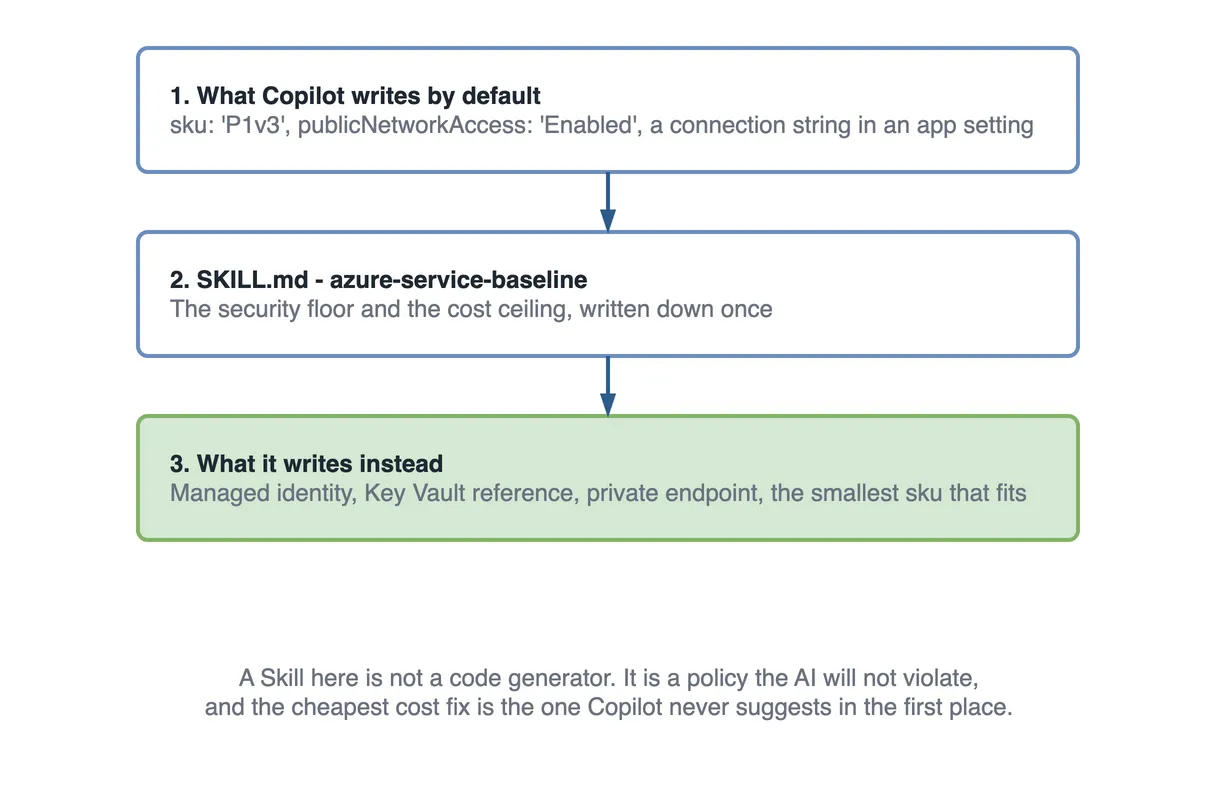
The Bicep the Skill produces
A Skill teaches best by example, so I embed production-shaped Bicep in it. Not Foo/Bar, but the real shape Copilot should mirror. Three snippets carry most of the weight.
App Service with system-assigned Managed Identity and a Key Vault reference. This is rule 1 and rule 2 made concrete. The identity is turned on, and the app setting reads a secret from Key Vault instead of holding one.
param serviceName string
param env string
param location string = resourceGroup().location
param keyVaultName string

var appName = '${serviceName}-api-${env}'
var sku = env == 'prod' ? 'P1v3' : 'B1'   // cheap by default in non-prod

resource plan 'Microsoft.Web/serverfarms@2023-12-01' = {
  name: '${appName}-plan'
  location: location
  sku: { name: sku }
  tags: { env: env, owner: 'orders-team', costCenter: 'CC-4021' }
}

resource site 'Microsoft.Web/sites@2023-12-01' = {
  name: appName
  location: location
  identity: { type: 'SystemAssigned' }   // Managed Identity, no keys
  tags: { env: env, owner: 'orders-team', costCenter: 'CC-4021' }
  properties: {
    serverFarmId: plan.id
    httpsOnly: true
    siteConfig: {
      minTlsVersion: '1.2'
      appSettings: [
        {
          // Secret stays in Key Vault; the app reads a reference, not a value
          name: 'ThirdPartyApiKey'
          value: '@Microsoft.KeyVault(VaultName=${keyVaultName};SecretName=third-party-api-key)'
        }
      ]
    }
  }
}

output principalId string = site.identity.principalId
The part that matters is the appSettings value. It is a Key Vault reference, not a secret. The app’s Managed Identity resolves it at runtime, so the secret never lands in the Bicep, the params, or the portal blade. The common mistake Copilot makes without this Skill is to add value: 'sk-live-abc123...' directly: deployable, and a leak the moment the template hits Git history.
Storage with public access disabled and a private endpoint. This is rule 3. The two lines that do the security work are publicNetworkAccess: 'Disabled' and allowBlobPublicAccess: false. The private endpoint is what keeps it reachable from inside the VNet after you close the front door.
param serviceName string
param env string
param location string = resourceGroup().location
param subnetId string   // private-endpoint subnet in your VNet

var storageName = toLower(replace('${serviceName}${env}sa', '-', ''))

resource storage 'Microsoft.Storage/storageAccounts@2023-05-01' = {
  name: storageName
  location: location
  sku: { name: 'Standard_LRS' }
  kind: 'StorageV2'
  tags: { env: env, owner: 'orders-team', costCenter: 'CC-4021' }
  properties: {
    publicNetworkAccess: 'Disabled'      // front door closed
    allowBlobPublicAccess: false         // no anonymous blobs, ever
    minimumTlsVersion: 'TLS1_2'
    supportsHttpsTrafficOnly: true
  }
}

resource pe 'Microsoft.Network/privateEndpoints@2023-11-01' = {
  name: '${storageName}-pe'
  location: location
  properties: {
    subnet: { id: subnetId }
    privateLinkServiceConnections: [
      {
        name: '${storageName}-plsc'
        properties: {
          privateLinkServiceId: storage.id
          groupIds: [ 'blob' ]
        }
      }
    ]
  }
}
Diagnostic settings to the central Log Analytics workspace. This is rule 4. Attach it to every resource that supports it. A resource without this is invisible the day you need it most.
param workspaceId string   // central Log Analytics workspace resource id

resource diag 'Microsoft.Insights/diagnosticSettings@2021-05-01-preview' = {
  name: 'to-central-logs'
  scope: storage   // the resource being observed
  properties: {
    workspaceId: workspaceId
    logs: [ { categoryGroup: 'allLogs', enabled: true } ]
    metrics: [ { category: 'AllMetrics', enabled: true } ]
  }
}
Keep these snippets in the Skill correct and focused. They are the pattern Copilot copies. If the example in your Skill leaks a key, so will every resource it generates.
The validation checklist, framed as a PR gate
This checklist closes the loop. I make Copilot run through it before it hands work back, and it is the exact list a human reviewer uses on the pull request. One list, two gates.
## Validation checklist (PR gate)
- [ ] Managed Identity enabled; no access key or connection string in output.
- [ ] Every secret is a Key Vault reference, not a literal value.
- [ ] Data resources: publicNetworkAccess Disabled + private endpoint.
- [ ] Diagnostic settings point to the central Log Analytics workspace.
- [ ] SKU matches the environment (non-prod = cheap; premium has a sign-off note).
- [ ] Tags present on every resource: env, owner, costCenter.
- [ ] Naming follows <workload>-<service>-<env>.| Check | Correct | Common failure |
|---|---|---|
| Identity | System-assigned Managed Identity | Access key in output |
| Secrets | Key Vault reference | Connection string in app settings |
| Networking | Public access disabled + PE | publicNetworkAccess: 'Enabled' |
| Diagnostics | Sent to central workspace | No diagnostic settings resource |
| Cost tier | B1 in non-prod | P-tier copied from prod |
| Tags | env, owner, costCenter | No owner tag |
Expected output
Finally, the Skill states what a correct run produces, so “done” has a shape:
## Expected output
- A module in `modules/<resource>.bicep` following every rule above.
- A reference to it from `main.bicep`.
- Params split by environment in `env/prod.bicepparam` and
  `env/nonprod.bicepparam` — never a secret in either.
At this point you have the whole azure-service-baseline/SKILL.md: frontmatter, purpose, inputs, security rules, cost rules, conventions, workflow, three Bicep examples, checklist, and expected output. Assembled top to bottom in the order above, that is the complete file. Commit it and the whole team deploys against the same baseline.
Testing the Skill for real
A Skill you have not tested is a guess. Here is how I check this one.
Open the agent and give it the plain task from the scenario: “provision a storage account for the orders service in non-prod.” Without the Skill, Copilot gives me a StorageV2 account with defaults: publicNetworkAccess unset (which means Enabled), no private endpoint, no diagnostics, no tags. Deployable and wrong.
With the Skill active, the response changes shape. Copilot asks me to confirm the environment, sets publicNetworkAccess: 'Disabled' and allowBlobPublicAccess: false, adds the private endpoint, attaches diagnostics to the workspace, applies the three tags, and picks Standard_LRS. Then it runs its own checklist back at me. That is the guardrail doing its job. The insecure default was never typed.
To prove the block directly, I sometimes ask it to “make the storage account publicly accessible so I can test quickly.” A well-written Skill pushes back: it explains that public access needs an explicit commented exception, and offers the private-endpoint path instead. That friction is the point. The convenient shortcut now costs a conversation.
When the Skill does not fire, the symptom is that you get the plain, insecure default and no checklist. The cause is almost always the description. If your task said “set up blob storage” and your trigger words were “storage account”, the phrasing missed. Fix it by widening the description’s trigger words, or, to confirm the body is sound, name the Skill once in your prompt (“use the azure-service-baseline skill”). If it produces the secured version when named, the body is fine and only the description needs work.
Azure-specific gotchas the Skill should encode
These are the four that cost real teams real hours. Bake each one into the Skill so Copilot carries the lesson instead of repeating it.
Managed Identity vs keys, and why keys leak. An access key is a bearer secret. Once it exists, it gets copied into a .env, a wiki page, a Postman collection, a Slack message, and a screenshot. You cannot rotate a key that lives in nine places. Managed Identity has no secret to leak. Azure issues and rotates the token for you. The Skill’s rule 1 is not about elegance; it is about closing the nine copies.
Private endpoints break naive connectivity. The first time you set publicNetworkAccess: 'Disabled', something that used to connect will stop, usually a build agent or a developer laptop outside the VNet. That is not the Skill being wrong. It is the Skill surfacing an assumption you never made explicit. Encode the follow-on in the Skill: private access means the caller must be inside the network, so plan for a private DNS zone and a route from your CI runner. Better to hit that in the editor than in a 2 a.m. incident.
The cost tier trap. The scenario’s four-month P1v3 plan is the canonical version, but the trap is general: expensive tiers get copied out of prod templates into non-prod because copying is faster than choosing. The Skill breaks the copy by making the cheap tier the default and the expensive tier the thing that needs a note. Defaults are policy. Make the safe, cheap choice the path of least resistance.
Diagnostics you did not add until you needed them. Nobody misses logs on a calm Tuesday. You miss them at 2 a.m. during an incident, when you go to Log Analytics and the resource has been shipping dark since day one. You cannot backfill logs. The Skill’s rule 4 exists entirely because retroactive observability is impossible; a post-incident review with no logs has nothing to review.
How efficient is the Azure Skill?
A guardrail Skill is paid for in tokens only when someone writes infrastructure, and it saves on the most expensive gate of all: the invoice.
| Without the Skill | With the Skill | |
|---|---|---|
| Where the P1v3 is caught | a quarterly cost review, after four months | in the editor, before it is typed |
| Storage accounts with public access | every one Copilot wrote | none, unless a commented exception says so |
Access keys in .env files | whenever someone needed one | none; Managed Identity has no key to copy |
| Resources without diagnostics | found during an incident | none; the checklist requires them |
| Findings from the weekly Resource Graph queries | many | rare, and each one is a real exception |
The rule underneath: each gate costs more to fire than the one before it. A rule the Skill enforces costs a few hundred tokens while Bicep is being written. The same rule enforced by a cost review costs four months of a premium plan.
Questions a tech lead will ask about this
- “We have Azure Policy. Why a Skill?” Policy rejects at deploy time, after the pull request, the review and the pipeline. The Skill stops the resource being written wrongly in the first place, so Policy rarely has to say no.
- “Can a developer ignore the Skill?” Yes. That is why it is the first gate, not the only one. Policy and the Resource Graph queries still hold.
- “What if prod really needs a Premium plan?” The Skill does not forbid it. It makes it the choice that needs a written reason, so the P1v3 in test becomes the exception somebody has to explain.
- “How do we know it is working?” The weekly Resource Graph queries should return fewer rows every week. If they do not, the Skill is not firing, or people are working around it.
- “Where do tags come from?” From the Skill’s convention rules. The first query depends on
tags.env, so tagging is not cosmetic; it is what lets you find anything later.
What to do on day one
- Run the two Resource Graph queries across your subscriptions and write down the counts.
- Write the Skill’s security and cost rules from what those queries found.
- Make the cheap tier the default and the premium tier the one that needs a comment.
- Require the
env,ownerandcostCentertags, so the queries keep working. - Schedule the queries weekly; their count is the Skill’s scorecard.
Key takeaways
- An Azure Copilot Skill is guardrails, not a generator: its value is the insecure, expensive code it refuses to write.
- It shifts security and cost catches left, into the editor, before the PR and the bill.
- It complements Azure Policy and Bicep linting: three gates at three stages, not a replacement.
- Encode hard rules: Managed Identity over keys, secrets in Key Vault, public access disabled with private endpoints, central diagnostics on everything.
- Make the cheap tier the default and the premium tier the thing that needs a written reason.
- The description is the activation trigger. Name the resource verbs and exclude application code.
- The validation checklist doubles as your PR gate: one definition of “done”, used twice.
The next storage account
A month after the Skill is merged, a developer asks Copilot to “provision a storage account for the order export files in test”.
The Skill loads. Copilot asks which environment, then writes publicNetworkAccess: 'Disabled', allowBlobPublicAccess: false, a private endpoint, diagnostics to the central workspace, the three tags and Standard_LRS. It runs its checklist back as the last lines of the answer.
That Friday, the first Resource Graph query returns nothing. The second returns two storage accounts, both from before the Skill existed, and both are on a cleanup ticket.