Hardcoded API Key Blast Radius: What Happens When a Mobile Key Leaks

The attacker costs you hours. Rotating a key baked into 40,000 installed apps costs you days, and that gap is the real price of a hardcoded secret.

By Suthahar Jegatheesan Updated October 1, 20264 min read —views
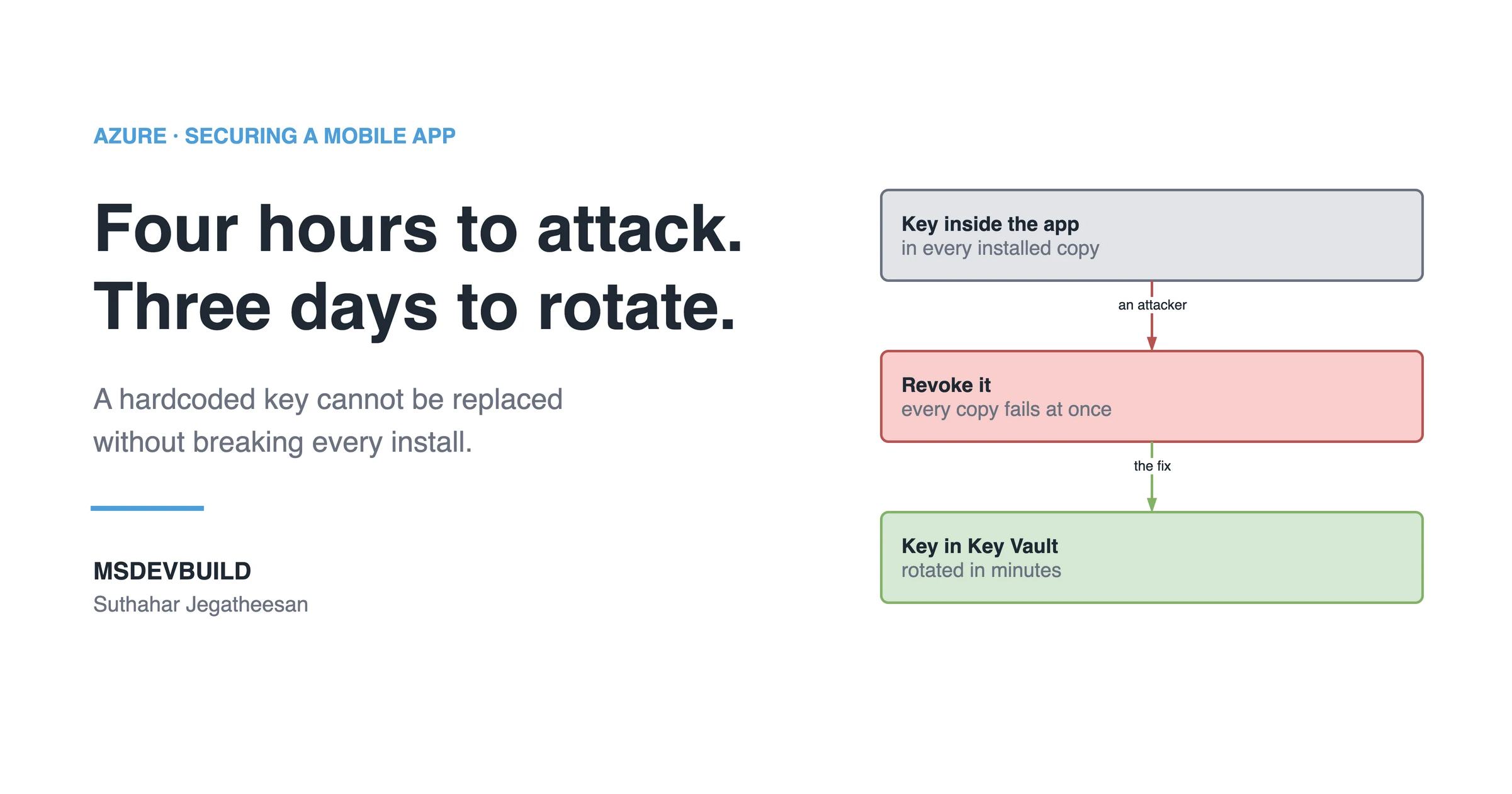
Article banner. On the left, the eyebrow "Azure, Securing a Mobile App" above the title "Four hours to attack. Three days to rotate." and the line "A hardcoded key cannot be replaced without breaking every install.", with the MSDEVBUILD wordmark and the author name below. On the right, three stacked boxes joined by arrows: a grey box reading "Key inside the app, in every installed copy", an arrow labelled "an attacker" to a red box reading "Revoke it, every copy fails at once", and an arrow labelled "the fix" to a green box reading "Key in Key Vault, rotated in minutes".

A secret is only a secret if you can replace it in one place, right now, without asking anyone for permission. A key hardcoded into a mobile app fails that test. Revoking it breaks every installed copy at once, and the repair waits on an app store review. That gap between the attack and the fix is the blast radius.

The attacker cost four hours. Rotating the key cost three days.

Everyone repeats “do not hardcode keys”. Almost nobody explains what happens on the day you have to undo it.

What happens when you revoke a hardcoded API key?

The key is inside the shipped app, so it is inside every installed copy. The moment you revoke it to stop the attacker, all of those copies start failing at the same second. You did not have a security incident and then fix it. You had a security incident, and then you caused an outage.

And the repair goes through an app store: new build, submission, review, release. Then you wait for people to update. Some never will.
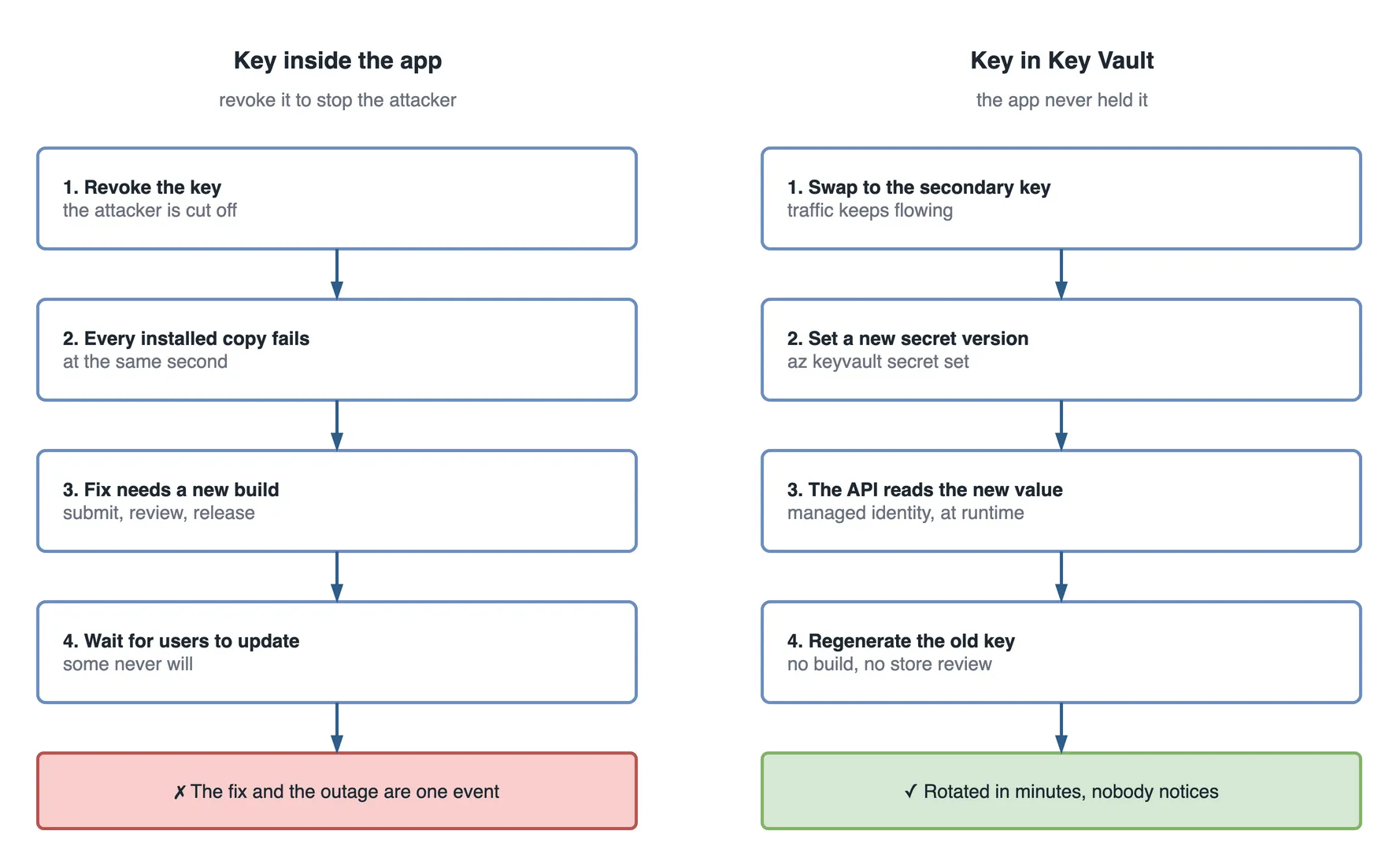
Two step flows side by side. On the left, the key inside the app: revoke the key and the attacker is cut off; every installed copy fails at the same second; the fix needs a new build, submitted, reviewed and released; then you wait for users to update, and some never will. The red outcome: the fix and the outage are one event. On the right, the key in Key Vault, which the app never held: switch to the secondary key and traffic keeps flowing; set a new secret version with az keyvault secret set; the API reads the new value at runtime through its managed identity; regenerate the old key with no build and no store review. The green outcome: rotated in minutes, and nobody notices.

Figure 1 — the same leaked key, rotated from inside the app and from Key Vault.

The rule

A secret is only a secret if you can replace it in one place, right now, without asking anyone for permission.

How does Azure Key Vault shrink the blast radius?

  1. The app holds no service key. It holds a user token from Microsoft Entra ID that expires in about an hour.
  2. Your API holds the relationship with Azure, and reads secrets from Azure Key Vault at runtime with a managed identity.
  3. Rotation becomes a Key Vault operation. New version, done. The app never knew the key existed, so it does not care that it changed.
az keyvault secret set --vault-name msdev-kv \
  --name OpenAiKey --value <new-key>

No build. No store review. No waiting.

This is the same split the secret-in-the-APK article arrives at from the attacker’s side, and the one the five-layer request flow places behind Front Door.

Better still: no key at all

For Azure-to-Azure calls, use managed identity and skip keys entirely. Azure SQL, Storage, Service Bus, Cosmos DB and Azure OpenAI all support it. A key you never created cannot leak. It never needs rotating either.

The cost side people underestimate

A stolen key is rarely used to delete things, because deletion gets noticed. It gets used quietly. On consumption services like Azure OpenAI, that shows up as a bill, not an alert.

Set a budget alert on the subscription and a cost anomaly alert on the resource before you need them. Otherwise your first signal is the invoice.

If you find a leaked key today, in this order

  1. Check whether it is already in use: Azure Monitor logs, grouped by caller IP.
  2. Ship the version that no longer needs the key, or put an API in front of it.
  3. Switch traffic to the secondary key. Most Azure services issue two for exactly this reason.
  4. Regenerate the primary. Then repeat for the secondary.

Doing step 4 first is what turns an incident into an outage. Write the order down somewhere your team can find it at 3am. Do not reconstruct it from memory during one.

Key takeaways

  • A key hardcoded into a mobile app cannot be rotated without breaking every installed copy. The fix and the outage are the same event.
  • A secret that needs an app store release to replace does not meet the bar for “secret”.
  • Key Vault plus managed identity makes rotation a one-line command users never notice.
  • Stolen keys on consumption services usually surface as a billing anomaly first. Set a budget alert and a cost anomaly alert in advance.
  • When responding to a leak, switch to the secondary key before regenerating the primary.
Was this useful?

Share

Found a mistake or an outdated step? Edit this page on GitHub

Frequently asked questions

Why does rotating a hardcoded API key break a mobile app?
The key is inside the shipped binary, so it is inside every installed copy. Revoking it to stop an attacker makes all of those copies fail at the same moment. The security fix becomes an outage, and the repair has to pass an app store review before it reaches anyone.
How do you know if a leaked key is being actively used?
Check Azure Monitor logs grouped by caller IP before doing anything else. A stolen key is rarely used to delete data, because deletion gets noticed. On consumption services like Azure OpenAI, misuse usually shows up first as an unexpected line on the bill.
What is the safe order of operations when a key leaks?
Confirm whether it is in use, ship the version that no longer needs the key, switch traffic to the secondary key, then regenerate the primary and repeat for the secondary. Regenerating the key you are actively using first is what turns an incident into an outage.
Can an Azure service be called without any key at all?
Yes, for Azure-to-Azure calls. Azure SQL, Storage, Service Bus, Cosmos DB and Azure OpenAI all accept managed identity, so your API authenticates as itself and no key exists. A key you never created cannot leak and never needs rotating.
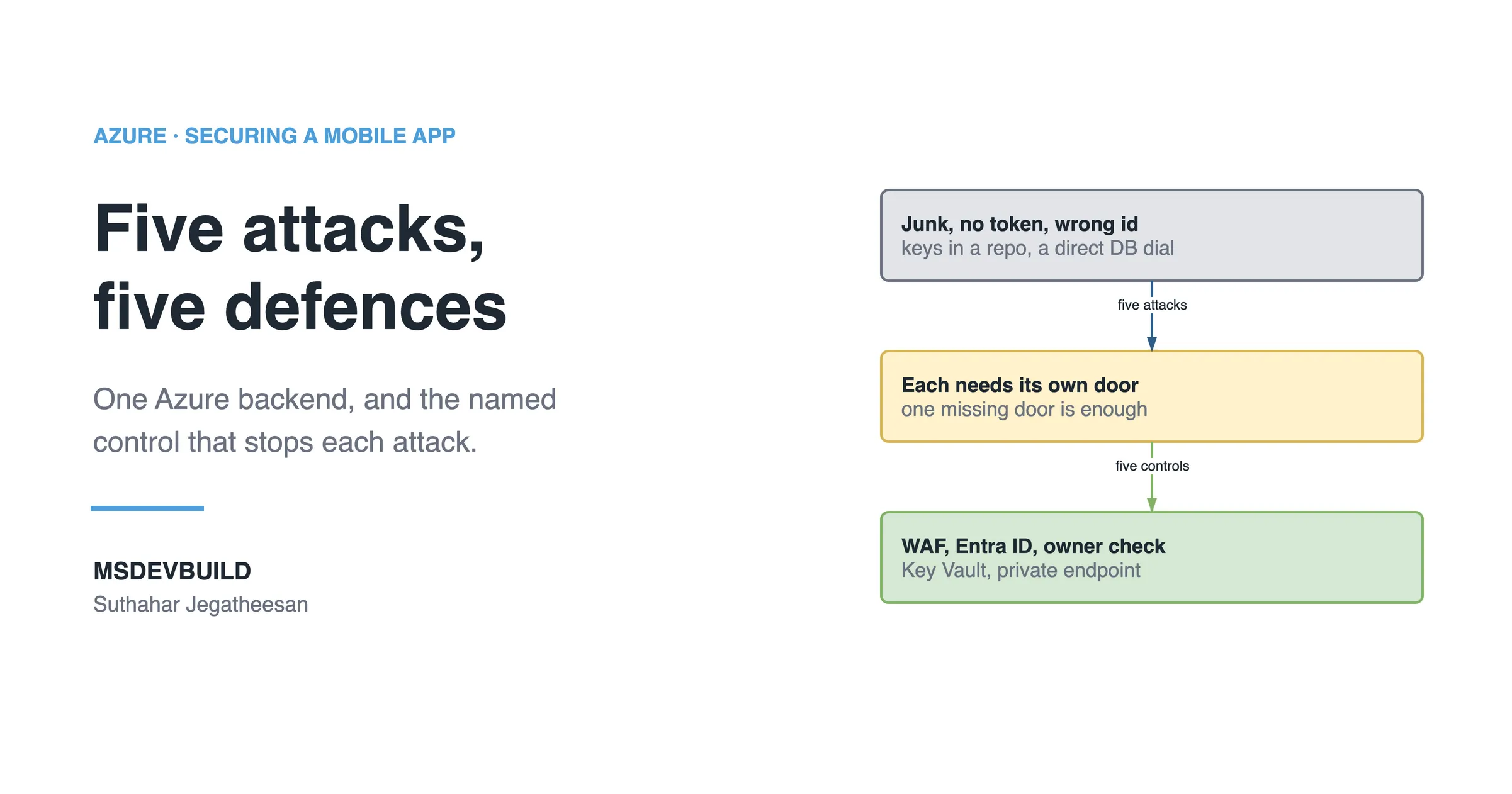
Article banner. On the left, the eyebrow "Azure, Securing a Mobile App" above the title "Five attacks, five defences" and the line "One Azure backend, and the named control that stops each attack.", with the MSDEVBUILD wordmark and the author name below. On the right, three stacked boxes joined by arrows: a grey box reading "Junk, no token, wrong id, keys in a repo, a direct DB dial", an arrow labelled "five attacks" to an amber box reading "Each needs its own door, one missing door is enough", and an arrow labelled "five controls" to a green box reading "WAF, Entra ID, owner check, Key Vault, private endpoint".

Next in this series · Part 4 of 8

4 min

Hacker vs Azure Defences: Five Attacks on a Mobile Backend, Five Controls

Five common attacks on one Azure mobile backend and the control that stops each: WAF, Entra ID, an owner check, Key Vault and a private endpoint.

Continue the series
Part 2 of 8How Azure Protects a Mobile App: The Full Request Flow, Layer by Layer

Get new posts by email

New technical articles, Azure AI and GitHub Copilot updates, and upcoming events. No spam, unsubscribe anytime.

Comments

Your turn

How did Suthahar's articles help you?

If something here saved you time or unblocked a real project, I'd love to hear about it. Submissions are reviewed before they appear on the site.

0/1500 · minimum 10 characters

Never published — used only to verify your feedback.

Your name, company, and role appear publicly if published. Nothing else is collected.

↑↓ navigate ↵ open