Hacker vs Azure Defences: Five Attacks on a Mobile Backend, Five Controls

Five common attacks on one Azure mobile backend and the control that stops each: WAF, Entra ID, an owner check, Key Vault and a private endpoint.

By Suthahar Jegatheesan Updated October 1, 20264 min read —views
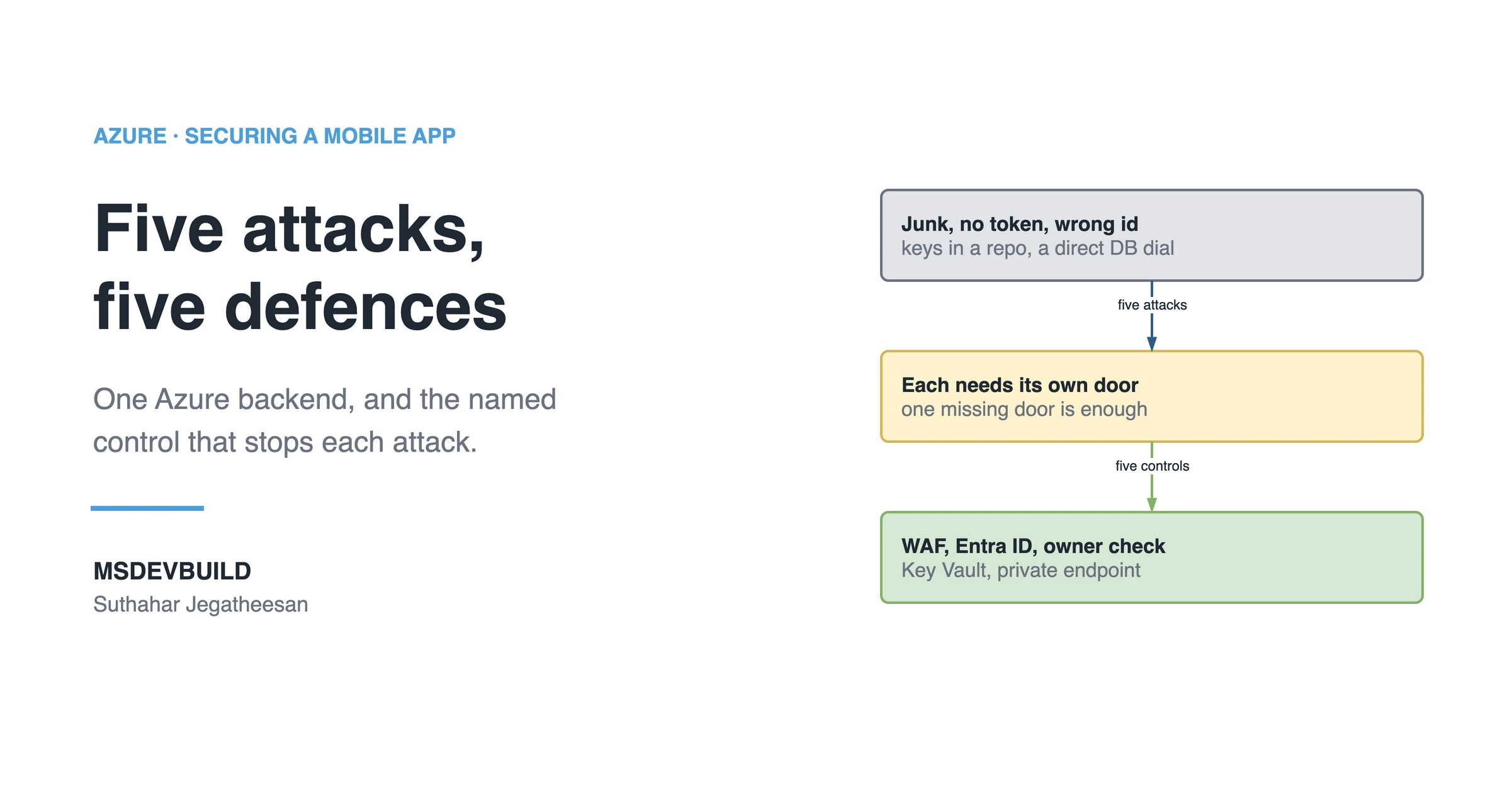
Article banner. On the left, the eyebrow "Azure, Securing a Mobile App" above the title "Five attacks, five defences" and the line "One Azure backend, and the named control that stops each attack.", with the MSDEVBUILD wordmark and the author name below. On the right, three stacked boxes joined by arrows: a grey box reading "Junk, no token, wrong id, keys in a repo, a direct DB dial", an arrow labelled "five attacks" to an amber box reading "Each needs its own door, one missing door is enough", and an arrow labelled "five controls" to a green box reading "WAF, Entra ID, owner check, Key Vault, private endpoint".

Five common attacks on a mobile backend map onto five Azure controls: Front Door WAF for junk traffic, Entra ID for missing tokens, an owner check for a valid token asking for someone else’s data, Key Vault for leaked keys, and a private endpoint for direct database access. Miss one and the other four do not cover for it.

Five attacks on the same Azure backend. Five named things that stop them.
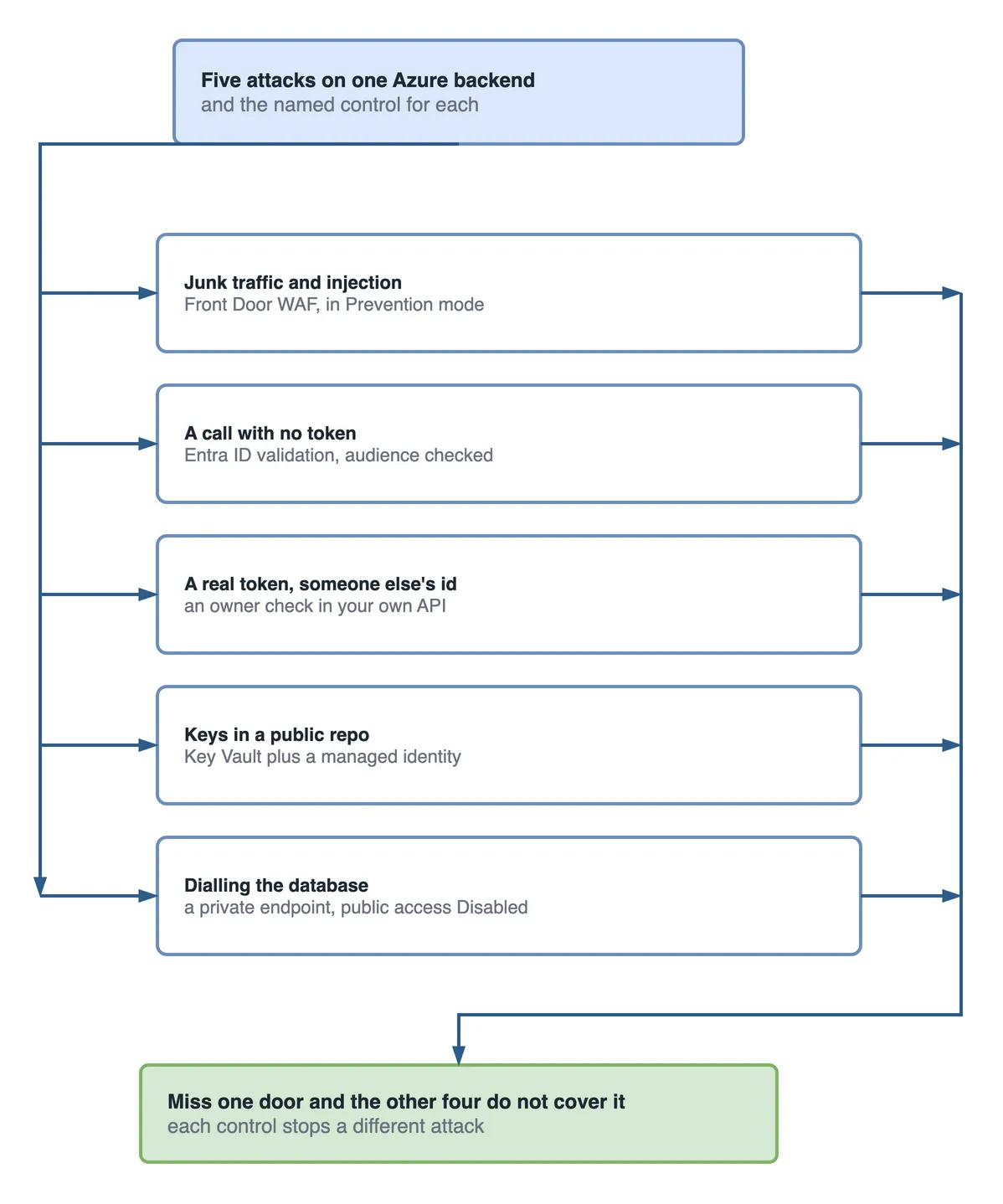
Fan-out diagram. Five attacks on one Azure backend, and the named control for each: junk traffic and injection are stopped by Front Door WAF in Prevention mode; a call with no token by Entra ID validation with the audience checked; a real token asking for someone else's id by an owner check in your own API; keys in a public repo by Key Vault plus a managed identity; dialling the database by a private endpoint with public access Disabled. They converge on: miss one door and the other four do not cover it, because each control stops a different attack.

Figure 1 — five attacks, five controls. Each one stops a different attack.

What stops junk traffic and injection strings?

Stopped by: Azure Front Door WAF, running the OWASP managed ruleset at the edge. Traffic blocked here costs nothing downstream. No container starts. No database connection opens.

The catch: WAF ships in Detection mode, and Detection only logs. Switch it to Prevention.

What stops a call with no token?

Stopped by: Microsoft Entra ID. Your API validates the signature, issuer and audience against Microsoft’s published keys. It is a local check, so it costs microseconds, not a round trip.

The catch: validate the aud claim, not just the signature. A valid token issued for a different app is still a valid token.

A real token, and someone else’s id

This is the one people miss. The attacker signs in legitimately as themselves, then requests GET /orders/1043, which belongs to someone else. Authentication passed. Nothing is wrong with their token.

Stopped by: an owner check in your API. The failure is called broken object level authorization, and it is number one on the OWASP API Security Top 10.

db.Orders.Where(o => o.UserId == me.GetObjectId())

Take the user id from the validated token. Never from the body, the query string or a header. The moment the client can tell you who it is, the check is decoration.

Searching your public repo for keys

Stopped by: Azure Key Vault plus a managed identity, so the repo holds a vault URI and nothing else. Also turn on GitHub secret scanning, and check history as well as the working tree. A key removed in a later commit is still in the repo. The blast-radius article covers what rotating one costs.

Dialling the database directly

Stopped by: a private endpoint, with public network access set to Disabled. The server gets a private IP inside your VNet. It has no internet-facing address at all.

The Azure default that undoes the private endpoint

“Allow Azure services and resources to access this server” sounds like it means your Azure resources. It does not. It means any resource in any Azure subscription in the world, including one an attacker spins up in five minutes. Leave it off.

What to check this week

  1. Is WAF in Prevention or Detection?
  2. Can you fetch another user’s record with your own valid token?
  3. Is public network access Disabled on SQL, Storage and Key Vault?
  4. Is “allow Azure services” off?
  5. Is Microsoft Defender for Cloud on, so you find out before the invoice does?

Miss one of the five doors and the other four do not cover for it. The five-layer request flow makes the same point for the layers; this is it applied to named attacks.

Key takeaways

  • Five common attacks map onto five Azure controls: WAF, Entra ID, an owner check in your own code, Key Vault, and a private endpoint.
  • Owner checks are the control authentication cannot provide. A real, valid token is exactly what a broken-object-level-authorization attack uses.
  • WAF’s default Detection mode only logs. Switch it to Prevention.
  • “Allow Azure services and resources” covers every Azure tenant, not yours. Keep it off.
  • Run the five-question audit on a schedule, not once.
Was this useful?

Share

Found a mistake or an outdated step? Edit this page on GitHub

Frequently asked questions

What stops a flood of junk traffic and injection attempts against an Azure API?
Azure Front Door with the Web Application Firewall running the OWASP managed ruleset at the edge. Blocked traffic costs nothing downstream. But the WAF ships in Detection mode, which only logs, so it has to be switched to Prevention before it blocks anything.
Why is a valid token from a real, logged-in attacker still dangerous?
Authentication proves who is calling, not what they may see. An attacker who signs in as themselves and asks for another user's record has a perfectly valid token. Only an owner check inside your API stops them, and that is a separate control from authentication.
Does "allow Azure services and resources" only allow my own resources?
No. It allows any resource in any Azure subscription in the world, including one an attacker creates in five minutes. Leave it off and use a private endpoint or explicit firewall rules instead.
What is broken object level authorization?
An API that checks a caller is signed in but not whether the record they asked for is theirs. It is number one on the OWASP API Security Top 10. The fix is to take the user id from the validated token and filter every query by it.
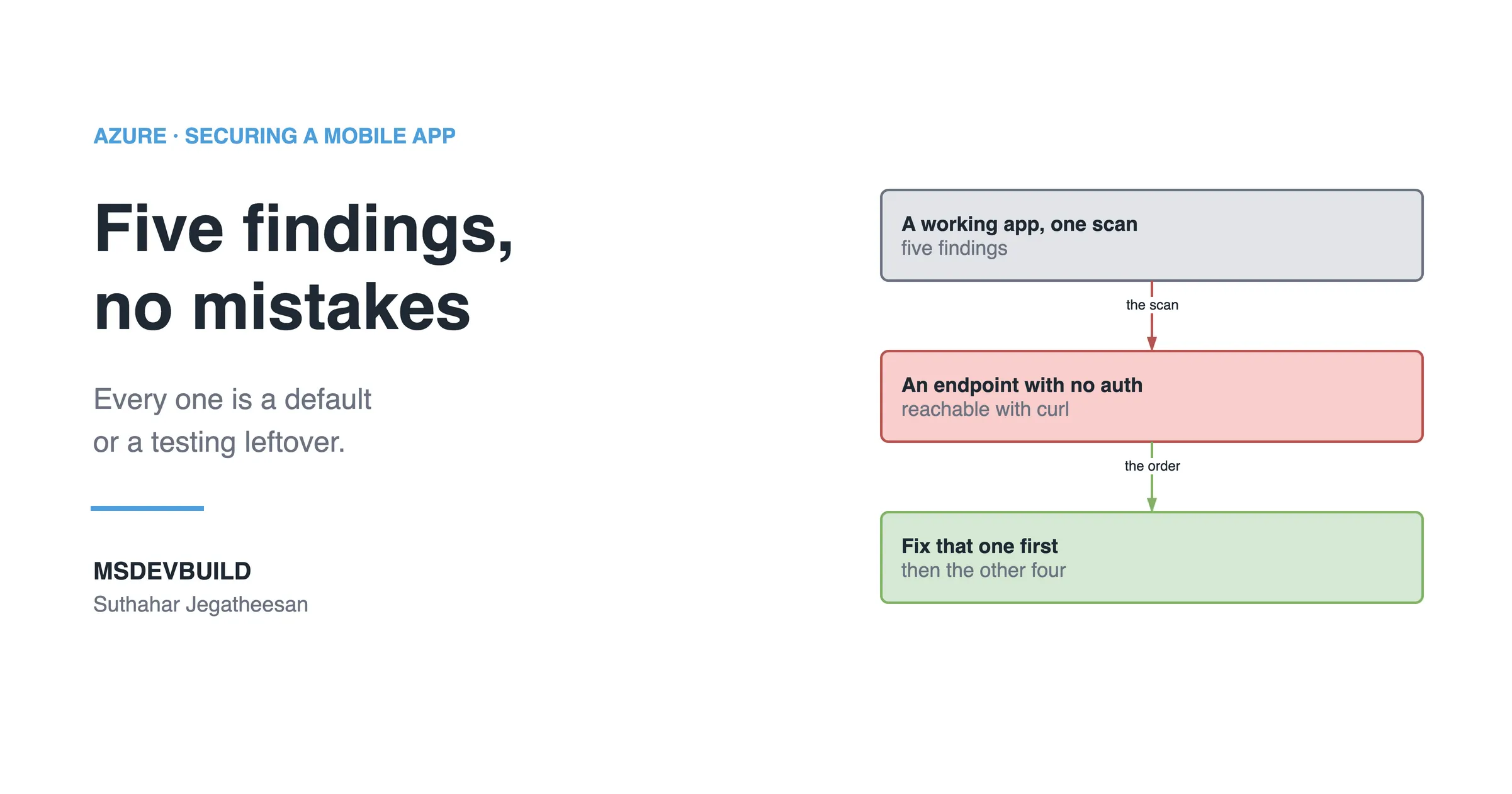
Article banner. On the left, the eyebrow "Azure, Securing a Mobile App" above the title "Five findings, no mistakes" and the line "Every one is a default or a testing leftover.", with the MSDEVBUILD wordmark and the author name below. On the right, three stacked boxes joined by arrows: a grey box reading "A working app, one scan, five findings", an arrow labelled "the scan" to a red box reading "An endpoint with no auth, reachable with curl", and an arrow labelled "the order" to a green box reading "Fix that one first, then the other four".

Next in this series · Part 5 of 8

4 min

Five Mobile App Security Vulnerabilities a Scan Finds, and Which to Fix First

Five findings on a working mobile app, none deliberate: a secret in the package, a token in plain storage, an open endpoint, TLS off, extra permissions.

Continue the series
Part 3 of 8Hardcoded API Key Blast Radius: What Happens When a Mobile Key Leaks

Get new posts by email

New technical articles, Azure AI and GitHub Copilot updates, and upcoming events. No spam, unsubscribe anytime.

Comments

Your turn

How did Suthahar's articles help you?

If something here saved you time or unblocked a real project, I'd love to hear about it. Submissions are reviewed before they appear on the site.

0/1500 · minimum 10 characters

Never published — used only to verify your feedback.

Your name, company, and role appear publicly if published. Nothing else is collected.

↑↓ navigate ↵ open